
Every month you verify accrual schedules by hand, cross-reference them against your ledger, and hope no one overwrote a cell since last close. Automating manual accrual management means building a workflow where reversals happen automatically, entries post without manual re-entry, and your audit trail doesn't require digging through folders to find the supporting document. If your close timeline keeps slipping because someone has to track down a prepaid schedule or verify a reversal actually posted, this is the piece that needs to change.
TLDR:
- Excel accrual errors cascade across periods undetected - 9 out of 10 spreadsheets contain human errors.
- Missed reversals and duplicate entries distort financials with no system to enforce correct posting.
- Spreadsheets lack audit trails showing who created entries, what supports them, or who reviewed them.
- Real automation posts journal entries to your ledger and maintains schedules without manual intervention.
- Double integrates accrual management into your close workflow with audit trails and automatic GL posting.
The Hidden Costs of Manual Accrual Management in Excel
Accrual management in Excel feels manageable until it isn't. One broken formula, one overwritten cell, one schedule buried in a former employee's personal drive, and suddenly your books don't close on time.
The real cost goes well beyond the hours spent. According to Enable, 9 out of 10 spreadsheets contain errors from version control gaps, manual entry mistakes, copy-paste slip-ups, and accidental overwrites. Accrual management requires accuracy that spreadsheets simply can't guarantee. For accruals, a single error can cascade across multiple periods before anyone catches it.
There's also the burnout factor. Senior accountants who should be doing analysis spend the first week of every close hunting down schedules, verifying postings, and patching broken logic. That's not a good use of anyone's time.
Why Accrual Reversals Break Down in Spreadsheets
Reversals are where spreadsheet-based accrual management tends to fall apart completely. The setup looks fine in January. By March, someone has posted the reversal manually, forgotten to mark it in the tracker, and now the same expense appears twice. Nobody notices until the reconciliation is off and the audit questions start.
The core problem is that there is no system enforcing the reversal happens. It is a human remembering to do something on a specific date, every single period, across every accrual in the book. That is not a process.
Missed reversals overstate expenses. Duplicate entries distort margins. Integrated close management solves these structural problems. And because spreadsheets have no memory of what was posted versus what was planned, you are left matching up the difference manually, period after period.
Common Accrual Errors That Spreadsheets Can't Prevent

Some of these errors show up immediately. Most don't surface until an auditor asks a question nobody can answer.
Here are the mistakes that repeat across almost every team still running accruals in Excel:
- A formula references the wrong row after someone inserts a line above it. The amortization schedule is now off by one period, silently, for months.
- A supporting document lives in a folder that only one person knows about. That person leaves. The schedule stays; the context disappears.
- Two team members maintain separate versions of the same prepaid schedule. Both post entries. Neither knows about the other.
- An incorrect useful life gets entered during setup. No validation catches it. The depreciation runs wrong for the entire asset's life.
What makes these errors so persistent is that spreadsheets have no guardrails. There is no rule saying a cell cannot be overwritten, no flag when a formula breaks, no warning when a schedule goes unposted. The file just sits there, quietly wrong, until month-end forces the issue.
Accrual Management Aspect | Manual Spreadsheet Approach | Automated Integrated System |
|---|---|---|
Reversal Management | Relies on manual reminders and human memory each period. Missed reversals cause duplicate expenses that distort financials for months before detection. | System automatically posts reversing entries on scheduled dates without human intervention. Every accrual includes its reversal configuration from setup. |
Audit Trail | No record of who created entries, when changes occurred, or what documents support each accrual. Version history is unreliable or nonexistent. | Complete history showing who created, reviewed, and approved each entry, with direct links to supporting documents and timestamped change logs. |
Error Prevention | No validation prevents broken formulas, overwritten cells, incorrect useful lives, or duplicate schedules maintained by different team members. | Built-in validation rules prevent configuration errors. System flags inconsistencies and prevents duplicate entries before they reach the ledger. |
GL Integration | Manual export from spreadsheet and re-entry into ledger creates discrepancies. Requires verification step to confirm entries posted correctly. | Direct posting to the ledger or ERP from the same system. Entries sync automatically with no manual re-entry or verification gap. |
Close Timeline Impact | Accrual verification becomes a bottleneck requiring cross-referencing files against ledger by hand. One delayed schedule holds up the entire close. | Accrual status updates in real time on the close checklist. When task is marked complete, ledger is already updated with full audit trail. |
Schedule Maintenance | Each period requires manual calculation, formula updates, and balance verification. Supporting documents stored separately in folders only one person knows about. | Recognition rules configured once execute automatically every period. System maintains current book values and links supporting documents to each schedule. |
How Manual Accruals Sabotage Your Audit Trail
Auditors want to know who created an entry, when it was posted, what document supports it, and whether anyone reviewed it before it hit the books. Spreadsheets can't answer any of those questions reliably.
When an auditor asks why a prepaid expense looks different from last quarter, the answer shouldn't be "let me dig through email." But that's exactly what happens when accruals live in Excel. There is no creator log, no version history anyone can trust, and no link between the schedule and the journal entry that was actually posted.
A proper audit trail also shows segregation of duties: who prepared the entry, who reviewed it, and who approved it. A spreadsheet with one owner and no sign-off workflow fails that test by design, and for any company subject to external audit or regulatory review, that's a governance gap.
The downstream costs are real. Extended audit timelines mean higher fees. Auditors billing hourly don't move faster when supporting documentation is scattered across three folders and two inboxes. When controls can't be shown, auditors compensate with more substantive testing, which means more of your team's time spent answering questions instead of closing the books.
The Month-End Close Bottleneck: Where Accruals Slow Everything Down
According to Ledge's 2025 month-end close benchmarks report, half of finance teams take longer than five business days to close each month, and accrual verification is a consistent culprit.
According to Leapfin's 2025 State of Automation for Finance report, data reconciliation is the top manual process finance professionals want to eliminate — cited by 28% of respondents. Each unverified accrual schedule becomes a hold on the close, and in a spreadsheet workflow, verification means cross-referencing the file against the ledger by hand.
One delayed accrual pushes back the reconciliation, which holds up the review, which means financials go out late and the next close starts before the last one is fully resolved. Automating the month-end close breaks this cycle.
What Accrual Automation Actually Means
Accrual automation gets used loosely, so it's worth being precise. A macro that auto-fills a spreadsheet row is not automation. A template that pre-populates account codes is not automation. Those are still manual processes wearing a slightly faster hat.
Real accrual automation means the system knows the recognition rules, calculates the amounts for each period, prepares the journal entries, and posts them without someone having to remember to do it. When a new prepaid is set up, the entire amortization schedule runs through close without manual intervention.
What separates genuine automation from workarounds comes down to a few specific capabilities:
- Recognition rules that apply consistently across every period without manual input
- Schedule management that tracks current book values automatically
- Automatic journal entry posting for the full recognition period
- An audit trail that links each posted entry back to the source document and the person who set it up
The last point matters more than most teams expect. Automation without auditability just moves the problem. If entries post automatically but there's no record of who configured the rule, what document supports it, or whether anyone reviewed it before posting, you haven't solved the audit problem. You've automated yourself into a different version of it.
Requirements for an Audit-Ready Accrual System
Not every solution that handles accruals qualifies as audit-ready. Before checking any system, including your current one, run it against these four requirements:
- Source document linkage: every entry ties back to the supporting file, so auditors can trace any line item without chasing down a spreadsheet attachment through automated close management
- Approval workflow: preparer, reviewer, and approver are distinct, logged roles with a clear record of who signed off and when
- Complete history: the system records who created or changed any rule, and when, giving auditors a reliable chain of custody for every adjustment
- GL integration: posted entries sync directly to the ledger with no manual re-entry step, which removes a common source of discrepancy during close reviews
If any of those are missing, the gap will surface in your next audit.
How Integrated Accrual Management Changes the Close Process
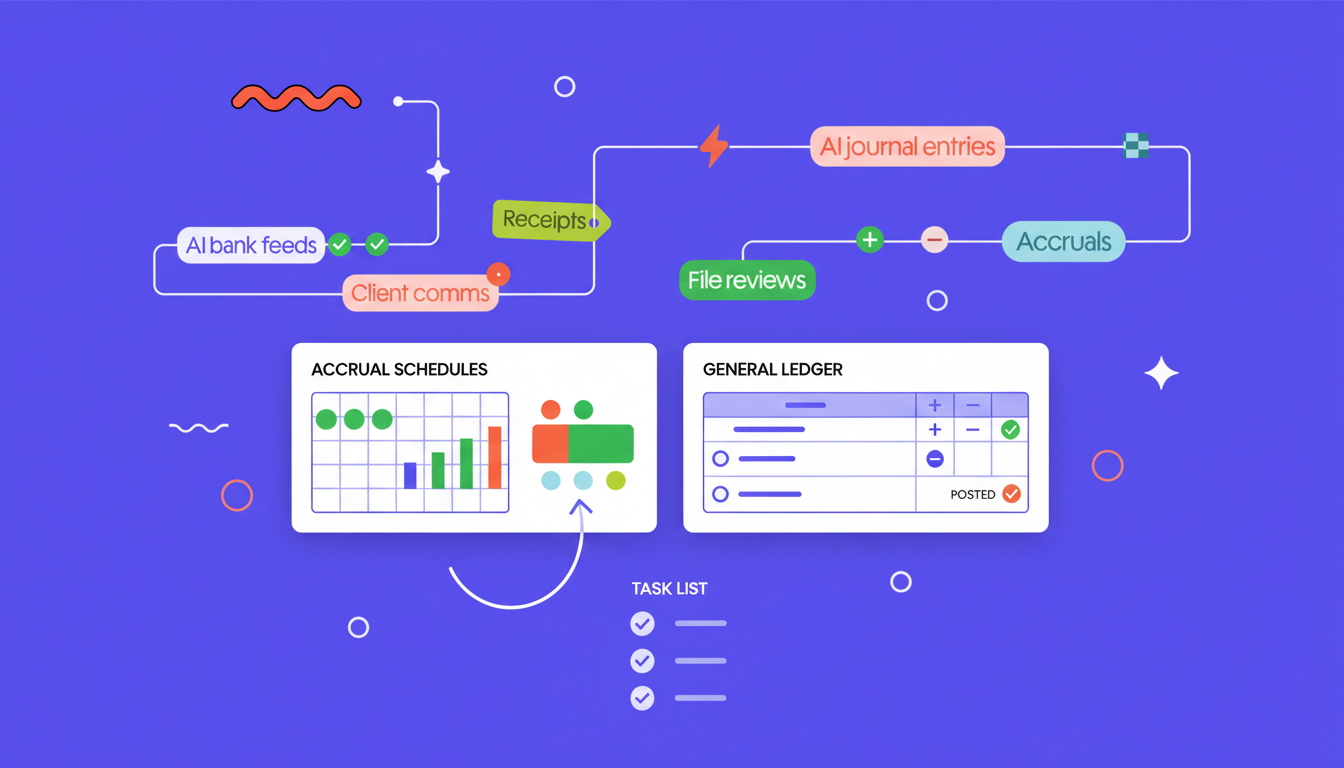
When accrual management is built into the close workflow, entries post directly to QuickBooks or your ERP from the same place where the rest of close happens. There's no separate login, no export-import step, no second system to verify against.
Here's why that matters for the close process:
- Standalone accrual tools still require you to match up their output against your ledger, verify postings landed correctly, and manually connect that work to the rest of close. The fragmentation just moves to a different spot.
- The close checklist reflects accrual status in real time, so when the task is marked done, the ledger is already updated.
- Everyone working the close sees the same state, with no version conflicts or out-of-sync spreadsheets to chase down.
Moving Accruals from Spreadsheets into Your Close Workflow
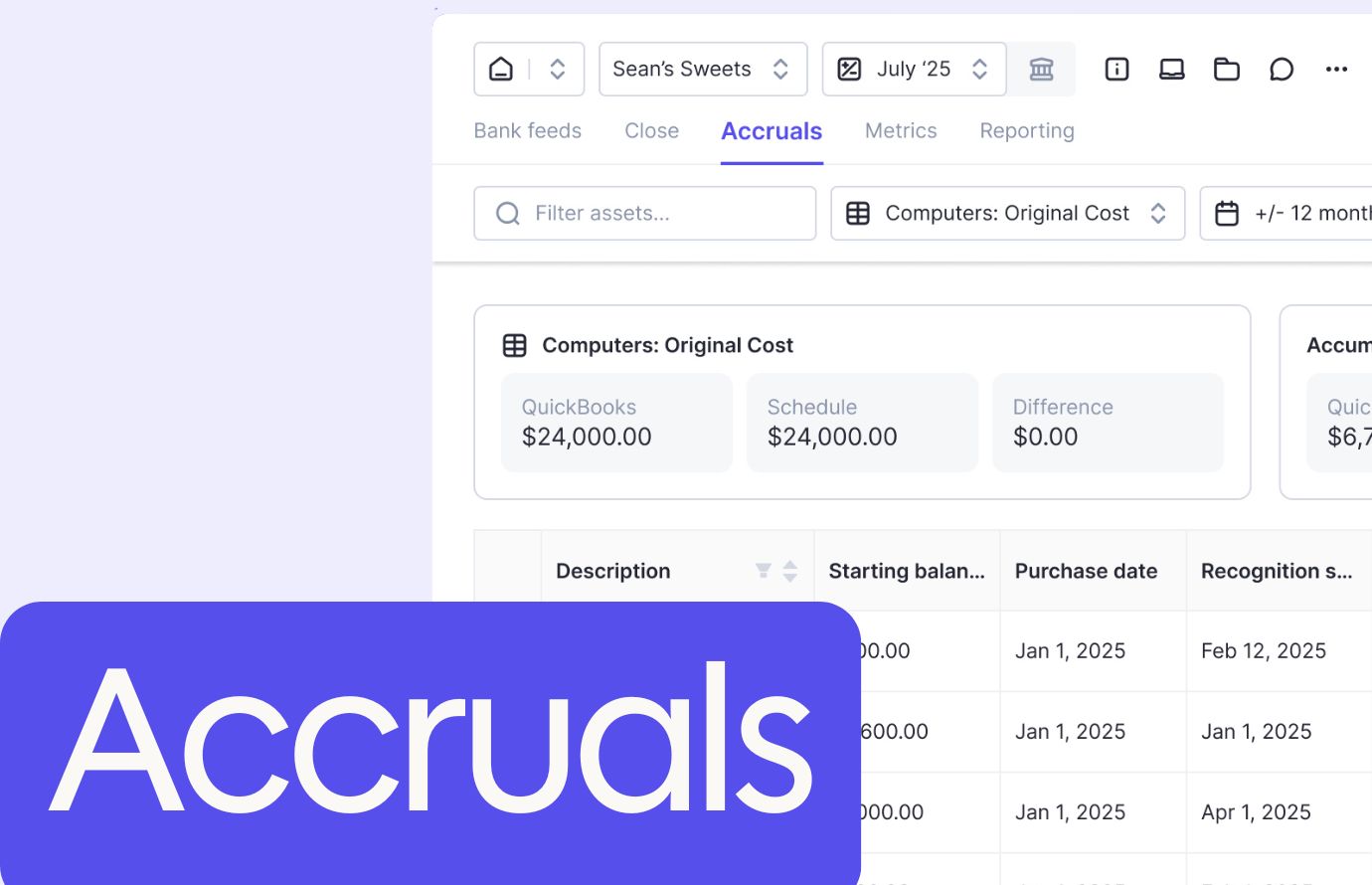
Getting accruals out of spreadsheets and into a structured close workflow starts with your existing data. Upload your current schedules via CSV, set recognition rules once, and the system handles the rest. Templates cover the common cases; custom prompts cover the edge cases.
Once accrual tasks live inside the close workflow, they sit alongside reconciliations and journal entries on the same checklist. When an entry posts, the ledger updates. When the task is marked complete, there is a full audit trail showing who set up the rule, who reviewed it, and what document backs it.
For teams managing accruals across multiple clients or entities, that consistency is what makes scale possible without proportionally growing headcount. Close the books in half the time with integrated accrual management.
Final Thoughts on Fixing Manual Accrual Workflows
Spreadsheet accruals work until they break, and by the time you catch the error, it's already rolled through three periods. The fix isn't a better template or a smarter macro but stopping manual accrual management entirely and putting this work into your close workflow where it belongs. Your entries post correctly, your audit trail builds itself, and your team stops spending half of close week verifying spreadsheets. If you want to see how that actually works with your ledger, book a demo and we'll walk through it.