
Every Scale AI feature on any QBO client of your choice. 14 days. No commitment.
Most of the firms I talk to fall into one of two camps when it comes to Double's AI tooling.
Camp one has heard "Double has AI now" and hasn't had the chance to dig in. Camp two may have tried one or two features but haven't seen how the pieces fit together yet. Both are completely fair. We've shipped a lot in a short window, and a few lines in our weekly product email doesn't always do the work justice.
Previously, there was some friction for those who wanted to test things out. To try a Scale AI feature, you had to upgrade a client first: which boiled down to be $50/month to "look and see" what the AI capabilities were. That's a steep cliff for someone without prior conviction.
So today, we're taking the friction out.
Now live: 14 days of Scale, free, on any QBO client
Pick any connected client (whether they're Core or Plus) and flip them to Scale for two weeks at no charge. Run an entire close cycle with the AI doing the heavy lifting. If it earns its keep, upgrade them to Scale moving forward. If it doesn't, the trial will automatically revert and you won't be charged Scale pricing. The work the AI generated during the trial stays in the client's file either way.
A few specifics so there are no surprises:
- Any QBO-connected client is eligible. It doesn't matter if they're on Core or Plus.
- Trial as many clients as you want. Each client gets their own 14-day window that starts when you flip them over to Scale.
- No commitment required. Your billing doesn't change during the trial — the firm continues to be billed at the client's existing tier price.
- Each client is only eligible once. This isn't a recurring promo and we're not running discount cycles. We want every client of yours to have had at least one shot at running the close with AI.
- It's invisible to your client. Their portal looks the same.
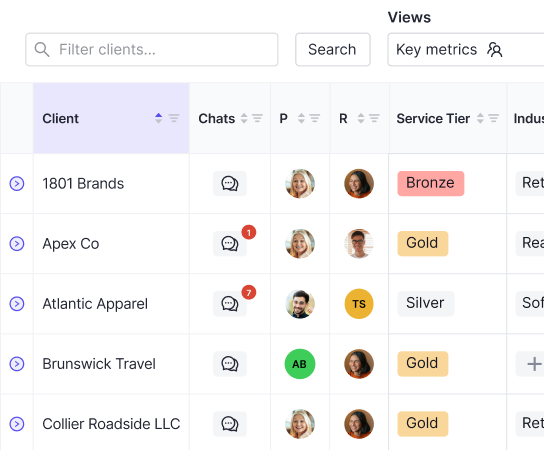
To start, an admin on your firm flips a client to Scale from Practice Settings → All Client Settings. A trial banner will appear at the top of that client's workspace indicating how many days are remaining. You can end the trial early at any time.
What you'll actually unlock
The trial gives you the full Plus + Scale feature set on that client, including:
- AI Transactions: auto-classify and post bank-feed transactions with the right GL account, vendor, and memo, based on how your firm codes things, not someone else's chart of accounts.
- AI Fix This Rec: recs proposed across bank, credit card, and clearing accounts. The boring 90% disappears; the exceptions land in your queue.
- AI Flux Analysis: period-over-period analysis with AI-drafted commentary on what changed and why, pulled from real activity and context.
- AI Journal Entries: turn payroll reports, HUD-1 settlements, and other source files into ready-to-post journal entries in minutes.
- Automated Accruals & Prepaids: reusable rules, GL-linked entries, one-click posting straight from the close page.
- AI Financial Summaries: generate the narrative section of every monthly client reporting package (highlights, KPI movement, anomalies) in your firm's tone.
- Ask Double: the unified AI agent. Ask your books anything and get answers grounded in your actual data. (This is also where our MCP server shows up.)
Why we built it this way
A few principles drove the shape of this.
We'd rather have you feel the productivity gain in your own books than read about it on a website. The fastest way for you to know whether this matters for your firm is to run one of your messier clients through a close with the AI doing the obvious work.
And we kept it completely free, with total flexibility for when/where/how you want to take advantage of the trial. The cliff was a cliff; and we're not interested in a smaller cliff. If you don't like it, the worst thing that happens is your client drops back to their original tier and nothing changes. But… we think you'll really like it.
Try it on a client today
Pick a client, flip them to Scale, and let the AI run a close for you. Learn more and pick a client to upgrade here.
- Ben