
1099 season, handled.
Double automates the tedious parts of 1099 prep: proactively identifying eligible vendors, collecting W-9s, and generating filing-ready reports.
No more January scrambles.
Get started
Trusted by thousands of bookkeepers and accountants

















Four simple steps,
built into your existing workflow.
Most teams wait until January to think about 1099s. Double makes it easy to get ahead.
Get a running view of every eligible vendor, spot missing W-9s at any point during the year, and walk into busy season with the work already done.
1
Identify
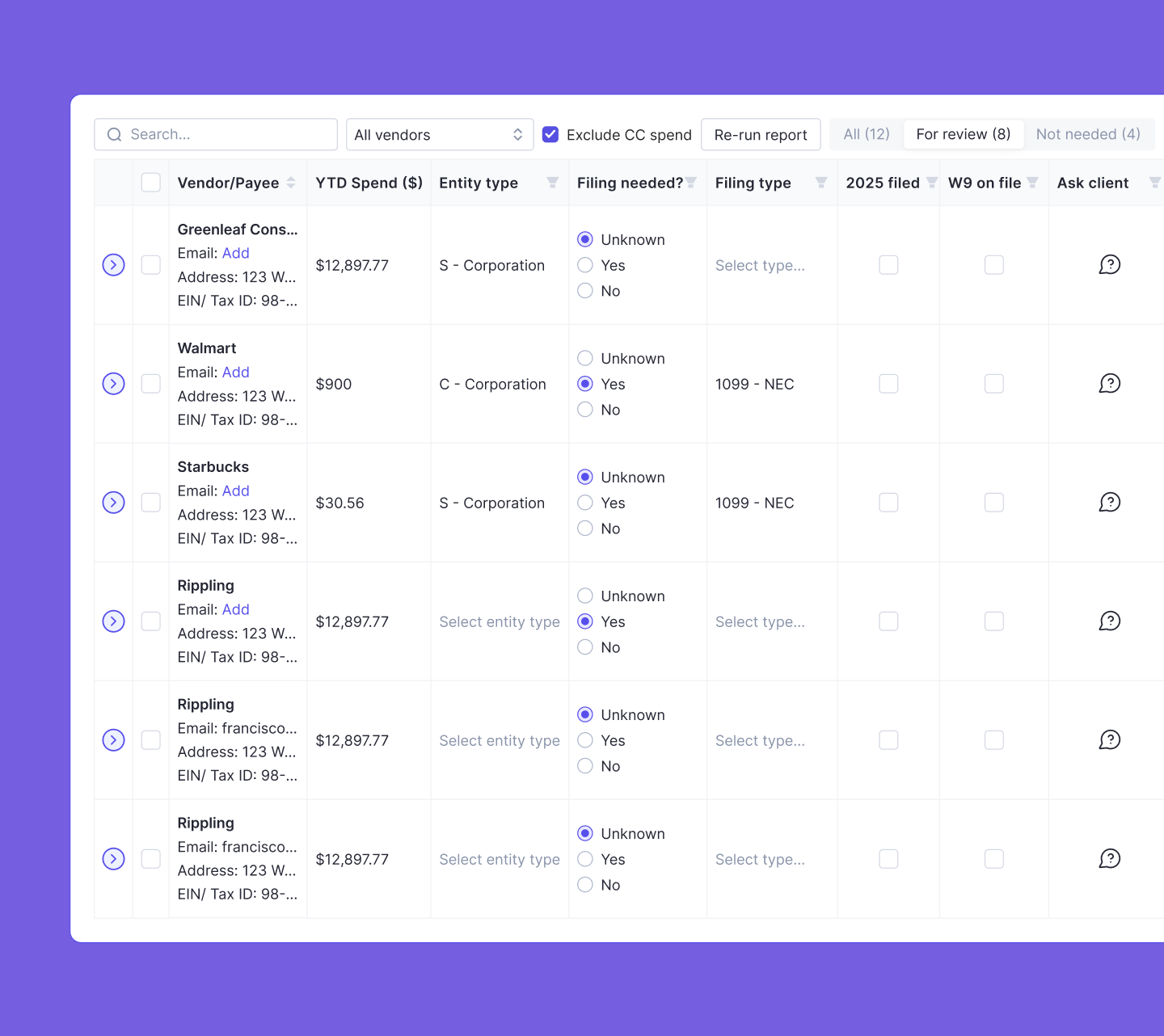
Double pulls all vendors from the ledger and flags the ones that may require a 1099, based on entity type and YTD spend.
2
Request
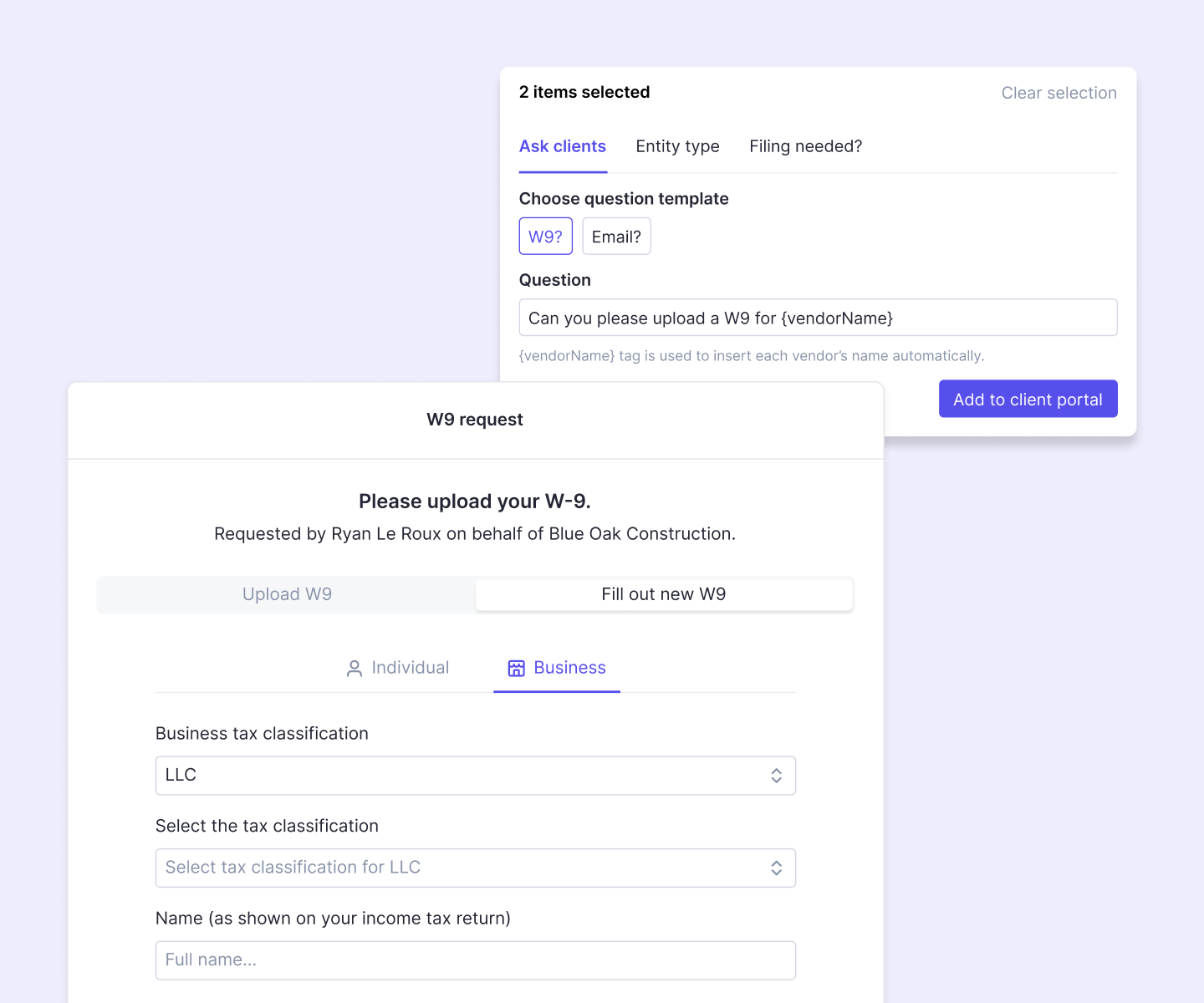
Send W-9 requests directly to vendors or ask clients through the portal. Track the status from the same view.
3
Update
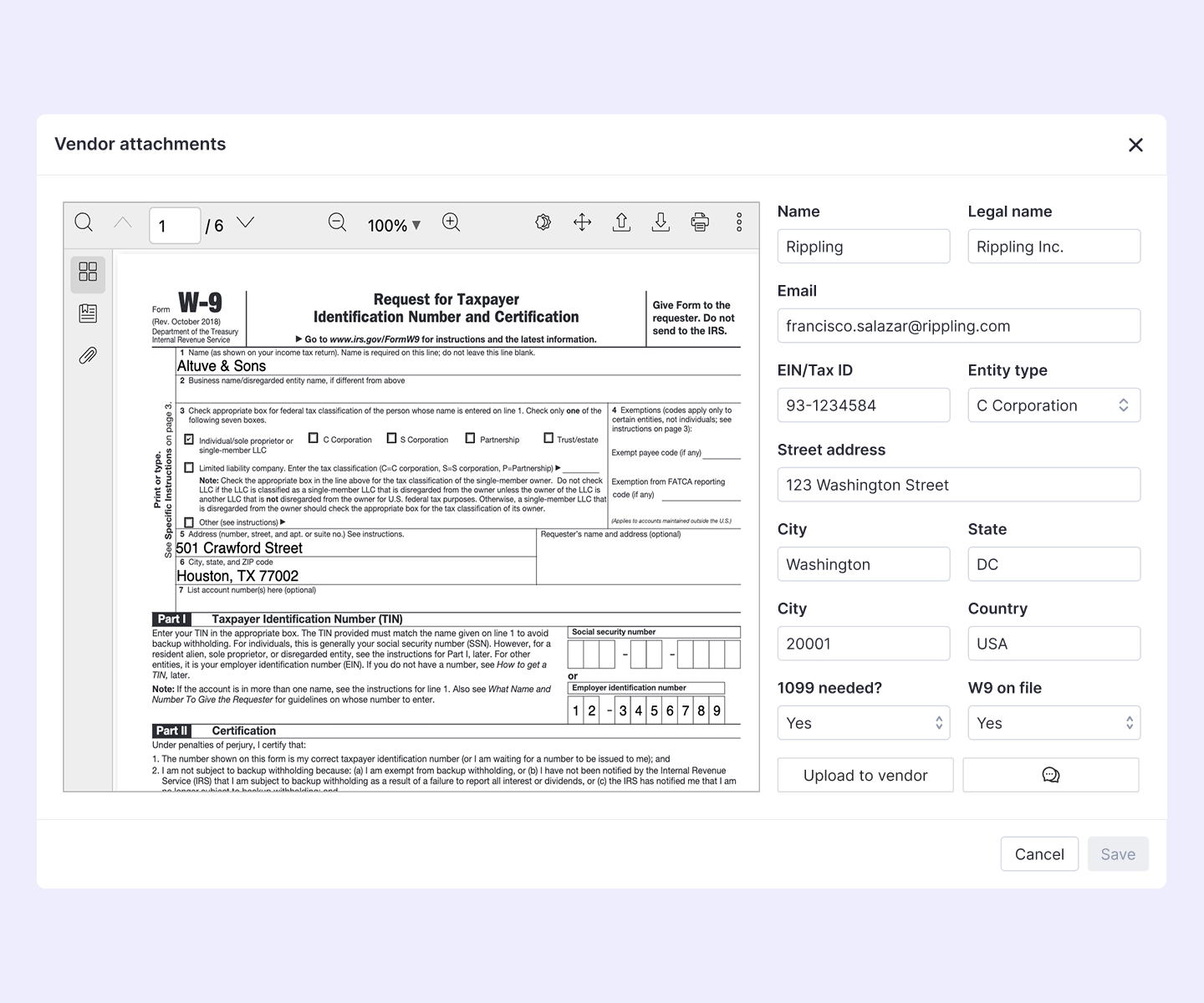
Review and confirm available vendor details like legal name, entity type, and TIN before the report runs.
4
Export
Generate filing-ready CSVs separated by 1099 type, then upload to tools like Tax1099 or Track1099.
IDENTIFY
Surface eligible vendors automatically.
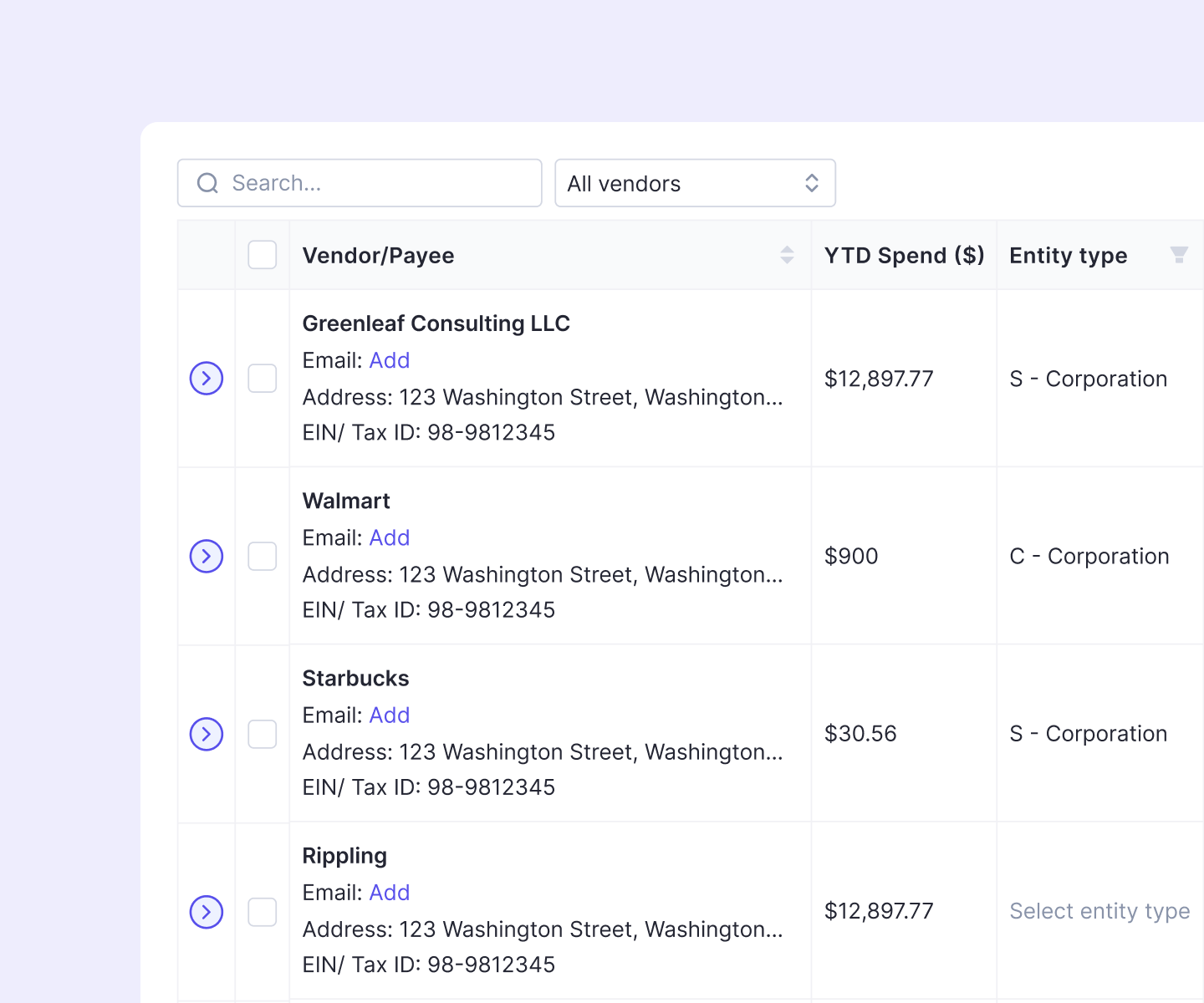
Double pulls all your client’s vendors into a single 1099 report, automatically filtered to surface those who might qualify—excluding credit card spend and vendors paid under $2,000 by default.
For each vendor, you can see at a glance:
- Entity type
- YTD payment total
- Applicable 1099 type (NEC, MISC, INT, or DIV)
- W-9 status
- Entity type
- YTD payment total
- Applicable 1099 type (NEC, MISC, INT, or DIV)
- W-9 status
COLLECT
Two ways to get a W-9. Neither involves chasing anyone.
When a vendor is missing a W-9, Double gives you two ways to request one.
Ask your client
Send a portal question asking the client to provide the vendor's W-9. It lands in their client portal alongside other open items, not buried in email threads.
Send a portal question asking the client to provide the vendor's W-9. It lands in their client portal alongside other open items, not buried in email threads.
Send a vendor request
Email the vendor a link to fill out their W-9 digitally. No PDF, no back-and-forth. When the vendor submits, Double pulls it in automatically.
Email the vendor a link to fill out their W-9 digitally. No PDF, no back-and-forth. When the vendor submits, Double pulls it in automatically.
update
Review every vendor before you file.
Before you export, review and confirm every vendor record in the report: update TINs, verify legal names, and confirm entity types, all within Double.
Changes carry forward for future years, so you're building a cleaner vendor list every season.
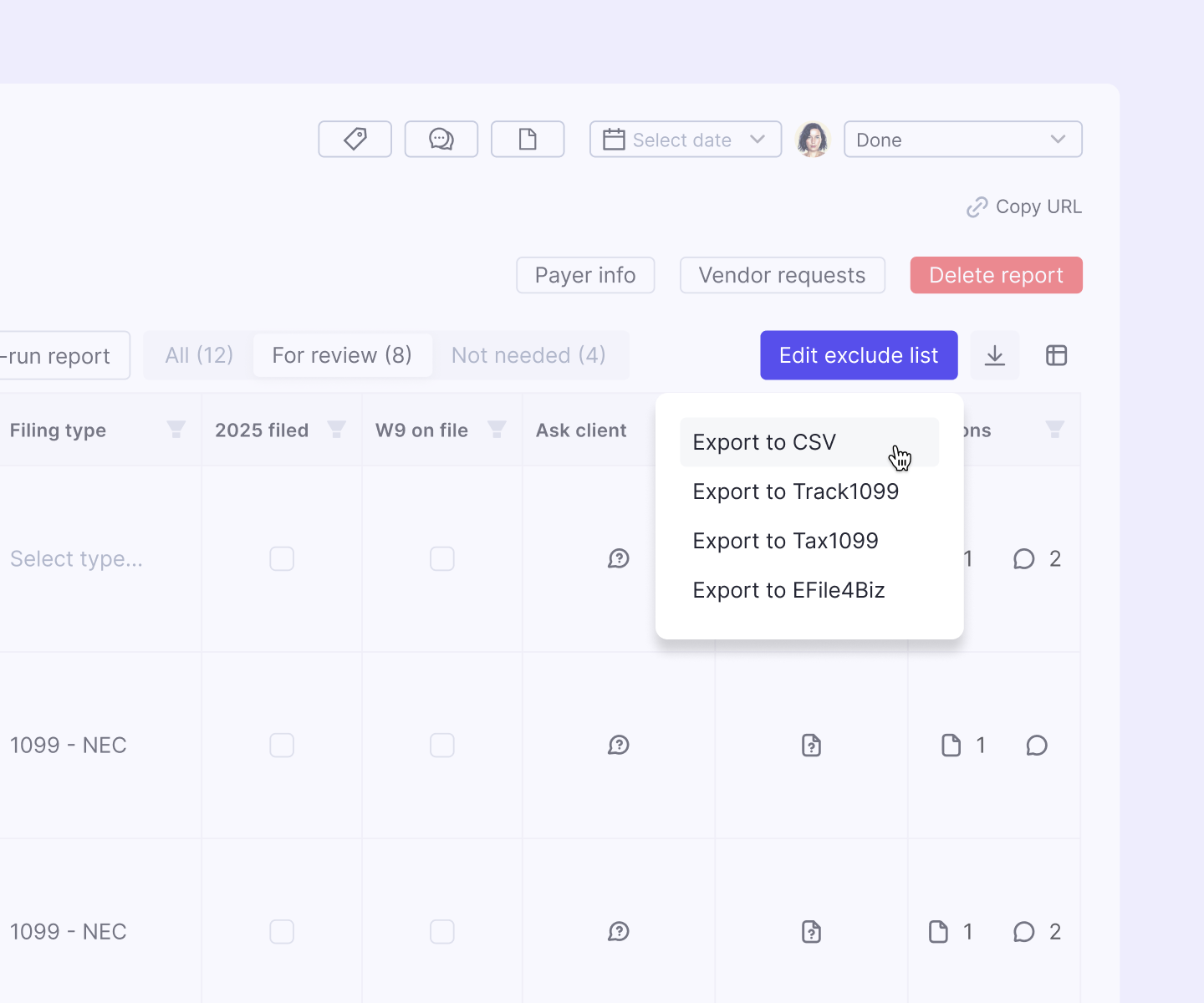
EXPORT
Filing-ready CSVs, separated by type.
When you're ready to file, Double generates separate, filing-ready CSVs by 1099 type—which can then be exported to tools like Tax1099 or Track1099.
Every export reflects your final vendor list: W-9s collected, totals confirmed, debit card transactions excluded.
No reformatting. No spreadsheet cleanup. Just export and file.
Included in Double Core.
1099 & W-9 management is available for all Double Core clients.
View pricing plans