
Closing the books without spending three full days on bank reconciliations and variance writeups is rare for firms managing more than a handful of clients. That manual work eats up the majority of the close cycle before the actual review begins. Per APQC benchmarking data, the median finance team takes 6.4 days to complete the monthly close. The difference between ai accounting software that assists and software that executes is where firms are finding real capacity gains. The tools that post journal entries and run reconciliations automatically are saving teams 30 to 50 percent of their close time per engagement.
TLDR:
- AI accounting software splits between tools that flag issues and tools that execute work like reconciliations and journal entries directly.
- Most tools cover transaction categorization and anomaly detection, but only a few handle full workflow automation across the close.
- Firms using Double report 30 to 50 percent time savings per close through AI-driven reconciliation and flux analysis.
- Tools built for single-entity corporate closes create friction for accounting firms managing multi-client portfolios.
- Double automates the close for accounting firms with two-way sync to QuickBooks Online and Xero, per-client pricing, and a built-in client portal.
What is AI Accounting Software?
AI accounting software refers to tools that use AI to automate, analyze, or assist with financial recordkeeping, reporting, and related workflows. The category spans a wide range of capabilities, from basic automation that categorizes transactions to more advanced systems that flag anomalies, draft variance explanations, or close the books with minimal human input. Industry research indicates that 50 percent of accounting teams cite productivity improvements as the primary benefit, with 39 percent reporting faster financial close and reconciliation in particular.
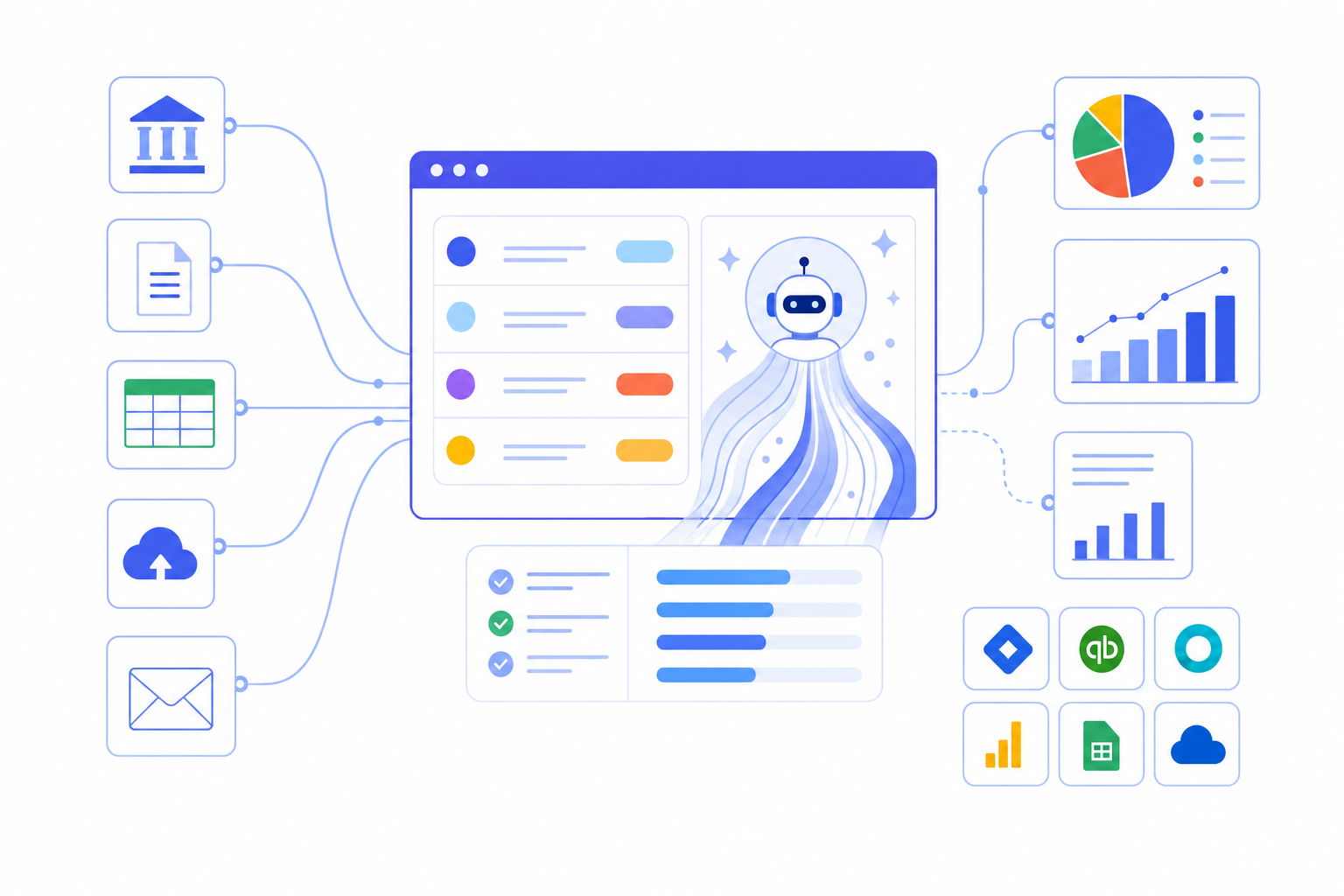
Some AI accounting software sits in the background, surfacing suggestions or flagging items for review. Others take a more active role, running reconciliations, preparing journal entries, and generating financial reports without waiting for someone to initiate each step.
Tools that execute work directly eliminate more manual tasks than tools that only flag issues for review.
- Automated transaction categorization that learns from historical patterns and applies rules across connected accounts, reducing the manual work of coding entries one by one.
- Anomaly detection that monitors account balances and transaction data continuously, surfacing items that fall outside expected ranges before they become reporting errors.
- AI-assisted reporting that drafts financial statements, variance commentary, and close summaries based on live data without requiring an analyst to build them from scratch each period.
- Workflow automation that moves tasks through a defined close sequence, assigns owners, tracks status, and flags blockers without relying on spreadsheets or email threads to coordinate the work.
Most tools in this roundup cover at least two or three of these areas. The best ones cover all four.
How We Assessed AI Accounting Software
Each tool in this roundup was assessed across five criteria, drawing from publicly available product documentation, vendor websites, and verified third-party sources. No vendor received advance review of this content.
- Execution capability: whether AI posts transactions directly to the ledger or generates output that still requires a manual posting step
- Integration depth: native two-way sync with QuickBooks Online, Xero, Sage Intacct, or NetSuite
- AI surface area: how broadly AI applies across bank feeds, journal entries, reconciliations, and accruals
- Pricing transparency: whether costs are clearly published and scale predictably as workload grows
- Workflow consolidation: whether the tool replaces point solutions or adds another layer to an existing stack
Best Overall AI Accounting Software: Double
Double is purpose-built for accounting firms managing multi-client month-end closes, and it goes well beyond task tracking. Where most tools hand you a checklist, Double does the actual work: pulling in transaction data, running reconciliations, drafting variance explanations, and posting journal entries automatically.
Core Capabilities
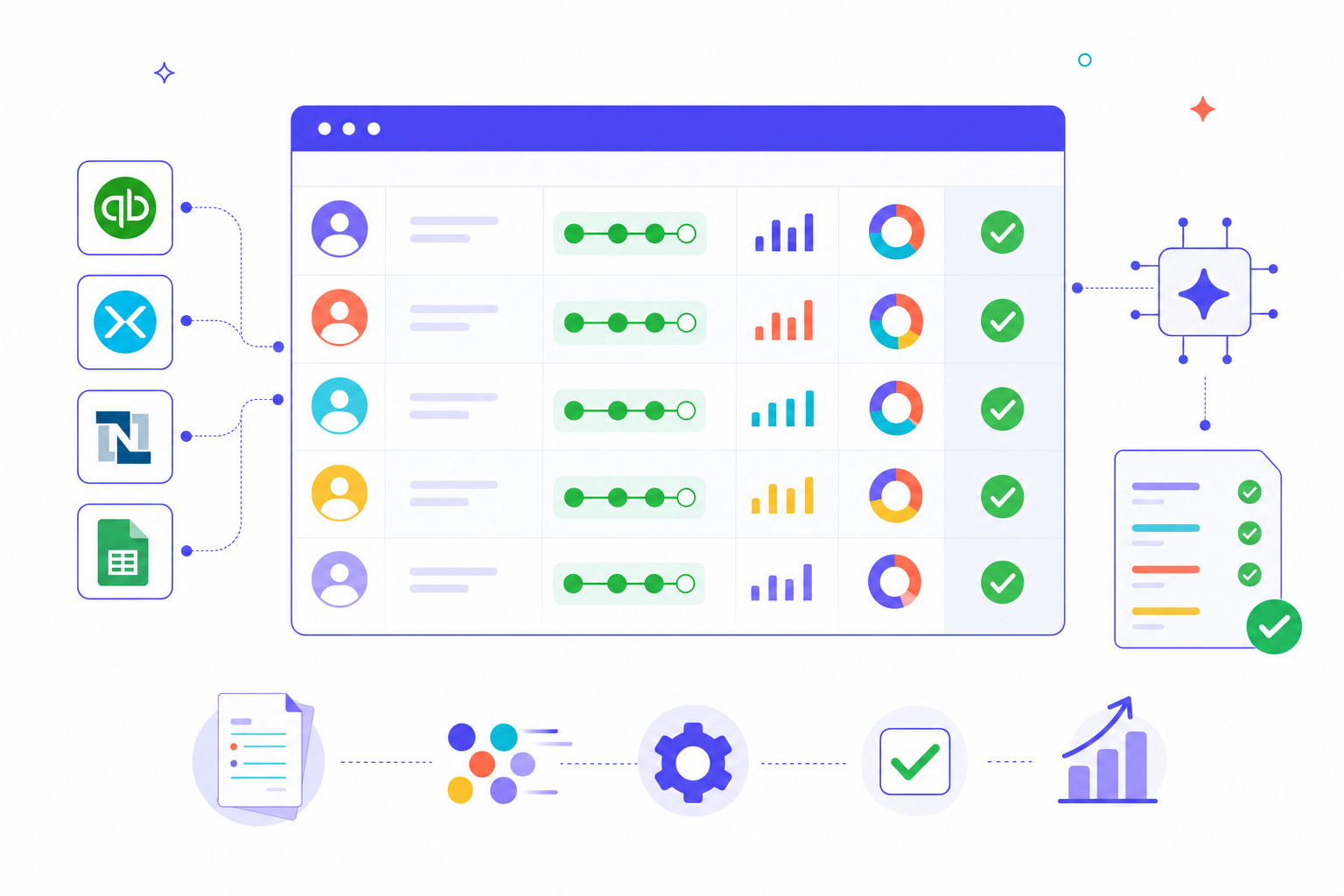
- Two-way sync with QuickBooks Online and Xero means the close stays connected to live client data without manual exports or copy-paste workflows.
- AI flux analysis automatically drafts variance explanations at the vendor and transaction level across the P&L and Balance Sheet, with configurable materiality thresholds so reviewers start from conclusions instead of raw numbers.
- Reconciliations run inside the close workflow itself, with AI matching transactions and flagging exceptions for human review instead of handing accountants a blank spreadsheet.
- The client portal handles document requests, status updates, and approvals in one place, cutting the back-and-forth that typically drags out the final days of any close.
Pricing
Double charges per connected client with no user fees and no seat limits. Firms using Double report saving 30 to 50 percent of close time per engagement, which compounds quickly across a full client portfolio.
Who It's For
Double fits accounting firms where tax prep, audit, and advisory all run simultaneously and the close needs to move across multiple client entities without falling apart at the seams. If your team is still manually exporting reports, chasing client documents over email, or rebuilding variance stories from scratch each month, Double is built for that exact problem.
Basis
Basis is AI accounting software built for accounting firms, and it sits in a different category from most tools on this list. Where others focus on bookkeeping automation or close management, Basis targets the full client accounting workflow, from onboarding to ongoing monthly work.
The core of Basis is its AI categorization engine. It learns from your firm's coding history and applies that knowledge across clients, reducing the manual review cycle that burns hours every month.
Core Capabilities
- Transaction categorization that adapts to firm-specific rules, not generic chart-of-accounts logic
- Client request management built into the workflow so document collection doesn't happen over email
- Month-end checklists with task ownership and status tracking across your client portfolio
- A client-facing portal where clients can respond to questions and upload documents directly
Where Basis Fits Best
Basis works well for firms doing high-volume bookkeeping across many small business clients. The categorization accuracy improves over time, which means the tool gets more useful the longer a firm uses it. That said, Basis is less suited for firms whose primary work is audit, tax, or advisory, since the product is built around the transactional bookkeeping workflow instead of close integrity or financial reporting.
Pricing is not publicly listed, so firms will need to request a demo to get a quote.
Dext
Dext sits in the document capture and receipt management space, focusing on pulling financial data out of paper and digital documents before it reaches your accounting software. It uses AI to extract data from receipts, invoices, and bank statements, then pushes that structured data into connected tools like QuickBooks Online and Xero.
Strengths
- Optical character recognition accuracy has improved with AI, making it reliable for high-volume receipt capture across clients who submit documents in inconsistent formats.
- The supplier rules engine learns from past transactions and auto-categorizes line items, reducing repetitive manual coding work for bookkeepers handling recurring vendors.
- Mobile capture through the Dext app lets clients photograph receipts on the go, cutting down on the end-of-month document chase that slows reconciliation.
Where Dext Stops
Dext handles the intake layer well, but the workflow ends at data extraction. There is no close management, no reconciliation execution, and no month-end task coordination built in. For accounting firms looking for AI accounting software that moves beyond document capture into actual close work, Dext solves one part of a larger problem.
Dext works best for firms or bookkeepers managing high document volumes who need a reliable front-end capture tool to feed their existing accounting software.
FloQast
FloQast has a large and active user base, particularly among mid-market corporate accounting departments. Many teams know the name, and for good reason: it has invested heavily in close management workflows, reconciliation tracking, and audit-trail documentation.
For accounting firms managing multi-client portfolios, the limitation worth noting is structural. FloQast was built for internal corporate finance teams managing a single entity, and its architecture reflects that. Firms running concurrent client closes hit friction quickly, since the tool assumes one set of books instead of a portfolio of clients with separate close cycles.
Pricing also skews toward enterprise budgets, with user-based fees and multi-year commitments that can strain smaller firms considering cost per engagement.
Numeric
Numeric was built for corporate finance teams managing a single entity's close, not for accounting firms running multi-client portfolios. That design choice works well in its intended context, but it creates real friction for firms that need to manage closes across dozens of clients simultaneously.
The core limitation worth noting is structural. Numeric assumes one set of books, one close workflow, one team. Accounting firms that try to scale across clients hit that wall quickly.
- Flux analysis and variance explanations are genuinely polished, giving finance teams clear narrative context for period-over-period swings without manual writeups.
- The reconciliation workflow is clean and well-designed for controllers who live inside a single entity's chart of accounts day to day.
- Its AI features are built around a corporate close cadence, which suits in-house finance teams with predictable monthly rhythms.
For accounting firms, the fit gap shows up fast. There is no multi-client workspace, no client-facing portal, and no way to manage concurrent closes across separate entities from a single view. Each client effectively requires its own isolated workflow, which eliminates the time savings firms depend on when running five, ten, or fifty closes in parallel.
Numeric is a capable close tool for the audience it was designed for. For accounting firms managing client portfolios, that audience is not you.
Ramp Stack
Ramp Stack is Ramp's named AI product for accounting firms, announced in June 2026. It is worth including here because some firms already use Ramp for expense management and want to understand where the close management capabilities begin and end.
Ramp Stack offers Skills-based AI, reconciliation workpapers, flux analysis, and accrual roll-forwards. The native data advantage is real: if your clients run Ramp cards, the transaction data flows in without manual imports or CSV wrangling.
The structural limitation worth noting is architectural. For accounting firms managing multi-client portfolios, AI output that lands in spreadsheets, the absence of a client portal, and reporting anchored to a single entity create friction at scale. Teams running a single entity's books will not hit the same wall.
Xenett
Xenett is an AI-powered bookkeeping review tool designed for accounting firms. Where most close tools focus on task tracking or document storage, Xenett focuses on a narrower problem: catching errors in your books before they reach the client.
The core workflow runs on automated error detection. Xenett scans your QuickBooks Online or Xero file and flags anomalies like duplicate transactions, misclassified entries, unusual balances, and accounts that haven't moved in months. You get a ranked list of issues to review instead of hunting through the ledger manually.
Core Capabilities
- Automated error and anomaly detection across the chart of accounts, surfacing duplicates, miscoded entries, and stale balances without manual scanning.
- A client collaboration layer that lets you send questions directly to clients inside the tool, with responses tied to the specific transaction in question.
- Review checklists that assign sign-off steps to team members, so nothing gets approved without the right eyes on it.
- Flux analysis that compares period-over-period balances and flags variances worth investigating.
Where It Fits and Where It Stops
Xenett is well-suited for firms that want a faster bookkeeping review process and a cleaner handoff to advisory or tax. The error detection genuinely reduces the time spent hunting for problems in a messy file.
The limitation worth noting is scope. Xenett is a review tool, not a close management tool. It catches what's wrong after the books are already in progress, but it doesn't own the workflow that gets you there. Firms managing complex multi-client closes with parallel workstreams will likely need something that goes deeper into close orchestration.
Feature Comparison Table of AI Accounting Software
Tool | Best For | AI Capabilities | Key Integrations | Starting Price |
|---|---|---|---|---|
Double | Accounting firms and mid-market finance teams running multi-client or multi-entity closes | AI-driven reconciliation, automated journal entries, flux analysis, accrual and prepaid automation | QuickBooks Online, Xero, Sage Intacct, NetSuite | Per-client pricing for firms; flat annual rate for corporate finance teams |
Basis | Accounting firms doing high-volume bookkeeping across many small business clients | AI transaction categorization that learns from firm-specific coding history, client request management | QuickBooks Online, Xero | Custom pricing |
Dext | Firms or bookkeepers managing high document volumes who need reliable front-end capture | OCR data extraction from receipts and invoices, supplier rules engine, automated line item categorization | QuickBooks Online, Xero | Custom pricing |
FloQast | Mid-market corporate accounting departments managing a single entity | Close management workflows, reconciliation tracking, audit-trail documentation | NetSuite, Sage Intacct, QuickBooks Online | Custom pricing |
Numeric | Corporate finance teams managing a single entity's close | Flux analysis, variance explanations, reconciliation workflows | NetSuite, Sage Intacct, QuickBooks Online | Custom pricing |
Ramp Stack | Firms whose clients already use Ramp cards for expense management | Skills-based AI, reconciliation workpapers, flux analysis, accrual roll-forwards | Ramp, QuickBooks Online, Xero, NetSuite | Custom pricing |
Xenett | Firms that want a faster bookkeeping review process and cleaner handoff to advisory or tax | Automated error and anomaly detection, duplicate transaction flagging, flux analysis, review checklists | QuickBooks Online, Xero | Custom pricing |
Price alone tells an incomplete story. Tools like Sage Intacct and NetSuite carry custom enterprise pricing that scales with modules and users, so the number you see at the end of a demo can look very different from what gets published. On the AI side, the gap between tools that apply AI to individual transactions versus tools that apply it across the full close workflow is where the real difference in time savings shows up.
Why Double is the Best AI Accounting Software
Double serves two distinct workflows with the same execution-first AI engine: accounting firms managing month-end closes across multiple clients, and corporate finance teams running the close for their own company. Most tools in this category are built for one audience. Double covers both with a direct two-way connection to the ledger.
For accounting firms, that means two-way sync with QuickBooks Online and Xero. For corporate finance teams, it means the same direct connection to your ERP system. Either way, transactions pulled from the general ledger are automatically matched, categorized, and verified against bank feeds without manual data entry. Firms using Double report saving 30 to 50 percent of close time per engagement.
AI That Does the Work Instead of Flagging It
Most AI accounting tools surface anomalies and then hand the problem back to you. Double's AI acts on the data. It auto-categorizes transactions, drafts journal entries, and runs flux analysis with configurable materiality thresholds so reviewers start on conclusions, not raw data.
Communication Built Into the Close
Accounting firms get a built-in client portal where document requests, client responses, and supporting files live inside the same workspace as the close. When a client uploads a receipt or answers a question, it lands directly in the relevant task. Corporate finance teams get a stakeholder collaboration layer that lets department heads and budget owners review expenses, submit variance explanations, and approve allocations without requiring access to the accounting system. Either way, the back-and-forth that typically drags out the final days of the close stays inside the same workspace where the work happens.
Close Management Across Clients and Entities
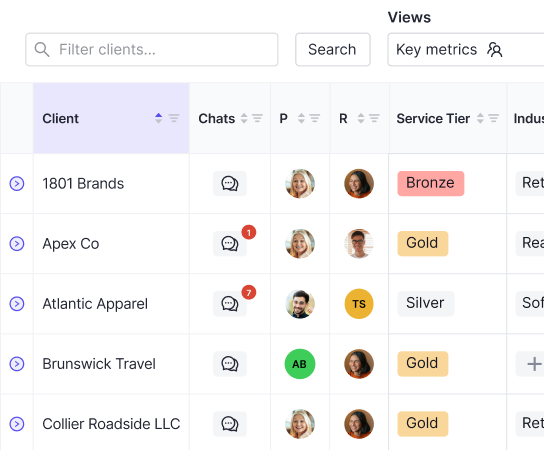
Accounting firms get a practice-wide view where each client engagement has its own close workspace, with status visible across every engagement from a single view. Corporate finance teams get multi-entity close support, with subsidiary filtering across P&L, Balance Sheet, and transaction reports, and the ability to manage closes across multiple legal entities from one workspace. Reviewers can move between clients or entities, flag blockers, and track progress without switching tools or rebuilding context.
Pricing Designed for Your Model
Accounting firms pay per connected client, with tiers at $10, $25, or $50 per client per month depending on close complexity, and no user fees or per-seat costs. The cost scales with actual work as a firm grows its client base. Corporate finance teams pay a straightforward flat annual rate, with full team access and no per-user charges. Both models are built around how each audience actually works.
Final Thoughts on AI Accounting Tools
Most AI accounting software still hands the work back to you after surfacing an issue. The tools that genuinely reduce close time are the ones that execute reconciliations, post journal entries, and generate variance explanations without stopping for approval at each step. Firms managing concurrent client closes need software that runs the workflow instead of only tracking it. Book a demo if you want to see what execution-first AI looks like in practice.