
You're probably using a payroll excel template because it's familiar, free, and gets payroll done without a subscription. The formulas work, the structure makes sense, and for a small team it beats building everything from scratch. But if you're spending real time each cycle fixing formula errors, reconciling to your books, or explaining how the sheet works to someone new, the template might be costing more than it's saving.
TLDR:
- Payroll Excel templates include pre-built formulas for wages, deductions, and net pay calculations.
- Weekly, biweekly, semi-monthly, and monthly templates each match specific pay cycle tracking needs.
- Templates prevent common errors like overtime miscalculations and double-counted deductions.
- Excel payroll breaks down when managing multiple entities or when formula logic becomes unclear.
- Double handles payroll reconciliation for bookkeepers, delivering cleaner books and faster month-end close.
What Is a Payroll Excel Template and Why Use One
A payroll Excel template is a pre-built spreadsheet that helps you calculate employee wages, track hours, apply deductions, and generate pay records without building everything from scratch.
For small businesses and HR teams managing payroll manually, these templates offer a practical starting point. You get built-in formulas for gross pay, tax withholdings, and net pay already wired up and ready to go.
Here is why teams reach for one:
- Spreadsheets are already familiar to most people handling payroll, so the learning curve stays low.
- A well-structured template reduces the chance of calculation errors that lead to compliance headaches, which matters a great deal when labor cost statistics.
- You can customize columns for your specific pay periods, whether weekly, biweekly, or monthly.
- No software subscription is needed to get started.
Types of Payroll Templates for Different Pay Schedules
Not every business runs payroll on the same schedule, and your template should match how you actually pay people.
There are four main schedule types worth knowing about, each with its own tracking needs.
Pay Schedule Type | Pay Periods Per Year | Typical Payment Dates | Best For | Template Tracking Requirements |
|---|---|---|---|---|
Weekly | 52 pay periods | Same day each week, usually Friday | Hourly workers in construction, retail, and restaurants where hours vary week to week | Clear week-by-week tracking rows with running totals to manage high volume of pay cycles |
Biweekly | 26 pay periods | Every other week, usually Friday | Both salaried and hourly employees across most industries | Two-week hour accumulation with date ranges that sometimes span month boundaries |
Semi-Monthly | 24 pay periods | Fixed dates like 1st and 15th of each month | Salaried staff in companies that want cleaner month-end reconciliation | Fixed-date tracking that aligns with monthly accounting cycles and simplifies accrual calculations |
Monthly | 12 pay periods | Last day or first day of each month | Salaried employees in smaller operations or international companies | Full month of hours and deductions captured in single pay run with fewer administrative touchpoints |

Weekly Payroll Template
Best for hourly workers in industries like construction and retail, where hours shift week to week. With 52 pay periods per year, the template needs clear week-by-week tracking rows and running totals to stay manageable.
Biweekly Payroll Template
The most common schedule in the U.S., covering 26 pay periods annually. It works well for both salaried and hourly employees, fitting into most bookkeeping workflow templates. If you need a 2026 or 2027 biweekly payroll calendar template for Excel, this format is almost certainly the right fit.
Semi-Monthly Payroll Template
Fixed dates, usually the 1st and 15th, with 24 pay periods per year. That makes month-end reconciliation a bit cleaner than biweekly, especially when following a structured month-end close process.
Monthly Payroll Template
Common for salaried staff and smaller operations. With only 12 pay periods per year, the administrative load is lower, but each pay run carries more weight. One missed deduction or miscalculated withholding affects a full month of earnings, so your template needs to get the structure right from the start.
A monthly payroll template should include a full-month hours summary row, a deductions column that captures both recurring items like health premiums and one-off adjustments like expense reimbursements, and a year-to-date totals section so you can cross-check FICA caps as you approach the Social Security wage limit. It also aligns naturally with your month-end close checklist, since payroll entries and accruals land in the same accounting period every time without the cross-period complications that biweekly schedules can create.
Key Components Every Payroll Template Should Include
A complete payroll template covers far more than hours and wages.
Miss one field and the whole sheet can fall apart at tax time.
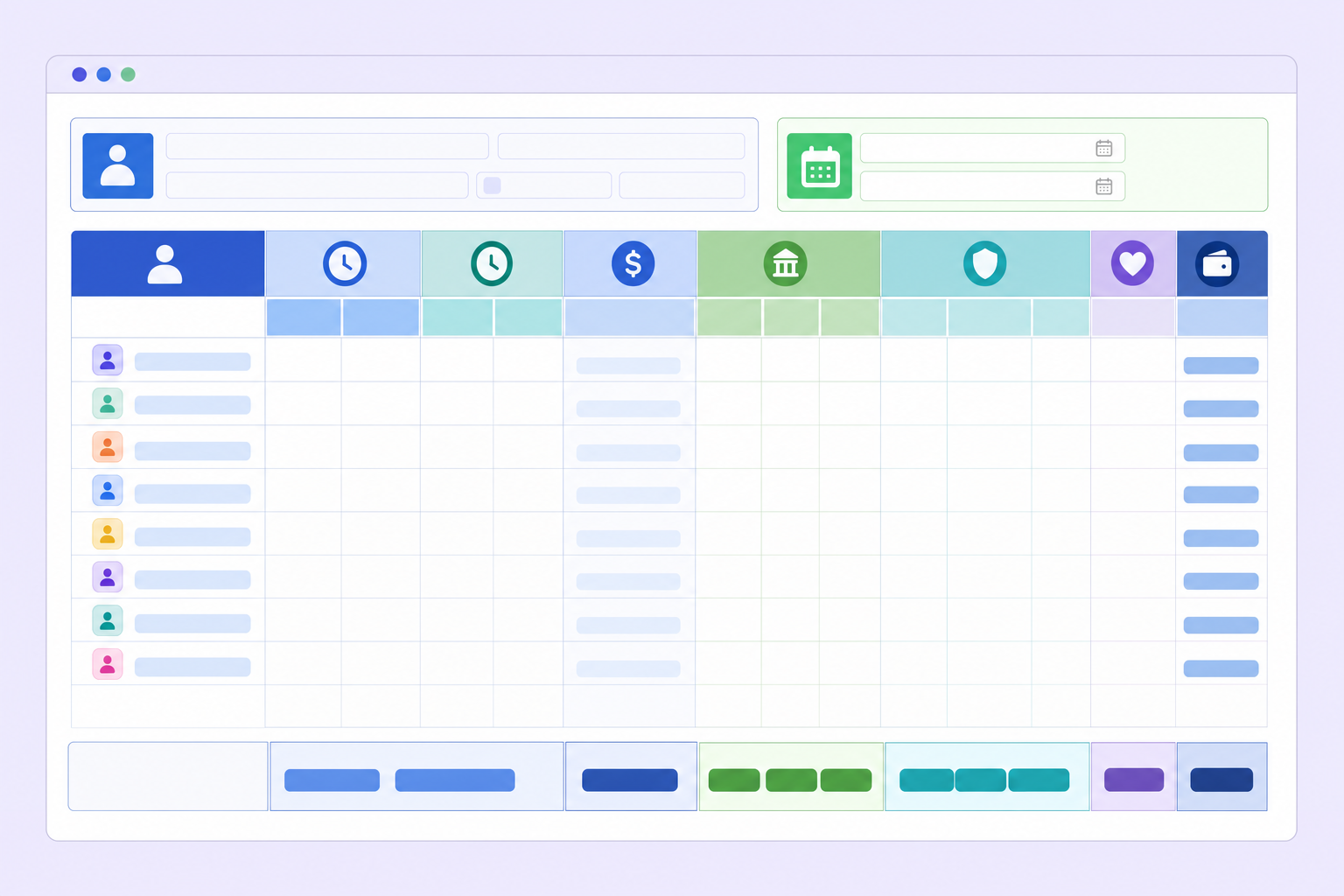
Here are the fields every payroll template should include:
- Employee name, ID, and department so records stay organized across pay periods
- Pay period start and end dates to tie each record to the correct cycle
- Hourly rate or salary amount as the foundation for every calculation that follows
- Regular and overtime hours worked, tracked separately to apply the correct multiplier
- Gross pay calculated as hours multiplied by rate, with overtime at 1.5x for eligible employees
- Federal and state income tax withholdings based on each employee's W-4 filing status
- FICA deductions covering both Social Security at 6.2% and Medicare at 1.45%
- Voluntary deductions like health insurance premiums and 401(k) contributions
- Net pay as the final figure after all withholdings and deductions are subtracted from gross
How to Set Up and Customize Your Payroll Excel Template
Finding a template is the easy part. Adapting it to your actual business takes a few deliberate steps.
Start with an employee records tab: name, ID, tax filing status, pay rate, and recurring deductions all in one place. Then move to the main payroll sheet and customize from there:
- Add columns for local or city taxes that apply to your jurisdiction, since most generic templates only account for federal and state withholding.
- Rename default deduction labels to match your actual benefit plans and remove the placeholder text that means nothing to your team.
- Lock formula cells so they cannot get overwritten during data entry, which protects your calculations from accidental edits.
- Separate regular and overtime hours into distinct columns before any pay calculations run, so your formulas stay clean and auditable.
Once the structure looks right, test the sheet with one employee's real numbers before loading your full roster. A formula mismatch in a single cell catches itself early rather than compounding silently across an entire pay run.
Common Payroll Calculation Errors and How Templates Help Prevent Them
According to a 2026 UKG and KPMG report, organizations lose 2-4% of total labor spend to payroll leakage — consistent, unintended financial losses from inefficient processes, system gaps, and fraud. Nearly 40% of employers surveyed reported between $1 million and $5 million in annual payroll losses. The IRS estimates that nearly one in three small businesses faces payroll-related penalties each year. Simplifying accounting processes can reduce this waste.
Structured templates with locked formulas catch several common problems by design:
- Overtime miscalculations, since the 1.5x multiplier is already wired into the formula so no one has to remember it manually.
- Double-counted deductions, caught when totals pull from a central rates table instead of repeated manual entry each pay period.
- Transposition errors on hourly rates, reduced when employee data lives in one reference tab instead of getting retyped from scratch every cycle.
Where templates fall short is predicting what they were never built to catch. A mid-year tax rate change, a missed W-4 update, or an employee reclassification won't trigger any alert from your spreadsheet. Templates reduce the mechanical errors. The judgment calls still land on you.
Integrating Timesheet Templates with Payroll Processing
Timesheet templates and payroll templates solve different problems, but they work best when they feed into each other directly. Your timesheet captures daily or weekly hours worked. Your payroll template turns those hours into pay. Link them and you cut out a manual transfer step that introduces errors.
A simple integration looks like this:
- Pull weekly totals from your timesheet tab into the payroll sheet using a reference formula like
=SUM(Timesheet!B2:H2)so hours flow automatically instead of getting retyped. This is similar to using a monthly closing checklist in Excel to automate repetitive tasks. - Keep a separate column for approved vs. unapproved hours so the payroll calculation only runs on finalized data.
- Match your timesheet pay period dates exactly to your payroll dates to avoid off-cycle confusion.
When Excel Payroll Templates No Longer Scale with Your Business
Excel templates work well at a certain size. But growth introduces friction that spreadsheets can't absorb easily.
Watch for these signals:
- You're managing payroll across multiple entities or clients, each living in its own disconnected file with no consolidated view.
- Matching timesheet data to the payroll sheet can take 30 to 60 minutes per client each cycle because nothing links automatically.
- An employee disputes their pay and you can't quickly trace how the final number was reached.
- The person who built the template left, and nobody else fully understands the formula logic.
- Headcount grew and formula maintenance has quietly become its own recurring task. At this scale, close management tools become worth a closer look.
At some point, the template stops saving time and starts consuming it. That inflection point is worth recognizing early.
How Double Simplifies Month-End Close for Bookkeepers Managing Payroll
Payroll spreadsheets handle the math, but they don't handle the chaos that surrounds month-end close. Matching payroll entries, cross-checking tax withholdings, and keeping client books tidy can take two to four hours per client each close cycle.
That's where Double comes in. Double is a bookkeeping service built for bookkeepers who want to offload the time-intensive parts of payroll reconciliation without losing oversight or control.
We work alongside your existing workflow, so you're not rebuilding anything from scratch. Whether you're running weekly or monthly payroll cycles, our team steps in to match entries, catch discrepancies, and keep everything audit-ready.
The result? Cleaner books, faster closes, and fewer late-night spreadsheet sessions. Visit doublehq.com to learn how we support bookkeepers at scale.
Final Thoughts on Managing Payroll With Excel
Working with a payroll Excel template gives you the structure, but keeping it accurate across pay cycles and matching entries to your books still falls on you.
Once you're managing payroll for multiple clients, the formula maintenance and month-end reconciliation become their own workload. We built Double to handle that reconciliation layer so your books stay clean without the manual grind. Schedule a quick call to see how we work with bookkeepers at scale.