
When was the last time you manually typed a journal entry from a payroll report? If the answer is last month, you're working harder than you need to. Best accounting automation tools read those documents, write balanced entries, post them to your ledger, and surface anything unusual for review. The work gets done without the manual extraction, and your close checklist connects to real ledger status instead of someone's checkbox. Firms are scaling from 15 clients to over 100 without proportional headcount growth because automation handles the volume reliably every period.
TLDR:
- Accounting automation handles repetitive tasks like bank feeds and reconciliations so you spend less time on data entry and more on analysis.
- AI-powered tools learn from patterns to categorize transactions and flag anomalies that fixed rules would miss.
- Small businesses see the fastest ROI starting with bank feed categorization before expanding to payroll and reconciliations.
- Automation eliminates manual tasks, not accounting jobs. The shift is toward interpretation over execution.
- Double integrates AI bank feeds, journal entries, and accruals into one close management system with real-time ledger sync.
What Is Accounting Automation?
Accounting automation is the use of software to handle financial tasks that would otherwise require manual effort: transaction categorization, journal entries, reconciliations, accrual schedules, and close checklists.
Worth clarifying upfront: automation does not replace accounting systems like QuickBooks or NetSuite. It integrates with them. Software reads ledger data, applies rules or AI, and acts within those systems, reducing the manual steps between raw financial data and finished books.
What you get is less time on repetitive work and more room for decisions that actually require human judgment. Accuracy improves not because humans are removed from the process, but because error-prone steps get handled consistently every time.
How Accounting Automation Works
Most accounting automation follows a simple pattern: connect to a data source, apply logic, write results back to the ledger.
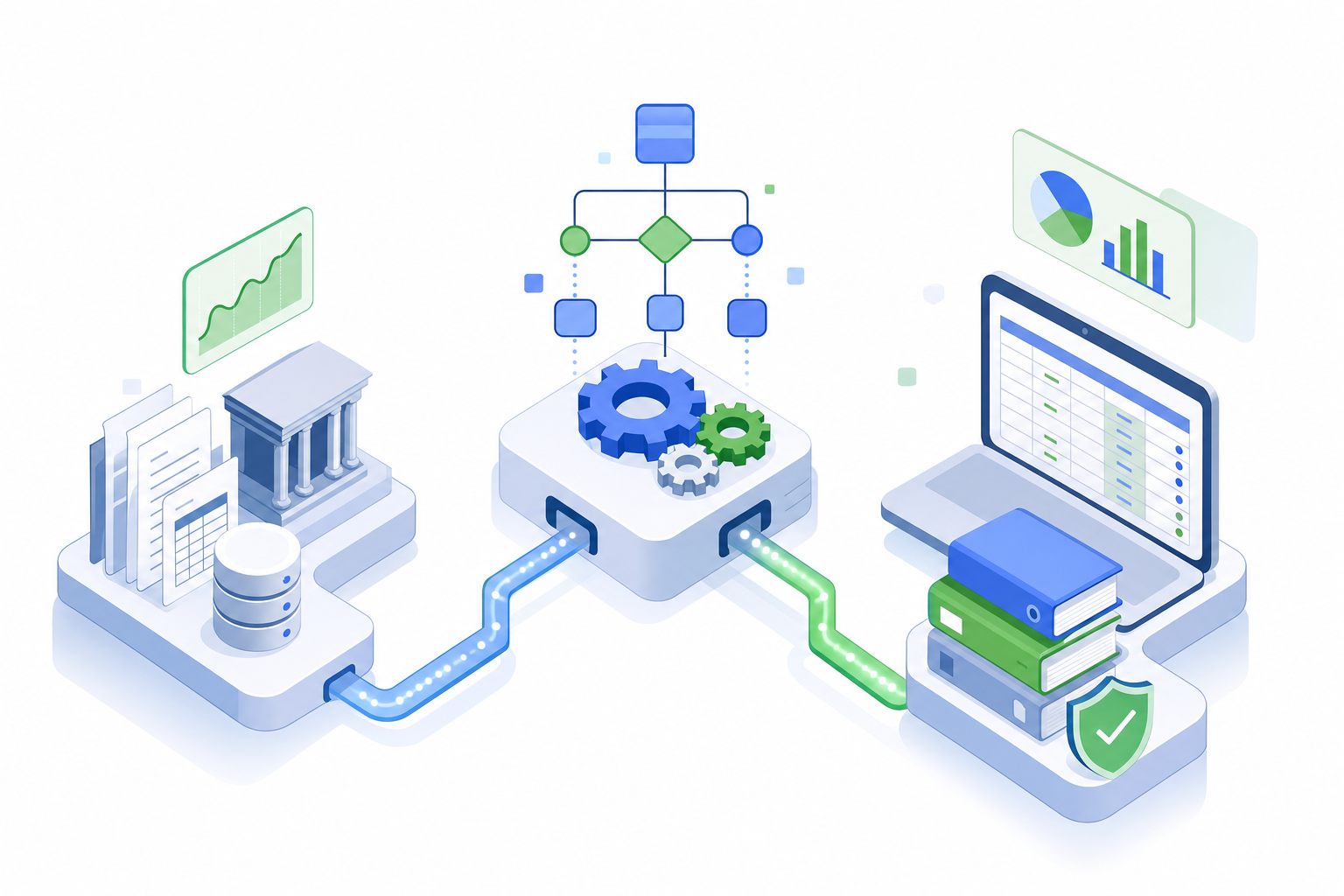
The connection piece is what makes everything downstream work. Automation tools sync with your accounting software, pull live transaction data, and then apply rules or AI to classify, flag, or prepare entries. Anything uncertain gets surfaced for human review. Anything confirmed posts back to the ledger directly.
The distinction worth understanding is execution vs. tracking. Task management tools log what needs to happen. Accounting automation does the actual work.
Benefits of Accounting Automation
Automation cuts more than just time. It cuts errors, delays, and the kind of repetitive work that drains good accountants.
The benefits are real and measurable:
- Fewer manual errors across data entry, reconciliation, and reporting, since rules-based systems don't mistype or forget steps.
- Faster close cycles, with some teams cutting month-end close from weeks to days.
- Lower running costs through reduced manual labor, allowing businesses to allocate resources more strategically toward growth activities.
- Lower costs over time, as automated workflows handle volume that would otherwise require additional headcount. 37% higher revenue per employee compared to those not using it.
- Better audit trails, because every automated action is logged and timestampable.
- More time for analysis, so accountants can focus on decisions instead of data entry.
Which Accounting Processes Should Be Automated
Not every accounting task is a good automation candidate. The best ones share a few traits: high volume, predictable rules, and real consequences when done wrong.
Here are the processes that tend to fit well:
- Bank feed categorization moves large volumes of transactions through a consistent ruleset, making it one of the clearest wins for automation.
- Journal entries from payroll, payment processors, or settlement documents follow fixed logic that rarely changes month to month.
- Reconciliations are repetitive by nature and carry high error risk when done manually at scale.
- Accrual and amortization schedules run on schedules and formulas that a human shouldn't need to recalculate each period.
- Month-end close checklists benefit from automated tracking so nothing slips through.
- 1099 tracking and vendor document collection involve predictable data gathering that automation handles well.
- Variance reporting can be generated automatically once the underlying data is clean.
A quick readiness test: if a task runs the same way each month, touches predictable data sources, and the main risk is human error, it's ready to automate. If it requires judgment calls around unusual transactions or context only a senior accountant would know, keep a human involved. Automation handles the repeatable work. People handle the exceptions.
Automation Approach | Best Use Case | Primary Strength | Integration Model |
|---|---|---|---|
Rules-based bank feed automation (built into QuickBooks, Xero) | Small businesses with straightforward transaction patterns and limited vendor variety | Handles high-volume categorization for transactions that match historical patterns exactly | Native to accounting system, no additional integration required |
AI-powered transaction coding (Double AI Bank Feeds) | Growing businesses with diverse vendors, complex transaction descriptors, or frequent new payees | Learns from context and researches unfamiliar vendors to categorize transactions no rule anticipated | Syncs with QuickBooks or NetSuite, writes directly to ledger after review |
Document extraction and journal entry automation (Double AI Journal Entries) | Firms processing payroll reports, payment processor settlements, or recurring vendor invoices | Converts PDFs and CSVs into balanced, postable entries without manual data extraction | Reads source documents, posts to connected accounting system with full audit trail |
Close management software (BlackLine, FloQast) | Enterprise finance teams managing complex closes across multiple entities or subsidiaries | Ties each close task to underlying ledger data so completion status reflects actual work, not checkboxes | Connects to ERP systems, tracks reconciliation status and task dependencies across the close cycle |
End-to-end close automation (Double) | Accounting firms scaling from 15 to 100+ clients or internal teams closing books for multiple entities monthly | Combines AI bank feeds, journal entries, accruals, and close management in one connected workflow | Full integration with QuickBooks and NetSuite, real-time ledger sync across all automation features |
AI in Accounting Automation
Rules-based automation follows instructions. AI learns from patterns.
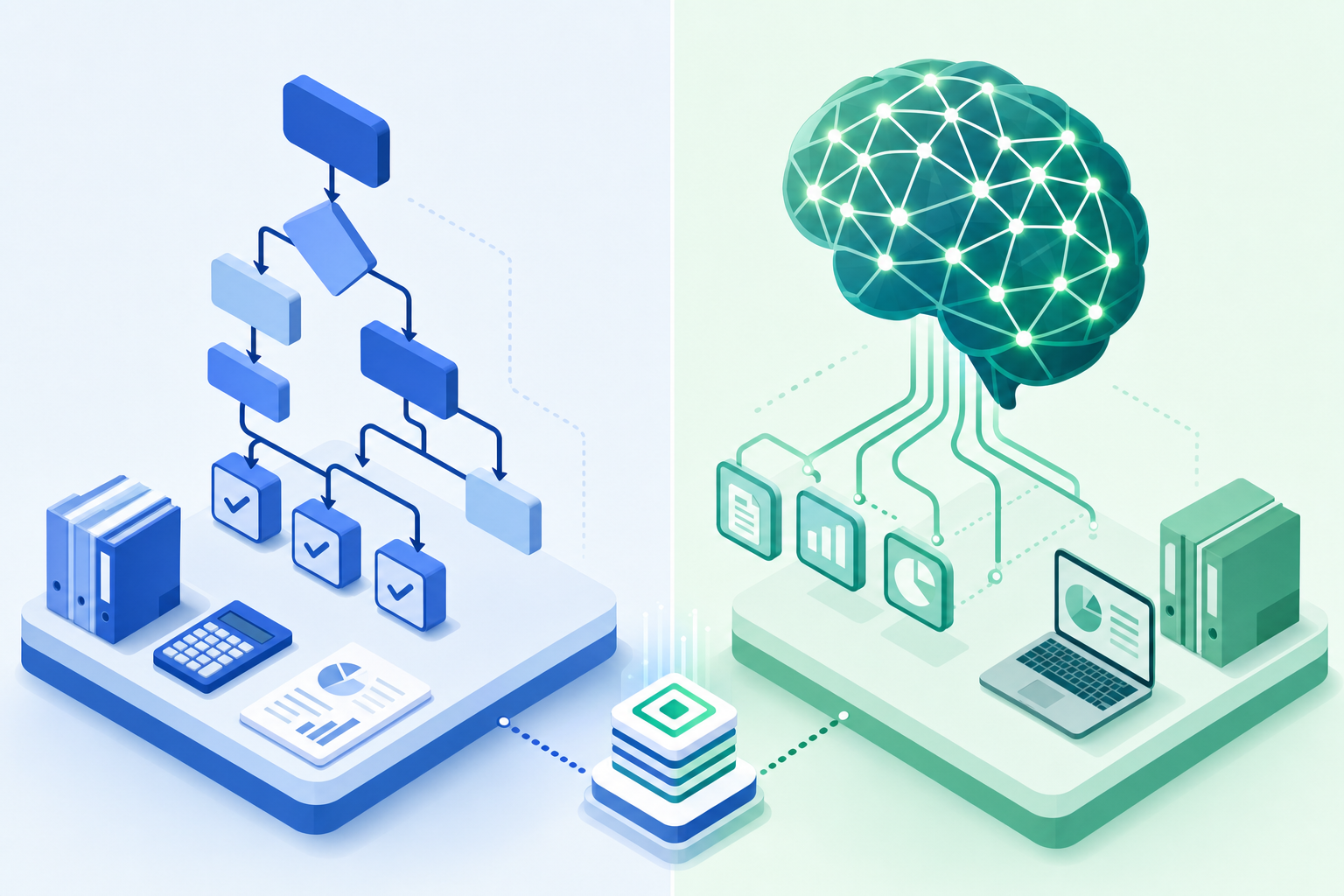
The difference matters most at the edges. A rule needs you to anticipate every scenario upfront. AI looks at transaction descriptors, researches vendor context, and compares against historical coding to handle transactions no rule was ever written for. It catches when a familiar vendor gets miscategorized, flags anomalies buried in hundreds of line items, and improves as it sees more data.
Adoption reflects this shift. A growing share of small businesses now use AI for invoicing, payroll, and inventory management, covering tasks that once required dedicated staff to manage manually.
What AI does not replace is judgment on genuinely complex decisions. When a transaction requires context only a senior accountant holds, good accounting AI surfaces it for review instead of guessing. That's the boundary worth keeping.
Accounting Automation for Small Businesses
Small businesses often assume automation is an enterprise concern. It's not.
The best starting point is bank feeds and transaction categorization. High volume, predictable rules, minimal setup time. Once those run smoothly, payroll journal entries and basic reconciliations are natural next steps.
One rule worth keeping: avoid automating everything at once. Start with the two or three tasks that eat the most time each month, get those running reliably, then expand. Most accounting tools include base-level automation in standard pricing now, so the barrier to entry is lower than it used to be. You scale into complexity as your books get more complex, not before.
Accounting Automation for Firms and Bookkeepers
Managing one client's close is manageable. Managing fifty is a different problem entirely, and automation solves a different set of challenges at that scale.
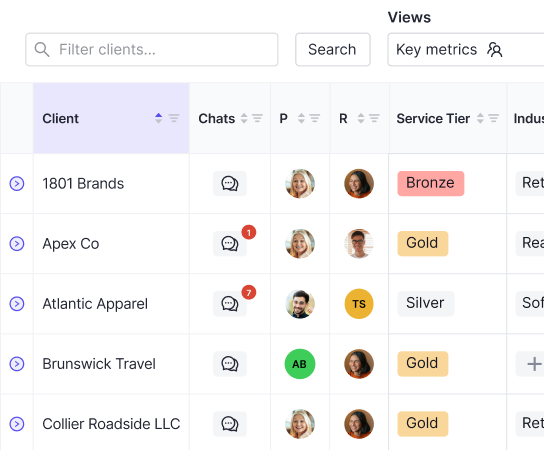
The biggest one is visibility. Without it, tracking where each close stands requires constant check-ins and status meetings. Automation gives firms a live view across their entire book of business: what's done, what's stuck, what needs review. Standardized close templates mean every client follows the same workflow, so quality doesn't depend on which team member is handling the work.
Client communication is where firms lose the most invisible time. Chasing down bank statements, W-9s, and expense receipts over email adds days to every close. Integrating those requests directly into the close workflow, with automated reminders, cuts that back considerably. The result is a firm that can take on more clients without a proportional increase in headcount by automating the month-end close, which is where the real profitability gain lives.
Month-End Close Automation
Month-end close is where all other automations meet. Bank feeds, journal entries, accruals, reconciliations all feed into one workflow that has to finish clean.
Spreadsheets and task tools track whether tasks got done. Automated close management connects tasks to the work itself. A reconciliation marks complete because the account actually balanced, not because someone clicked a checkbox, thanks to AI that works with your close. That distinction matters when you're under audit.
Tools like BlackLine and FloQast handle this well at scale, tying each close task to the underlying data so nothing slips through.
The Impact of Automation on Accounting Jobs
The concern is real, but the headline tends to be misread. Automation eliminates tasks, not jobs.
What goes first are the most repetitive parts: data entry, transaction coding, reconciliation prep, and report generation. These keep accountants stuck in execution mode when their actual value sits in judgment and analysis.
What stays valuable are tax strategy, client advisory, variance interpretation, and the business context that no rule can replicate. The skill shift is toward interpretation over execution, and communication over calculation.
Accountants who adapt early carry more value, not less.
Challenges of Implementing Accounting Automation
Adoption rarely fails because the software is bad. It fails because rollout gets treated as a tech project instead of a process change.
Common friction points worth planning for:
- Data quality issues surface fast. Automation amplifies whatever inconsistencies already exist in your books, so a messy chart of accounts gets messier before it gets better.
- Integration with legacy ERPs takes longer than expected, particularly when historical data needs migrating.
- Team resistance is real. Staff accustomed to manual workflows need time to trust a system they didn't choose.
When choosing tools, ask what support looks like past go-live, including after setup. Hands-on onboarding included in the base price is worth more than a long feature list from a vendor who disappears after contract signing.
How Double Automates the Accounting Close
Double pulls each piece in this guide into one connected system. AI bank feeds apply composable rules that can run on the same transaction simultaneously, something QBO's native tools don't allow. AI journal entries convert payroll reports and payment processor exports into balanced, postable entries without manual extraction. Accrual schedules run automatically each period, tied to source documents with full audit trails. When a rec won't tie, the reconciliation tool pinpoints timing gaps or duplicates without manual digging.
The close page connects tasks to actual ledger work, so finishing the checklist means the books are genuinely done. That's the difference between tracking a close and executing one. TeKoda grew from 15 to over 100 clients by replacing manual processes with this approach. That kind of growth doesn't require proportional headcount. It requires a system that does the work reliably every month.
Final Thoughts on Automated Accounting Systems
Automated accounting software works best when you stop thinking of it as a replacement and start treating it as a filter. It handles the repetitive work that follows predictable rules, surfaces the exceptions that need human judgment, and keeps everything logged for audit trails. Your accountants spend less time on data entry and more time on the decisions that actually move your business forward. If you want to see how this works with your current setup, book a demo and we'll walk through your month-end close step by step.