
Picking automated reconciliation software means choosing between tools that match transactions and tools that manage your entire close process. Some stop at bank feeds, others handle intercompany eliminations and accrual schedules. Free tiers exist, but meaningful automation sits behind a paywall, and the price gap between small business tools and enterprise platforms is wider than you'd expect. We compared what you actually get at each level so you know where to start based on your volume, compliance needs, and how much of the process you want to automate.
TLDR:
- Automated reconciliation software cuts reconciliation time by 85% compared to manual methods
- You need different tools based on volume: QuickBooks or Xero for small teams, Trintech or BlackLine for enterprise
- Free tools work for personal accounts, but paid versions offer audit trails and multi-source integrations
- AI-powered tools learn from your matching patterns and read unstructured data like PDF statements
- Double connects your reconciliation work to month-end close tracking with preparer and reviewer workflows
What Is Accounting Reconciliation Software
Accounting reconciliation software is a category of financial tech that compares records across two or more sources to confirm they match. Think bank statements against your general ledger, or accounts payable against vendor invoices. When the numbers align, your books are clean. When they don't, the software flags the gap so you can investigate.
Before dedicated tools existed, this work lived in spreadsheets. You'd export data, paste it side by side, and manually hunt for discrepancies. Automated reconciliation software replaces that process by pulling records directly from your accounting system or bank feed, running comparisons on your behalf, and surfacing only the items that need attention.
Key Benefits of Automated Reconciliation Software
The benefits of automated reconciliation show up where they matter: time, accuracy, and cost.
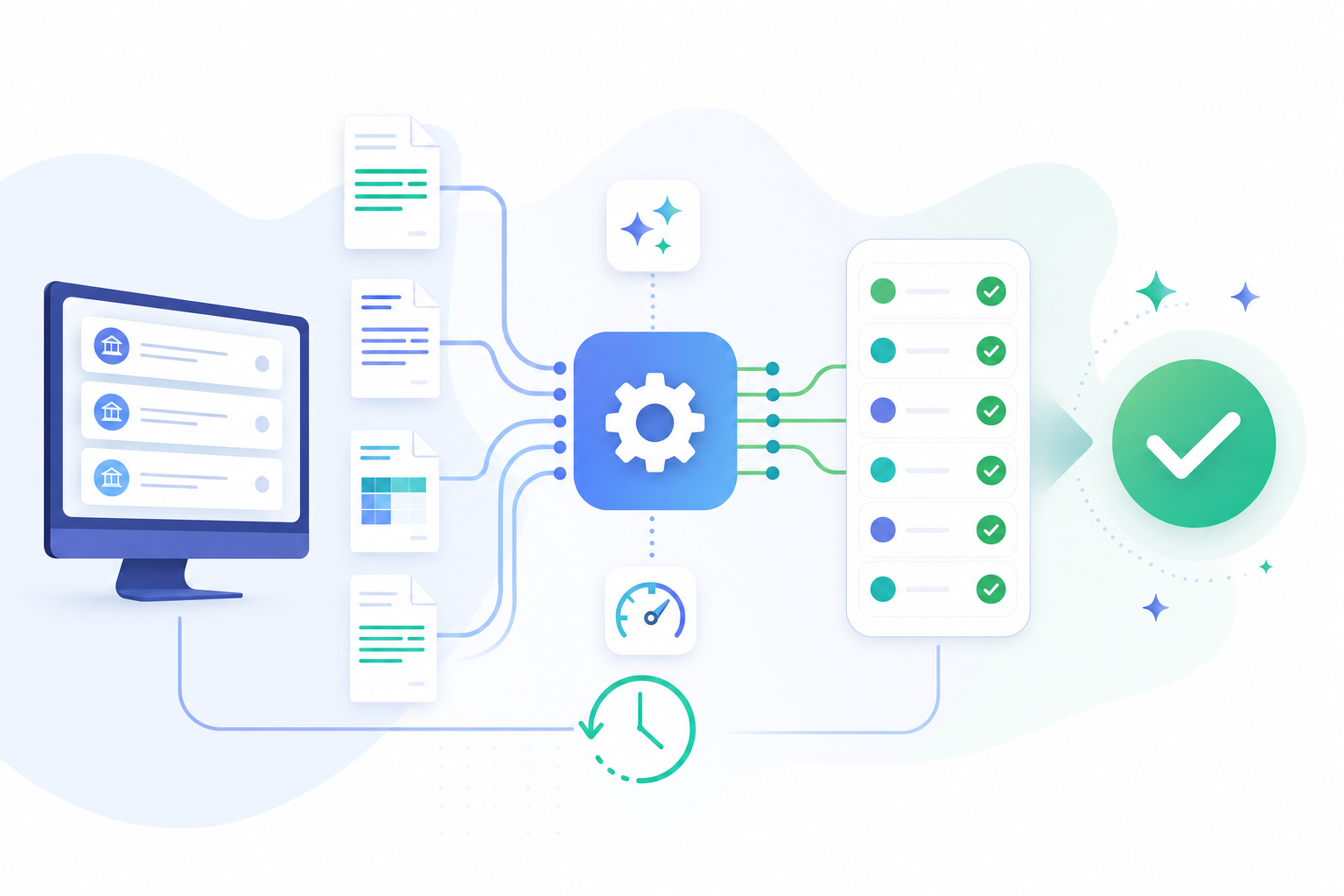
Deloitte's Finance Trends 2026 research found that 63% of finance leaders are actively using AI. The results track: companies implementing AI-powered reconciliation solutions report 85% faster reconciliations compared to manual methods. For a team processing dozens of accounts each month, that's a real difference in how the close gets done.
Accuracy improves too. Manual matching is vulnerable to copy-paste errors and formula mistakes that quietly compound. Automated tools apply consistent logic on every run, no exceptions. Fewer errors on the first pass means less rework downstream, and a close cycle that doesn't drag into the following week.
Types of Reconciliations Accounting Software Can Handle
Not every reconciliation workflow is the same, and the right software depends on which types you actually need to run.
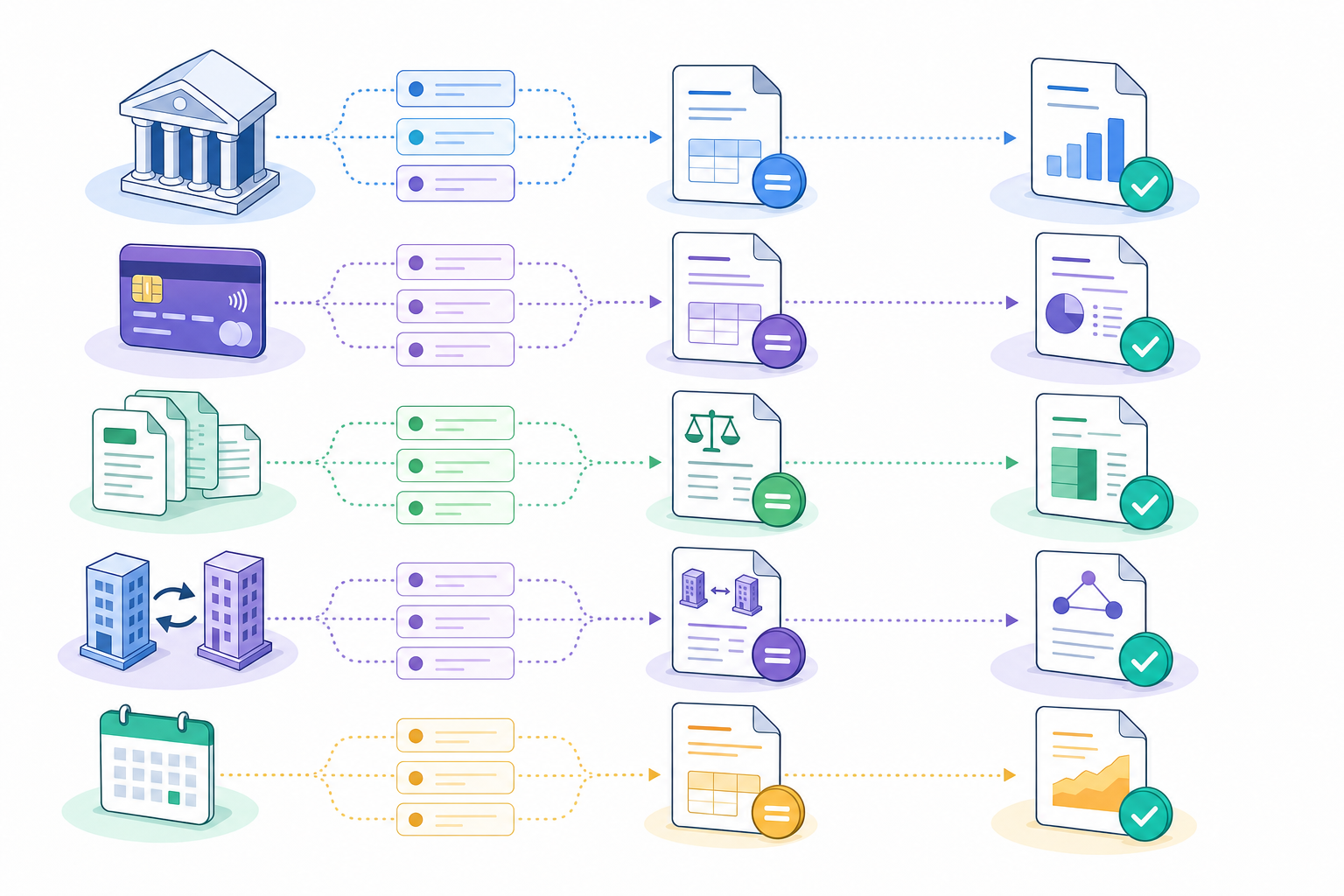
Bank reconciliation matches bank statements to the general ledger. Credit card reconciliation compares card statements to expense records in your accounting system. Balance sheet reconciliation confirms every balance sheet account ties to documented support. Intercompany reconciliation eliminates cross-entity transactions before consolidated reporting. Accrual reconciliation handles prepaid expenses, accrued liabilities, and deferred revenue against recognition schedules.
Some tools handle all five. Others focus on bank feeds and stop there. Knowing your mix before you shop saves time and keeps you from paying for features you will never use.
Core Features to Consider in Reconciliation Tools
Reconciliation tools aren't all built the same, and the features that matter most depend heavily on your volume, team size, and how complex your financial data is.
Here are the core capabilities worth reviewing before committing to any tool:
- Automated matching lets the software pair transactions across sources without manual input, which cuts down on hours spent cross-referencing spreadsheets.
- Multi-source data ingestion means the tool can pull from bank feeds, ERPs, payment processors, and spreadsheets simultaneously.
- Audit trails give you a timestamped log of every change, which matters for compliance and internal reviews.
- Exception management surfaces unresolved or flagged items so your team can focus on what needs attention.
- Reporting and export options determine how usable your reconciliation data is downstream.
Free vs. Paid Capabilities
Many tools advertise free tiers, but the meaningful automation usually sits behind a paywall. Free tools like bank reconciliation in Excel or basic checkbook software cover simple personal use cases well. If you're running a business with hundreds of monthly transactions, the limitations of free tools become apparent quickly.
Paid tools like Trintech Cadency or AssureNet offer certification workflows, match configuration, and role-based access that free options don't touch.
Bank Reconciliation Software for Small Business vs. Enterprise
Small businesses and enterprise finance teams have very different needs from reconciliation software, and the right fit depends on transaction volume, team size, and how much automation you actually need.
For small businesses, the priorities are usually affordability, ease of setup, and basic bank feed syncing. For enterprise teams, the focus moves to multi-entity support, audit trails, role-based access, and integrations with ERP systems.
Here is a quick breakdown of what to look for at each level:
Small business owners often start with free or low-cost options like Wave or a free checkbook register. Enterprise teams typically invest in dedicated tools like Trintech or BlackLine, where the depth of audit logging and workflow controls support the higher cost.
The gap between the two is wide, but knowing which side you sit on makes the rest of your decision much easier.
Choosing the Right Reconciliation Software for Your Organization
The right fit depends on your organization's size, complexity, and how much of the process you want to automate. Small businesses often do well with tools like QuickBooks or Xero, which fold bank reconciliation into broader accounting workflows. Larger teams with high transaction volumes tend to need dedicated solutions like Trintech Cadency or ReconNet.
Software | Best For | Key Strengths | Starting Price Range |
|---|---|---|---|
Double | Teams managing month-end close with reconciliation needs | Connects reconciliation to close workflows with preparer and reviewer sign-offs, real-time tracking, and balance sheet account ownership | Contact for enterprise pricing |
QuickBooks | Small businesses with straightforward accounting needs | Bank feed syncing built into full accounting software, easy setup, widely adopted by small business accountants | $30-90/month |
Xero | Small to mid-size businesses needing multi-currency support | Bank reconciliation integrated with invoicing and payroll, strong third-party app marketplace, cloud-native design | $13-70/month |
Wave | Freelancers and very small businesses with minimal volume | Free core accounting and bank reconciliation, simple interface, good for personal checkbook tracking | Free for basic features |
Trintech Cadency | Enterprise teams with SOX compliance requirements | Configurable matching rules (one-to-one, many-to-many), certification workflows, full audit trails with timestamps and user attribution | Contact for enterprise pricing |
BlackLine | Large organizations needing multi-entity consolidation | Automated intercompany eliminations, balance sheet substantiation, integrates with major ERP systems like SAP and Oracle | Contact for enterprise pricing |
ReconNet | Mid-market to enterprise teams processing high transaction volumes | Dedicated reconciliation focus with exception management, supports multiple data sources, role-based access controls | Contact for pricing |
A few questions worth asking before you decide:
- How many accounts and entities require reconciliation each month?
- Do you need audit trails and compliance reporting, or just basic matching?
- Is a free or low-cost tool sufficient, or does your volume support a paid solution?
Common Implementation Challenges and How to Tackle Them
Switching to a new reconciliation tool rarely goes smoothly on day one. Here are the friction points teams run into most often, and what actually helps.
- Data migration headaches are common when historical transaction records exist in incompatible formats. Running a parallel close during the first month gives your team a safety net while the new system proves itself.
- User adoption slows when staff are used to manual spreadsheet workflows. Short, role-specific training sessions work better than long all-hands demos.
- Integration gaps with existing ERP or payroll systems can delay go-live timelines. Confirming API availability before purchasing saves considerable rework later.
- Audit trail requirements vary by industry. Make sure the tool you choose logs every change with timestamps and user attribution before committing to a contract.
How Reconciliation Software Supports Audit and Compliance Requirements
Auditors want more than a final number. They want to see how you got there. Reconciliation software builds that trail as you work: every match, exception, and sign-off gets logged with timestamps and user attribution, so audit requests don't turn into a week of digging through old files.
For teams covered by SOX, preparer and reviewer sign-off workflows are non-negotiable. Software that enforces those approval chains creates documented evidence of control compliance that holds up under scrutiny. GAAP consistency follows the same logic. When reconciliation rules run identically each period, the system captures that consistency for you instead of relying on institutional memory to prove it later.
The Role of AI in Accounting Reconciliation Software
Basic automation applies fixed matching rules. AI learns from them and adjusts.
Rossum's research found that 49% of finance departments still rely entirely on manual data entry and spreadsheets, with zero automation in place. Half the market hasn't automated at all, which makes the AI conversation feel premature for many teams. But for those that have crossed that threshold, the capability gap between rule-based tools and AI-powered ones is real.
49% of finance departments still rely entirely on manual processes, with no automation in place. Half the market hasn't automated at all, which makes the AI conversation feel premature for many teams. But for those that have crossed that threshold, the capability gap between rule-based tools and AI-powered ones is real.
AI-powered reconciliation tools adapt over time instead of running the same static logic each period. They learn from historical matching patterns, surface transactions that deviate from prior behavior, and can read unstructured data like PDF statements or free-text bank descriptions to extract transaction details automatically.
Free vs. Paid Reconciliation Software: What You Get at Each Level
The right tier depends on your situation. Free tools work well for individuals tracking personal accounts or small businesses with simple needs, but they come with real limits around volume, automation, and support.
Here is a quick breakdown of what to expect at each level:
Feature | Free Tier | Paid Tier |
|---|---|---|
Transaction volume | Low (often capped) | High or unlimited |
Automation | Basic or none | Rule-based and AI-driven |
Integrations | Limited | Banks, ERPs, and more |
Audit trail | Minimal | Full history and reporting |
Support | Community only | Dedicated support |
Free tools like Wave or a basic Excel template cover personal checkbook tracking and simple bank reconciliation. Paid tools handle the heavier work: multi-entity reconciliation, automated matching, and compliance reporting.
Month-End Close Management with Double
Double is a smart month-end close solution built for accounting teams that need more than a spreadsheet can offer. It brings together task management, workflows, and real-time close tracking in one place, so nothing falls through the cracks at the end of the month.
Where reconciliation software stops at matching transactions, the broader close process. Every balance sheet account gets owned, reviewed, and signed off on time.
Final Thoughts on Finding Your Reconciliation Solution
Reconciliation software works best when it matches the close you're actually running. Automated reconciliation tools save time by handling the repetitive matching work, but only if they connect to the systems you already use. Start with your transaction count and compliance needs, then find the fit that makes sense for your team.