
Your bank feed doesn't need you to manually code every transaction. Your payroll export doesn't need to be re-keyed. Reconciliation prep doesn't need to start from a blank spreadsheet. AI in accounting has quietly gotten good enough to take on the repeatable parts of your workflow, and the firms moving fastest right now are the ones that figured out which tasks to hand off first.
TLDR:
- AI in accounting handles repetitive data work across eight core workflows, including categorization, reconciliation, invoicing, and variance reporting
- Audit support scans full transaction populations instead of samples, catching unusual patterns human review would miss
- Start AI adoption by piloting one high-volume, rules-based workflow with measurable KPIs before rolling out firm-wide
- Successful implementation requires integration depth, direct ledger posting, full audit trails, and change management budget
- Firms using Double report 30 to 50 percent time savings per close, with AI Bank Feeds, AI Transactions, and AI Flux Analysis posting directly to QuickBooks Online, Xero, Sage Intacct, or NetSuite
What AI in Accounting Means Today
AI in accounting has moved past the hype phase. What it means in practice is narrow, specific automation applied to the parts of accounting work that are high volume, rules-based, and repetitive: transaction categorization, journal entry creation, reconciliation analysis, variance reporting. The judgment, oversight, and professional sign-off stay with the accountant. The data prep does not.
The shift matters because that data prep is where most of the time goes. Bank feeds, payroll exports, invoice matching, and flux analysis aren't intellectually demanding work, but they consume hours every close cycle, and errors in that layer compound downstream. AI applied at those checkpoints eliminates the manual handling without removing the human review step that catches edge cases.
Today's AI accounting tools also work directly inside the ledger. The meaningful version posts categorized transactions, balanced journal entries, and variance narratives directly to QuickBooks Online, Xero, Sage Intacct, or NetSuite through two-way sync, eliminating a workflow step entirely instead of shifting where the manual work happens. That ledger-direct architecture is the structural difference.
How AI Is Being Used Across Core Accounting Workflows
Workflow | What AI Does | What Stays with the Accountant |
|---|---|---|
Bank feeds & transaction categorization | Learns coding patterns, flags unfamiliar transactions, posts to ledger | Review, exception sign-off, rule adjustments |
Journal entry creation | Converts payroll exports and payment files into balanced entries | Review and approval before posting |
Bank reconciliation | Compares ledger balances to statements, surfaces timing differences and duplicates | Investigating flagged gaps, final sign-off |
Accounts payable & receivable | Extracts invoice data, matches to purchase records, tracks aging balances | Approving matches, managing exceptions, client follow-up |
Payroll accounting | Parses provider reports, maps amounts to correct accounts across format changes | Verifying mapping accuracy, posting approval |
Tax preparation | Pulls prior-year data to populate organizers, flags inconsistencies | Reviewing return, exercising judgment on ambiguous items |
Audit support | Scans full transaction populations, flags unusual account combinations and vendor patterns | Interpreting findings, applying professional judgment |
Variance reporting | Drafts narrative explanations at vendor and account level for every P&L and Balance Sheet line | Reviewing conclusions, client delivery |
AI bank feeds learn coding patterns over time, flagging anything unfamiliar instead of forcing a person to touch every line. Journal entries follow the same logic: payroll reports and payment exports convert into balanced entries without manual re-keying.
Bank reconciliation tools compare ledger balances against statements and surface timing differences, duplicates, or missing items causing a gap. Accounts payable and receivable automation extracts invoice data, matches it to purchase records, and tracks aging balances so follow-ups happen before they become collection problems.
Payroll accounting benefits from AI parsing provider reports and mapping them to correct accounts even as formats shift. Tax preparation pulls data from prior filings to populate organizers and flag inconsistencies before a preparer reviews the return.
Audit support scans full transaction populations instead of samples, flagging unusual account combinations or off-pattern vendor activity. Artificial intelligence in accounting spans every stage of this work, from data ingestion to final reporting. Financial reporting drafts variance explanations at the vendor and account level, attaching narrative directly to the numbers.
Budgeting and forecasting round out the list: AI models historical patterns and cash flow trends to generate a working starting point instead of a blank template. Across each workflow, repetitive tasks with clear rules go to AI, while judgment stays with the accountant. See the accounting automation complete guide for a deeper look at each stage.
The Rise of Agentic AI in Accounting
The next phase of AI in accounting goes beyond automating individual tasks. Agentic AI operates across an entire workflow: answering questions, creating and assigning tasks, querying ledger data, and executing multi-step actions from a single natural-language request, all with full audit logging and permission controls. Where earlier AI tools automated one step at a time, agentic systems can move through a sequence: retrieve cross-client activity, surface an anomaly, draft a follow-up question to the client, and post it to the portal without requiring a person to coordinate each handoff. Ask Double, Double's practice-wide AI assistant, works this way: running across the full book of business, creating tasks with checklists and due dates from conversation, querying live ledger data on demand, and managing client-portal communication sequences including file attachments. The practical effect for accounting firms is that capacity previously consumed by coordination and triage gets compressed: the AI handles the orchestration layer, and the accountant handles the judgment layer. That division is what makes agentic AI a structural shift, not a faster version of the same workflow.
Ask Double is available on Core, Plus, and Scale plans, with transaction creation via chat available on the Scale tier for QuickBooks Online clients. Beyond answering cross-client questions, it executes the workflow actions that follow. It drafts and assigns tasks, queries ledger data, coordinates client-portal communication, and runs on-demand diagnostic reviews of P&L and Balance Sheet reports, so the accountant's attention stays on interpretation and sign-off instead of coordination.
Autoclose by Double applies the same agentic approach to the month-end close. Agents pull each client's bank and card statements, code bank feeds using client rules and history, and reconcile accounts on a schedule or trigger, flagging anything they are unsure about. Your team opens review-ready books, sees every step an agent took, can stop any run at any time, and signs off on the close.
Benefits of AI in Accounting
The most direct benefit is time: the hours recovered from data prep that no longer needs a person. Accounting firms using Double report 30 to 50 percent time savings per close, which translates directly into capacity: the same team can serve more clients without proportional headcount growth. That math changes what's possible at a firm level, from turning away new business to taking it.
Error rates drop because the highest-risk moments in a close: re-keying payroll exports, manually matching bank transactions, coding unfamiliar vendors, are the same ones AI handles most reliably. Rules run consistently across every transaction, every cycle. An off-pattern vendor charge or a duplicate entry gets flagged instead of buried.
The quality of the work product improves alongside the speed. AI Flux Analysis drafts variance explanations at the vendor and transaction level for every P&L and Balance Sheet line that moves, attaching narrative directly to the numbers. Clients and management reviewers get a more complete picture; the accountant spends time reviewing conclusions instead of constructing them from scratch.
Challenges of Adopting AI in Accounting
Integration depth is the first hurdle. AI tools that export a better spreadsheet instead of posting directly to the ledger shift manual work instead of eliminating it: someone still has to transfer the output into QuickBooks Online, Xero, Sage Intacct, or NetSuite. Confirming whether a tool writes directly to the ledger through two-way sync is the single most important technical question before any pilot.
Change management takes longer than most firms budget for. Staff who have built close workflows around spreadsheets and manual re-keying need to trust AI output before they delegate to it, and that trust is built through transparent audit trails as much as accuracy metrics. Firms that skip training or fail to set measurable KPIs before rollout have no baseline to measure results against, which stalls adoption even when the underlying tool is working.
Data quality at onboarding is a compounding problem. AI categorization learns from historical coding patterns, so clients with inconsistently coded bank feeds or messy charts of accounts produce lower-confidence suggestions at the start. Cleaning up the ledger before connecting an AI tool pays dividends throughout the engagement, but firms rarely account for that prep time when scoping implementation.
Finally, misplaced trust in AI output is a real execution risk. The ledger-direct architecture that makes AI accounting efficient also means errors can propagate to the general ledger faster than they would in a manual workflow. Human review workflows: exception flagging, sign-off steps, and accountant oversight on every posted entry, stay critical throughout and beyond the pilot phase.
Ethical Considerations of AI in Accounting
Professional responsibility stays with the accountant, not the algorithm. When AI categorizes a transaction or drafts a journal entry, the licensed professional who reviews and approves that output is still the one accountable for the accuracy of the books. AI does not hold a CPA license, cannot be sanctioned, and cannot exercise judgment on ambiguous situations. Those obligations remain entirely with the human practitioner. AICPA & CIMA guidance on ethics and AI-powered tools makes the same point: ethical judgment and professional competence stay with the person signing off.
Data privacy is a material concern. AI accounting tools require access to transaction-level financial data, payroll records, and vendor details, which represent some of the most sensitive information a business holds. Before connecting a client's ledger to any AI platform, firms should verify that the vendor holds appropriate security certifications, stores data in compliance with applicable regulations, and provides clear data-use terms that prohibit training AI models on client data without explicit consent.
Algorithmic bias surfaces in categorization. AI learns from historical coding patterns, which means it will replicate past mistakes and entrenched categorization habits alongside accurate ones. A vendor historically miscoded due to a firm error will continue to receive the same incorrect code unless a human catches and corrects it. AI suggestions require ongoing review; exception-flagging and audit trails are structural necessities, not optional features.
Over-reliance is the subtler risk. When AI handles categorization and reconciliation prep consistently and quickly, the human review step can quietly shrink. Firms that skip sign-off workflows, reduce spot-checking, or disable exception alerts because AI output looks clean are accepting a control gap that may not surface until an audit. The PCAOB staff spotlight on generative AI points to supervision and review of AI output as a core expectation for firms using these tools. The ledger-direct architecture that makes AI accounting efficient also means errors propagate faster, and maintaining human oversight throughout is what separates augmentation from abdication.
Will AI Replace Accountants?
The short answer is no, and the reason is structural. AI in accounting is purpose-built to handle the repetitive, rules-based data layer: transaction categorization, journal entry creation from payroll exports, reconciliation discrepancy analysis, and variance narrative drafting. What it cannot do is exercise professional judgment, interpret ambiguous situations, take regulatory responsibility, or maintain the client relationships that define an accounting practice. Those capabilities stay entirely with the licensed practitioner.
What AI does change is the composition of an accountant's workday. When transaction coding, invoice matching, and flux analysis no longer require manual handling, the hours recovered flow toward interpretation, advisory work, and client communication: the parts of the engagement that bill at higher rates and produce more durable value. Firms using Double report 30 to 50 percent time savings per close, and that recovered capacity goes toward taking on more clients, not eliminating staff who handled the data prep.
The more accurate framing is that AI raises the floor on what accounting work looks like. Firms that adopt it can serve more clients at the same quality level with the same team. Firms that delay adoption face a structural capacity ceiling that their AI-equipped competitors have already cleared. Accountants who use AI will outpace those who rely on manual workflows alone. That is the real competitive divide.
How to Implement AI in Accounting
Start by auditing current workflows. Look for tasks that are high volume, structured, and rules based: transaction categorization, invoice matching, reconciliation prep. These are the best candidates because AI needs consistent patterns to learn from.
Next, assess tools against a few practical criteria:
- Integration depth with your ERP or ledger, beyond the ability to export a file
- Whether AI output posts directly to the ledger or routes through a spreadsheet that still needs manual transfer
- Audit trail quality and whether every AI action is logged and traceable
- Data security certifications appropriate for financial data
Pilot before you roll out firm-wide. Pick one workflow, one team, one close cycle. Set measurable KPIs before you start (hours saved, error rate, close-time reduction) so you can judge results instead of guessing.
Budget for training and change management alongside the AI bookkeeping software itself. A tool nobody trusts or knows how to use will not move the numbers. Keep human review workflows in place. AI should flag exceptions and draft entries, but sign-off and judgment stay with the accountant.
Implementation timelines and costs vary widely depending on firm size, existing tech stack, and how many workflows are in scope.
AI in Accounting in Practice: How Double Approaches the Close
Autoclose is Double's lead answer to the close. Firms hand the work of the close to AI agents that pull statements, code bank feeds, and reconcile accounts, so every close starts at review instead of data entry. Autoclose works best with QuickBooks Online today, and the firm's team still reviews flagged items and signs off on every close.
Double applies this shift directly to the month-end close automation. AI Bank Feeds automate transaction categorization with composable rules, posting results to QuickBooks Online, Xero, Sage Intacct, or NetSuite through two way sync. AI Transactions turns payroll exports, Stripe files, and vendor statements into balanced journal entries through conversational AI, posting straight to the ledger with no spreadsheet step in between.
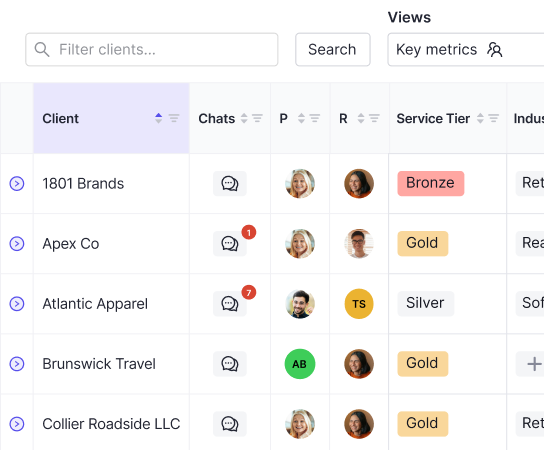
AI Flux Analysis drafts variance explanations at the vendor and transaction level for P&L and Balance Sheet reports, attaching the narrative directly to the numbers. Ask Double, the practice wide agentic AI assistant, answers cross client questions, creates and assigns tasks from natural language, and executes workflow actions with full audit logging.
Accounting firms using Double report 30 to 50 percent time savings per close, priced per connected client with no user or platform fees. Corporate finance teams get two way sync with Sage Intacct and NetSuite at a flat annual rate.
Final Thoughts on AI Tools for Accounting Workflows
The case for AI in accounting comes down to where your time actually goes right now. If a meaningful chunk of it is spent on transaction coding, invoice matching, or drafting variance explanations, those are the workflows worth automating first. You keep the oversight, the professional judgment, and the client relationships, and AI takes the repetitive data work off your plate. Book a demo with Double to see how that plays out across a full close cycle.