
You've got bank feeds to match, invoices to code, and a variance report due by Friday, and somewhere in the back of your mind you're wondering how much of that AI could just do for you. Turns out, quite a bit of it already can, though not the parts that require actual judgment. This post lays out where AI is pulling weight in accounting right now, where it still falls short, and what your firm should do about it before everyone else figures it out first.
TLDR:
- AI handles bank feed categorization, invoice extraction, and reconciliation prep in minutes, freeing your staff for review and judgment work.
- The US Bureau of Labor Statistics projects 5% growth for accountants and auditors through 2034, with roughly 124,200 openings annually.
- Displacement pressure falls hardest on data entry and categorization roles; tax, audit, and forensic accounting stay human-owned.
- Pilot AI on one workflow first, build human review into the process before anything posts, and track override rates as a model accuracy signal.
- Double's Autoclose hands the work of the close to AI agents, so firms start every close at review instead of data entry, take on more clients without adding headcount for each one, and keep fixed-fee client costs predictable. The firm's team still reviews flagged items and signs off on every close.
What Is AI in Accounting?
AI in accounting means software that reads, categorizes, and reasons about financial data faster than a person alone. Machine learning predicts transaction categories by recognizing patterns in prior coding decisions, then flags anything that breaks from that pattern for review. Text-parsing models turn unstructured inputs, like vendor names on a receipt or line items on an invoice, into structured data a ledger can use. Together these techniques handle volume and repetition; the person reviewing the output still decides what the numbers mean.
How AI Is Already Being Used in Accounting and Finance
AI already handles several concrete jobs inside accounting workflows.
- Data extraction: pulling line items, vendor names, and amounts from receipts and invoices, then structuring that data for posting.
- Transaction matching: comparing bank feed entries against ledger records to flag likely matches, freeing staff to review exceptions instead of every line.
- Anomaly and fraud detection: scanning volume for unusual vendor patterns, duplicate payments, or coding that breaks from historical norms.
- Reconciliation assistance: comparing statement balances against the ledger and surfacing timing differences, duplicates, or missing entries.
- Variance drafting: generating a first pass explanation of why an account moved period over period, using vendor and transaction level detail so a reviewer edits instead of starting from a blank page.
Each task shares a mechanical pattern: the software reads structured data, applies pattern recognition built from prior coding history, and presents a suggestion for a human to review, not a final answer. For a broader look at accounting automation across the close, the complete guide covers each workflow in depth.
AI in Auditing
Auditing has its own AI use cases, distinct from monthly close work.
- Full population testing: instead of sampling a handful of transactions, AI scans every entry in a population, flagging outliers by amount, timing, or account combination that a manual sample would likely miss.
- Disclosure testing: comparing financial statement language and figures against source ledgers and prior filings to catch inconsistencies before they reach a reviewer.
- Evidence cross referencing: matching invoices, contracts, and confirmations against recorded transactions, surfacing gaps where supporting documentation is missing or mismatched.
- Risk based sample selection: weighting which transactions get pulled for testing based on historical error patterns instead of a flat random draw.
The auditor still forms the opinion. AI narrows where attention goes, but judgment on materiality, intent, and disclosure adequacy stays with the person signing the report.
AI in Tax Preparation and Research
Tax work splits into two buckets, and AI covers only one of them well.
On the automatable side, AI already speeds up tax research by scanning code sections, rulings, and case law to surface relevant precedent in seconds instead of hours. It pre-populates forms from source documents and flags obvious inconsistencies, such as income reported on a 1099 that never made it into the return.
Complex tax interpretation stays with the human preparer. Multi-entity structures, ambiguous code language, and aggressive positions that carry audit risk require judgment calls AI cannot make. AI surfaces options; it does not decide which position a firm defends, and it does not sign the return.
Benefits of AI in Accounting
AI's benefits in accounting cluster around four areas.
- Time savings on repetitive work: bank feed categorization, invoice extraction, and reconciliation prep that once took hours now run in minutes, freeing staff for review instead of data entry.
- Improved workflow speed in accounting: pattern recognition catches miscoded transactions and duplicate entries that a tired reviewer might miss during a long close cycle.
- Faster financial insights: variance explanations and flagged anomalies surface before reports go out, instead of after a client asks a question nobody can answer quickly.
- Forecasting: AI models cash flow trends and flags balances trending outside historical norms, giving controllers a forward look instead of a rearview mirror.
None of this removes the need for a preparer's sign-off. AI compresses the mechanical work; judgment about what the numbers mean stays with the accountant.
Challenges and Risks of AI in Accounting
AI in accounting carries real limits worth naming before adoption.
- Judgment heavy standards: revenue recognition edge cases, going concern calls, and disclosure adequacy need context AI cannot fully weigh against client incentives.
- Hallucination risk: generative tools can produce wrong account mappings or tax citations when outputs go unreviewed.
- Data privacy and audit trails: client data needs clear handling policies, plus a traceable record of who approved each AI assisted action.
- Small firm learning curve: limited time and budget can cause under adoption or rushed rollouts that skip review steps.
These risks call for a human reviewer on every output, not less AI.
Will AI Replace Accountants and Bookkeepers?
The straightforward answer splits by role, not by profession.
According to the World Economic Forum's Future of Jobs Report, routine clerk work in accounting, bookkeeping, and payroll is shrinking through 2030 as automation takes over data entry. Bookkeepers and accounts payable staff see the biggest change in their day, since categorization, matching, and data extraction are the tasks AI already handles well. That shift frees them for the work clients value most: reviewing AI output, resolving exceptions, and advising on what the numbers mean. Bookkeepers who move into that review and advisory seat can take on more clients and grow their practices (see the full breakdown of will AI replace bookkeepers for a role-by-role analysis).
Tax accountants and forensic accountants sit in a different bucket. Their work leans on judgment, interpretation, and defending positions under scrutiny, tasks AI agents for accounting support but do not own.
Per Intuit's reading of US Bureau of Labor Statistics data, accountants and auditors are still on track for steady growth of 5%, with about 124,200 openings each year on average through 2034. That number reflects a profession moving toward advisory and judgment work, not one disappearing by 2030 or 2060.
How AI Adoption Is Changing the Accounting Profession
AI adoption is shifting where accountants spend their time, not whether firms need them. Routine categorization, matching, and data entry that once filled a junior staffer's day now run through automated workflows, freeing headcount away from transaction-level tasks and toward exception review and client advisory work. Firms are restructuring roles around this shift: entry-level positions increasingly focus on reviewing AI-flagged exceptions and interpreting variance reports instead of manually keying transactions, while senior staff spend more time on judgment calls AI cannot make, like materiality assessments and revenue recognition edge cases.
This restructuring changes how firms price engagements. Advisory services become a larger share of billable work as compliance-heavy tasks compress. The net effect is a profession moving toward higher-value work, not a smaller one, though the shift requires retraining staff whose daily tasks looked very different before AI tools entered mainstream accounting workflows.
Skills Accountants Need in the Age of AI
Five competencies separate accountants who move up from AI adoption and those who get squeezed by it.
- Data literacy: reading a bank feed exception queue or a flux report and knowing which flagged item actually matters, instead of clearing every alert on autopilot.
- Tool fluency: writing clear prompts, checking AI output against source documents, and knowing when a suggested categorization needs a second look.
- Exception-based review: shifting from checking every transaction line by line to scanning for what AI flagged as unusual, then digging into root cause.
- Advisory communication: translating a variance or cash flow trend into a conversation a client or CFO can act on.
- Technical and regulatory depth: tax code changes, revenue recognition standards, and audit requirements still demand a human who can defend a position, since AI cannot own that judgment.
Firms hiring today weight the second and third skills heavily. Technical knowledge remains the floor, not the differentiator.
AI Accounting Courses and Certifications
Formal education around AI in accounting now spans three tiers.
University courses, often housed in accounting or business analytics departments, cover the mechanics: how machine learning models process transaction data, where automation fits in the close, and the ethics of relying on AI output in professional judgment.
Professional certificate programs sit above that, typically CPE eligible and aimed at practicing accountants who need credit hours anyway. Becker's AI for Accounting and Auditing certificate is one example, covering AI fundamentals, use cases across audit and advisory work, and risk considerations specific to the profession. Programs like this suit accountants who want structured, credentialed learning tied to their license requirements, and applying the concepts to real client work accelerates the learning curve instead of leaving it to a general tech course.
Free introductory courses round out the options. Coursera's AI for Everyone and AICPA's free AI introductory module are common starting points. These typically run a few hours, cover AI terminology and common tools at a high level, and work best as a first exposure before committing to a paid certificate. They rarely carry CPE credit, so accountants needing continuing education hours should confirm accreditation before enrolling.
Which tier makes sense depends on the goal: CPE hours point toward accredited certificate programs, deeper technical understanding points toward university coursework, and a quick orientation points toward the free options.
Types of AI Accounting Tools and Software
Choose the category that matches your highest-volume bottleneck.
Tool Category | What It Does |
|---|---|
Automates bank feed categorization and drafts journal entries from source documents. | |
Reconciliation tools | Flags timing differences and duplicates for conversational troubleshooting. |
Audit AI | Tests full populations against evidence, instead of relying on samples. |
Tax research assistants | Surface relevant case law and code sections for review. |
General chat tools | Draft and summarize content without native ledger context. |
Judge tools on accuracy, ledger sync depth, and audit trail visibility.
How to Start Using AI in Your Accounting Workflow
Rolling AI into your workflow works best in phases, not one leap.
- Spot repetitive tasks. Start with bank feed categorization, invoice entry, and reconciliation prep.
- Pilot one workflow. Test it on a single client before expanding.
- Require human review. Every suggested categorization, journal entry, or variance explanation needs a reviewer's sign-off before it posts. Build that checkpoint into the workflow from the start, since retrofitting it after errors surface costs far more in cleanup time. Track how often staff override AI suggestions, since a rising rate signals the model needs more training examples to improve its accuracy.
Double's Approach to AI in the Close and Practice Management
Autoclose by Double lets accounting firms hand the work of the close to AI agents that pull bank and card statements, code bank feeds, and reconcile accounts on the firm's schedule. The agents deliver books ready for review, so review becomes the first and last step of the close. Double does the close work inside the product, and the firm's reviewer still signs off before anything posts.
Double's Autoclose agents run on a schedule, like the 5th of each month, or on a trigger, like a statement getting attached to a task, or on demand. The core work covers statement pulls, bank feed coding that applies each client's rules and history while flagging low-confidence transactions for review, and bank and card reconciliations with variances surfaced for a reviewer to clear. Firms can build custom agents for firm-specific work too, such as payroll accruals, Stripe tie-outs, or posting point-of-sale reports as journal entries. Agents handle the repetitive pulls and coding; a reviewer still signs off before anything posts.
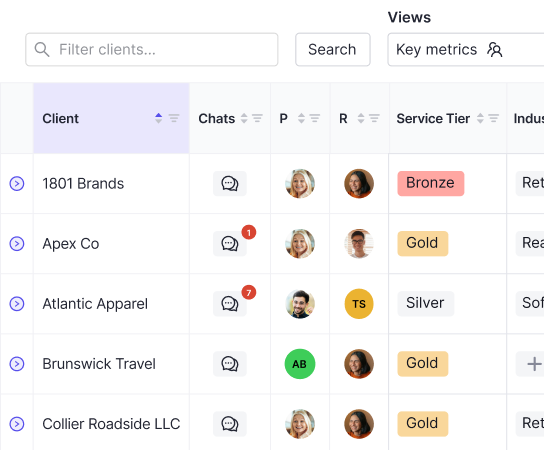
The existing tools remain supporting capabilities inside this same approach. AI Bank Feeds categorizes bank and credit card transactions using confidence-based rules. AI Composer converts receipts, invoices, and payroll reports into balanced journal entries ready for review. AI Flux Analysis drafts variance explanations at the vendor and transaction level, giving reviewers a starting point instead of a blank report. Ask Double, the practice-level AI assistant, surfaces cross-client patterns and flagged exceptions across an entire client base. Skills and memory are shared between Ask Double and Autoclose agents, so a saved SOP runs the same way wherever it's triggered. Every suggested categorization, journal entry, or variance explanation still needs a reviewer's sign-off before it posts, and each action logs to an audit trail for traceability.
You stay in control of every agent action inside Autoclose: you can see every step an agent takes, open any run, replay the browser sessions agents ran, and stop any run at any time, so sign off on the close yourself before anything is final. Before agents can browse the web, a firm admin has to accept a risk agreement, and every user in the firm needs 2FA turned on before credentials get connected for agent use. Connecting bank feeds never gives Double the ability to move money. Review and file review tasks stay in place as the audit trail, so nothing posts without a human checkpoint behind it.
Final Thoughts on How AI Is Reshaping Accounting Work
The categorization and matching tasks are fading fast, but your judgment on materiality, risk, and client positions isn't going anywhere. Treat AI as a tool that clears your desk of repetitive work so you can spend more time on the calls that actually need a human. Firms that lean into exception based review and advisory skills now will find the transition smoother than those who wait. Double runs its own month-end close on Autoclose, and the CEO's close now takes under an hour a month, with the full agent-run close (10 to 12 accounts, including statement pulls, coding and adjusting entries) costing under $20 in AI credits. Take a look at Double's demo if you want a firsthand look at where this is headed.