


Recording a depreciation expense journal entry is simple in theory: debit the expense, credit accumulated depreciation, move on to the next month. But when you're managing multiple assets with different methods, useful lives, and acquisition dates, keeping every entry accurate and consistent becomes a bigger task than the entry itself. You need to know which assets depreciate this period, what amount to post, and whether you already recorded it or not. We're covering how depreciation entries work across different asset types, how to calculate the amounts, and how to keep everything organized so you're not hunting through prior months trying to figure out what you posted when.
TLDR:
- Depreciation entries follow one structure: debit depreciation expense, credit accumulated depreciation
- Manual fixed asset tracking leads to missed entries, and dysfunctional financial reporting processes cost U.S. businesses $7.8B a year
- Accumulated depreciation builds on your balance sheet while expense resets each period
- Choose straight-line for even wear, declining balance for front-loaded value loss
- Double automates recurring depreciation entries and syncs with your general ledger
What Is a Depreciation Journal Entry
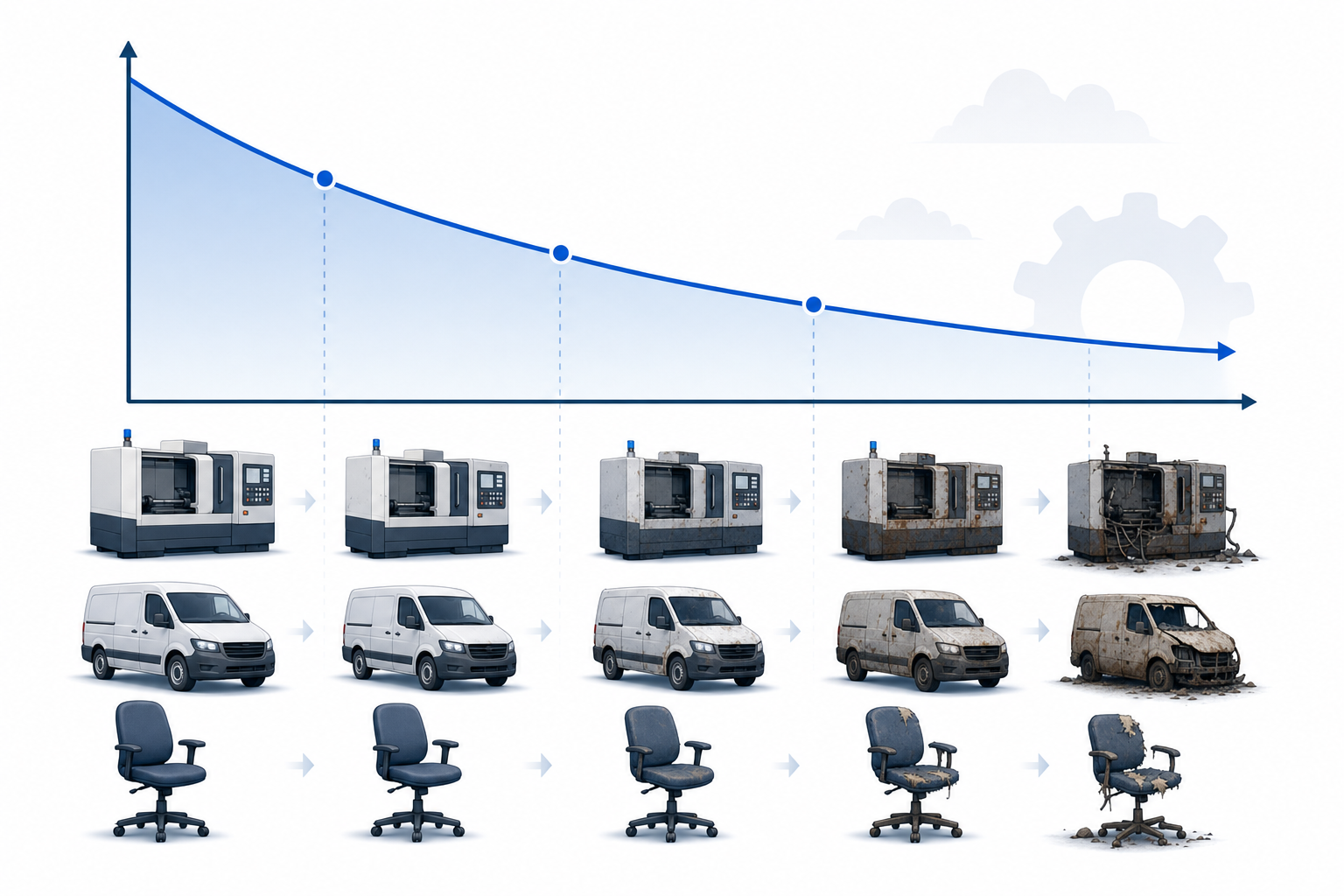
A depreciation journal entry records the gradual reduction in value of a fixed asset over its useful life. Equipment wears down. Buildings age. Vehicles rack up miles. Depreciation is how you account for that in your books.
Every depreciation entry follows the same basic structure: debit depreciation expense and credit accumulated depreciation. The debit hits your income statement; the credit builds up on the balance sheet as a contra asset account, reducing the asset's book value over time.
What sets depreciation apart from most entries is that no cash changes hands. It's an adjusting entry, recognizing a cost that accrues with use, not at the moment of purchase.
Understanding Depreciation Expense and Accumulated Depreciation
Depreciation expense represents the portion of an asset's cost allocated to the current period. It resets each accounting period. Accumulated depreciation, by contrast, keeps a running total of every depreciation charge ever recorded against that asset.
Think of them as two sides of the same story. Depreciation expense tells you what this period cost you. Accumulated depreciation tells you how much the asset has lost since day one.
Because accumulated depreciation is a contra-asset, it sits on the balance sheet opposite the original asset value, helping maintain accurate records. Subtract it from the gross asset cost and you get the net book value, which is what the asset is actually worth on paper. That number matters to auditors, lenders, and anyone reading your financials.
Keeping them as separate accounts gives you both the current-period income impact and the full historical record, without distorting either.
Types of Depreciation Methods and Their Impact on Journal Entries
The journal entry structure stays constant no matter which method you use: debit depreciation expense, credit accumulated depreciation. What changes is the dollar amount you record each period. GAAP permits four primary depreciation methods, each suited to different asset types and usage patterns.
Method | Calculation | Best For |
|---|---|---|
Straight-line | (Cost - Salvage Value) / Useful Life | Assets that wear evenly over time |
Declining balance | Book Value x Depreciation Rate | Assets that lose value faster early on |
Units of production | (Cost - Salvage Value) / Total Units x Units Used | Assets tied to actual usage |
Sum-of-years digits | Remaining Life / Sum of Years x Depreciable Cost | Assets with front-loaded wear |
How to Calculate Depreciation for Journal Entries
Before recording any depreciation journal entry, you need a number to work with. There are three widely used methods, and each one produces a different expense amount.
Straight-Line Method
Divide the asset's cost minus its salvage value by its useful life. A $10,000 machine with a $1,000 salvage value over 9 years yields $1,000 in annual depreciation.
Declining Balance Method
Apply a fixed percentage to the asset's remaining book value each year. Depreciation is higher in early years and gradually decreases over time.
Units of Production Method
Tie depreciation directly to actual usage. Divide depreciable cost by total expected output, then multiply by units produced that period.
Recording Depreciation Journal Entries: Step-by-Step Process
Recording the entry follows a simple, repeatable rhythm once you have your depreciation amount ready.
- Date the entry to the last day of the accounting period
- Pull the depreciation amount for that period
- Debit Depreciation Expense and credit Accumulated Depreciation for the same amount
- Post both lines to the general ledger
Account | Debit | Credit |
|---|---|---|
Depreciation Expense | $X | |
Accumulated Depreciation | $X |
After posting, Depreciation Expense flows to your income statement through automated journal entry workflows. Accumulated Depreciation carries forward on the balance sheet, reducing the asset's book value with every new entry. Repeat each period until the asset is fully depreciated or disposed of, or consider close management tools to automate the process.
Depreciation Journal Entry Examples for Common Fixed Assets
Three asset types generate the vast majority of depreciation entries in practice: machinery, vehicles, and furniture. Here is how each looks as a journal entry.
Machinery
Debit Depreciation Expense and credit Accumulated Depreciation by the annual depreciation amount. For a machine costing $50,000 with a 10-year useful life and no salvage value, that is $5,000 per year.
Vehicles
A $30,000 vehicle depreciated over five years yields $6,000 annually. The entry follows the same structure as machinery.
Furniture
A $12,000 desk set over eight years produces $1,500 per year, recorded identically.
How Depreciation Journal Entries Appear on Financial Statements
Depreciation expense flows to the income statement, reducing net income each period. On the balance sheet, accumulated depreciation sits directly below the gross asset cost, letting anyone reviewing your financials see the original cost, total depreciation taken, and net book value at a glance.

The cash flow statement tells a different story. Since no cash actually moved when you recorded the entry, depreciation gets added back under operating activities as a non-cash adjustment, tying net income to real cash generated through accounting workflow automation.
Common Depreciation Journal Entry Mistakes and How to Avoid Them
Dysfunctional and manual financial reporting processes cost U.S. businesses around $7.8 billion a year, according to a DataRails report conducted with economists at the University of Baltimore. Depreciation is a frequent contributor to that number.
The most common mistakes:
- Estimating useful life incorrectly, which throws off every period's expense from that point forward
- Ignoring salvage value and depreciating an asset past its recoverable amount
- Switching depreciation methods partway through an asset's life without proper disclosure
- Leaving disposed assets on your depreciation schedule, generating phantom expense month after month and impacting your month-end close process
Depreciation Journal Entries for Partial Year Acquisitions
Assets acquired mid-year require pro-rated depreciation instead of a full annual charge. If you purchase machinery on April 1 with a fiscal year ending December 31, you only recognize nine months of depreciation in that first year.
The calculation works by dividing the annual depreciation by 12, then multiplying by the months remaining in the year, which you can track with a monthly closing checklist. A $20,000 asset with a 10-year useful life yields $2,000 annual depreciation, so the first-year entry would record $1,500 instead.
Adjusting and Correcting Depreciation Journal Entries
When a depreciation estimate changes, such as revising the useful life or salvage value of an asset, apply it prospectively. Spread the remaining book value over the new remaining life and move forward. Prior periods stay untouched, making close management automation even more valuable.
Errors are a different matter entirely. Posting the wrong amount in a prior period calls for a retrospective correction: adjust retained earnings and restate the affected periods instead of patching the current entry.
Disposals follow their own path. Remove the gross asset cost and its accumulated depreciation from the ledger, then record a gain or loss based on proceeds received versus the net book value at disposal.
Depreciation Schedules and Month-End Close Integration
A depreciation schedule tracks each asset's cost, useful life, depreciation method, and period-by-period expense in one place. Without it, entries get missed, doubled up, or posted to the wrong period.
The practical fix is treating depreciation as a recurring close task, not a one-off entry, which you can automate during the month-end close. Each period, the schedule drives the amount, the entry posts, and accumulated depreciation updates in sync. That connection between schedule and close checklist is what keeps fixed asset accounting consistent month after month.
Automating Depreciation Entries with Close Management Software
Recording depreciation manually across dozens of fixed assets gets tedious fast. Close management software cuts that friction by automating recurring journal entries, so your team stops re-entering the same debits and credits every period.
These tools sync with your asset register, apply the correct depreciation method, and post entries directly to your general ledger using AI workflows. That keeps accumulated depreciation balances accurate without the manual effort.
If you want to see how automated close workflows handle depreciation and other recurring entries, doublehq.com is worth a look.
Final Thoughts on Depreciation Journal Entry Best Practices
Once you understand how accumulated depreciation journal entries work, consistency becomes your biggest win. Track every asset with a depreciation schedule, post entries on time, and your financials will reflect reality month after month. If you're tired of manually calculating and posting depreciation each period, book a demo to see close automation in action. Your fixed assets get tracked, your entries get posted, and you reclaim hours every close cycle.