
The definition of general ledger reconciliation is easier to understand than the execution. What general ledger reconciliation looks like in practice becomes clearer once you see how the same verification logic applies across different account types: balance sheet accounts, vendor ledgers, accrued expenses, and accounts payable.
TLDR:
- GL reconciliation verifies ledger balances match source documents before financial statements close.
- Undetected errors distort balance sheets and can trigger SEC penalties per regulatory findings.
- Most accounts are verified monthly; high-volume cash and payables may need weekly or daily review.
- Automation cuts month-end close from seven days to under three, saving 2 to 5 business days.
- Double auto-pulls reconciliation accounts from QuickBooks Online or Xero and flags discrepancies with AI.
What Is General Ledger Reconciliation?
General ledger reconciliation is the process of verifying that the balances recorded in a company's general ledger match supporting documentation, sub-ledgers, bank statements, or other external sources.
The goal is simple: confirm that every number in the ledger is accurate and complete before financial statements are prepared.
Why It Matters
Errors caught during reconciliation prevent misstated financials, audit failures, and compliance issues. Without it, small discrepancies compound into larger problems that are far harder to untangle at year-end.
Why General Ledger Reconciliation Matters
Errors in financial statements carry real consequences. Material misstatements can trigger regulatory penalties, auditor scrutiny, and reputational damage that takes years to repair. General ledger reconciliation is one of the core controls that prevents those outcomes.
At its foundation, reconciliation catches discrepancies before they compound. A single undetected posting error can distort balance sheet accounts, inflate or understate liabilities, and produce financial reports that mislead stakeholders who rely on them to make decisions.
Understanding General Ledger Accounts
The general ledger is a company's master financial record. Every transaction gets classified into one of five account categories and stored there.
Account Type | What It Tracks | Examples |
|---|---|---|
Assets | Resources the company owns | Cash, accounts receivable, inventory |
Liabilities | Amounts owed to others | Accounts payable, loans payable |
Equity | Owners' residual interest | Retained earnings, common stock |
Revenue | Income from operations | Sales, service fees |
Expenses | Costs incurred | Rent, payroll, software subscriptions |
The accounting engine behind this is double-entry bookkeeping: every transaction affects at least two accounts, with debits equaling credits. This keeps the fundamental equation (Assets = Liabilities + Equity) balanced at all times.
Those category balances roll up into financial statements. Revenue and expense accounts feed the income statement; assets, liabilities, and equity populate the balance sheet. Verifying the GL means confirming those balances are accurate before the statements go out.
Types of General Ledger Reconciliation
General ledger reconciliation covers several distinct account types, each with its own verification logic and risk profile. Understanding the differences helps teams allocate review time where errors are most likely to surface.
Balance Sheet Account Reconciliation
Every balance sheet account, including cash, receivables, payables, and accruals, gets matched against supporting documentation to confirm the ending balance is accurate. This is the broadest category and serves as the foundation for financial statement reliability.
Bank Reconciliation
Cash balances in the general ledger get compared against bank statements to identify timing differences, outstanding checks, and unrecorded transactions.
Accounts Payable Reconciliation
Vendor invoices, purchase orders, and payment records get matched to confirm the AP subledger ties to the general ledger control account. Items without a match often reveal duplicate payments or unrecorded liabilities.
Accrued Expenses Reconciliation
Accrued liabilities like wages, interest, and taxes get reviewed to confirm estimates are reasonable and properly supported before period close.
Intercompany Reconciliation
For multi-entity organizations, transactions between subsidiaries get matched to confirm they offset correctly and eliminate on consolidation.
Vendor Ledger Reconciliation
Supplier account balances get confirmed against vendor statements, catching missed credits, disputed invoices, or payments applied to the wrong period.
The General Ledger Reconciliation Process: Step by Step
The process follows a consistent sequence regardless of account type or closing cadence.
Start by identifying which accounts need reconciliation, focusing first on dollar size and risk level. High-value accounts like accounts payable, accrued expenses, and cash get reviewed first.
The Core Steps
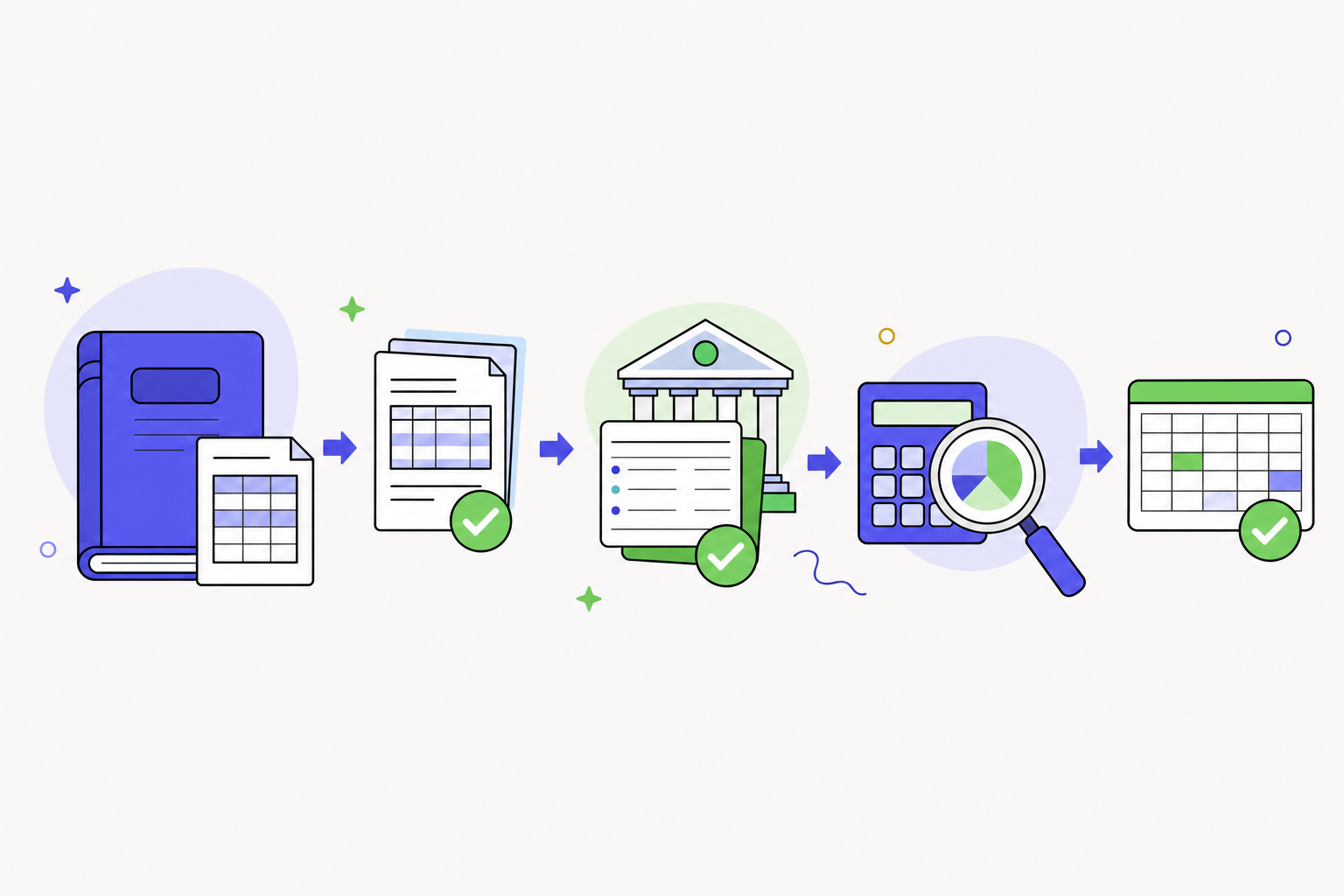
Pull the general ledger balance for each account and gather the corresponding supporting documentation, whether that's bank statements, vendor invoices, sub-ledgers, or aging reports.
Compare the two sources line by line, flagging any discrepancies. Document every difference, note the likely cause, and assign ownership for resolution.
Post any required adjusting journal entries before the period closes, then sign off with a reviewer to confirm the account is cleared.
Common Errors and Discrepancies in GL Reconciliation
Errors in GL reconciliation tend to cluster around a few predictable failure points. Knowing what to watch for makes the review process faster and more reliable.
Timing Differences
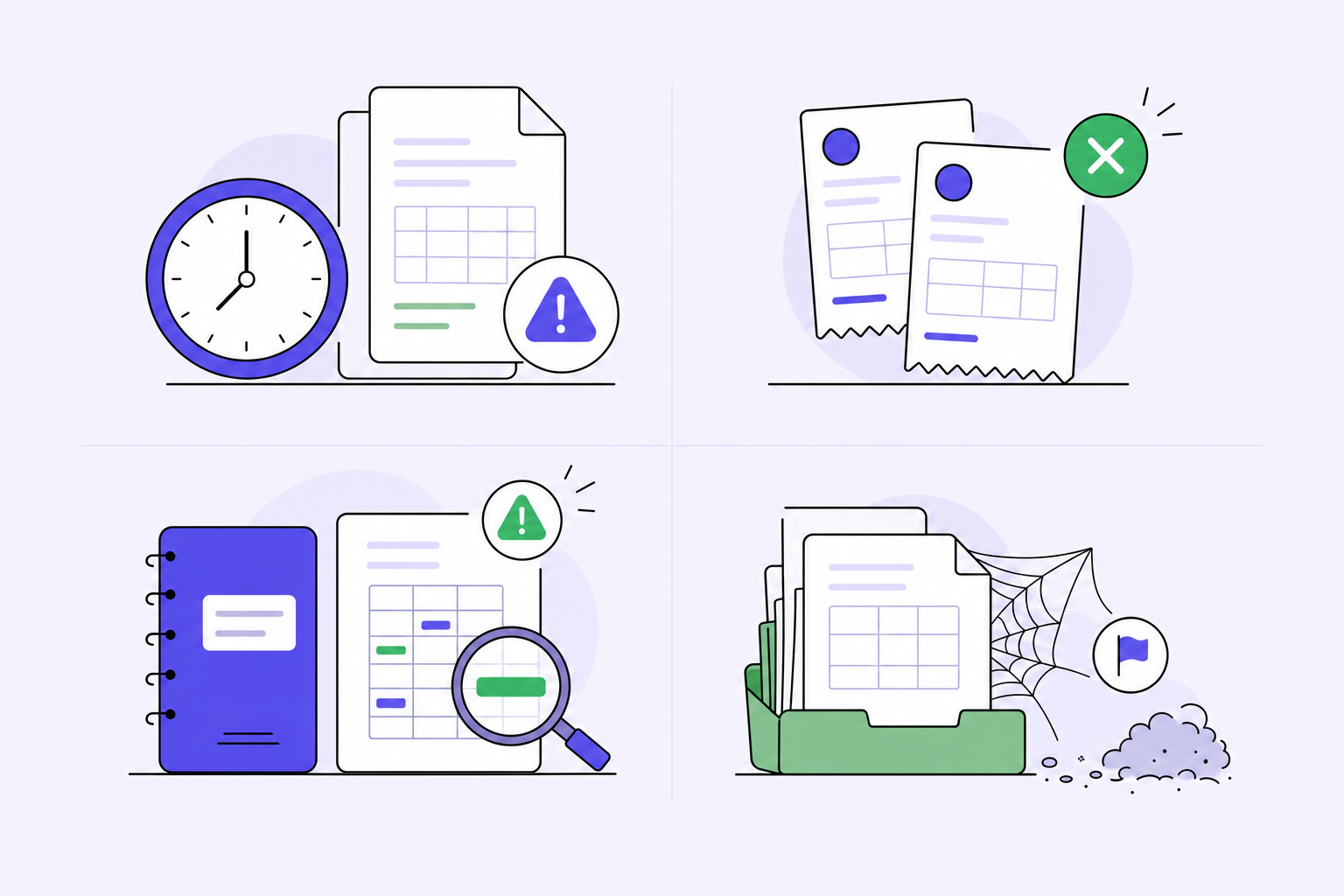
Transactions recorded in the GL may not yet appear in the corresponding source document, or vice versa. Payments processed at month-end, accruals posted before invoices arrive, and deposits in transit all create temporary gaps that resolve in the next period.
In practice, these show up as a vendor payment that cleared the bank on the 31st but posted to the GL on the 1st, or a payroll accrual recorded before the pay stub detail arrives. The key is documenting the gap and confirming it clears in the subsequent period, not carrying it forward indefinitely.
Duplicate or Missing Entries
A single transaction entered twice inflates balances; a missing entry understates them. These errors often stem from manual data entry or inconsistent cut-off procedures.
Duplicates are especially common in accounts payable when an invoice is entered manually and also imported from an integration. A $12,000 vendor payment appearing twice produces a balance that is off by exactly that amount, which makes it detectable if you sort transactions by amount and scan for identical entries on the same date. Missing entries are harder to spot and usually surface only when the GL balance diverges from the sub-ledger total during the reconciliation comparison step.
Coding Errors
Amounts posted to the wrong account, cost center, or period are among the most common reconciliation findings. They do not always affect the overall balance, which makes them easy to miss without a line-by-line review.
A software subscription coded to office supplies instead of software expense is a classic example. The total debits and credits still balance, so trial balance checks won't catch it. Only a line-by-line comparison against the chart of accounts or prior-period entries reveals the misclassification. Coding errors that cross accounting periods, like a December expense posted to January, create a more serious problem: they distort two reporting periods at once and can trigger questions from auditors reviewing quarter-over-quarter trends.
Uncleared Open Items
Old open items that carry forward period after period signal a deeper problem. Stale items often indicate transactions that were never properly resolved, voided, or written off.
Any open item older than 90 days should be flagged for supervisor review and not carried forward again.
Rounding and Currency Variances
Multi-currency accounts frequently produce small residual balances from exchange rate differences. Left unaddressed, these accumulate and obscure real discrepancies over time.
For example, a EUR-denominated invoice converted at the invoice date rate will differ from the same invoice converted at the payment date rate. The $0.03 difference gets posted as a foreign exchange gain or loss, but if it goes unrecorded, it shows up as an unexplained variance in the GL. Over a year of high-volume international transactions, dozens of these micro-variances compound into a balance that looks like a material error. The fix is a consistent policy: record FX gains and losses at payment, and clear the rounding account monthly instead of letting it build.
How Often Should You Review Your General Ledger?
Frequency depends on account risk and transaction volume. Most GL accounts are verified monthly as part of the financial close cycle, where the bulk of discrepancy review happens. High-volume accounts like cash or payroll liabilities warrant weekly or even daily review given how quickly errors can compound. Low-activity accounts with minimal movement can usually wait for a quarterly cadence.
Best Practices for Effective GL Reconciliation
Catching errors before they compound is the whole point of GL reconciliation, and the teams that do it well tend to follow a consistent set of habits instead of scrambling at period-end.
Stick to a Regular Schedule
Monthly reconciliation is the baseline for most accounts. High-volume accounts like accounts payable, accounts receivable, and cash may warrant weekly or even daily attention. The longer an error sits undetected, the harder it becomes to trace and resolve.
Focus on High-Risk Accounts First
Not every account carries the same exposure. Focus first on accounts that affect cash, taxes, or external reporting. Intercompany accounts, accrued liabilities, and prepaid expenses are common sources of material misstatements.
Keep a Clear Audit Trail
Every reconciliation should document the preparer, reviewer, date, source documents used, and how each variance was resolved. Reviewers and auditors need to follow the logic without asking questions.
Segregate Duties
The person preparing the reconciliation should not also be the person approving it. This separation reduces the risk of errors going unnoticed and is a basic internal control requirement under most audit frameworks.
Resolve Variances Before Close
Open items carried forward from one period to the next are a red flag. If a variance cannot be explained, it needs to be escalated before the books close, not after.
Use Standardized Templates
Consistent formatting across accounts makes review faster and reduces the chance of something being missed. Whether the team uses a general ledger reconciliation template in Excel or dedicated software, the structure should be the same every period.
Manual vs. Automated GL Reconciliation
Manual GL reconciliation relies on spreadsheets, paper records, and accountant judgment. Automated reconciliation uses software to match transactions, flag exceptions, and generate reports with minimal human input.
Each approach has real tradeoffs worth understanding before choosing one.
Manual Reconciliation
- Gives full control over matching logic and exception handling, which suits complex or unusual transactions that require professional judgment.
- Low setup cost, since most teams already have Excel and basic accounting knowledge.
- Time-intensive and error-prone at scale, especially when transaction volumes grow.
Automated Reconciliation
- Matches transactions against source documents in a fraction of the time, reducing the close cycle.
- Flags discrepancies automatically so accountants focus on reviewing exceptions instead of hunting for them.
- Requires upfront configuration and ongoing maintenance to keep matching rules current.
Side-by-Side Comparison
Factor | Manual | Automated |
|---|---|---|
Speed | Slow at high volume | Fast regardless of volume |
Error risk | Higher | Lower |
Setup cost | Minimal | Moderate to high |
Scalability | Limited | Strong |
Judgment & control | Full | Partial (rules-based) |
Audit trail | Manual documentation | System-generated |
Most growing finance teams start manual and shift toward automation as transaction volume makes spreadsheet-based work unsustainable.
How Automation Changes Month-End Close
Automating reconciliation doesn't save time on just one account review. It compresses the entire close cycle. Research tracking automated close time savings shows companies typically cut their month-end close from seven days to under three, saving 2 to 5 business days while trimming reconciliation times by up to 40%.
When account verification stops being the bottleneck, everything downstream moves faster. Journal entry review, financial statement prep, and variance analysis all depend on reconciliations being complete. Tackling that step first produces an outsized effect on the full close cycle.
How Double Executes General Ledger Reconciliation for Accounting Firms
Most close tools sit alongside the ledger and track what's been done. Double works inside it. For accounting firms on QuickBooks Online or Xero, the Close page auto-pulls every account that needs reconciliation directly from the ledger, assigns ownership, supports multi-user sign-offs, and syncs any adjustments back in real time.
The AI Reconciliations feature goes further: upload a period statement, and Double analyzes it against the ledger to pinpoint timing differences, duplicates, or missing transactions through conversational troubleshooting instead of manual hunting.
For practices managing 50 to 200+ monthly clients, that consolidation matters. Task management, client communication, and reconciliation execution run in one place, which is where the documented 30 to 50% time savings per close comes from.
Final Thoughts on Making General Ledger Reconciliation Work
Reconciliation is the control that keeps small errors from becoming material misstatements your auditors flag six months too late. Whether you reconcile manually or automate depends on your transaction volume, but the fundamentals stay the same: regular cadence, clear documentation, and resolving variances before the period closes. For practices managing high-volume month-end close cycles, book a demo to see how Double auto-pulls accounts from the ledger, matches transactions with AI, and syncs adjustments back in real time.