
TLDR:
- Research shows automation cuts financial close time by 30-40%, shrinking average close cycles from 10 days to 6.4 days.
- Account reconciliation consumes most close time; automated tools cut reconciliation time sharply compared to manual processes.
- Start with automating bank reconciliations, journal entries, and intercompany eliminations before tackling reporting tasks.
- Continuous close spreads reconciliation work throughout the month, eliminating month-end crunches and reducing surprises.
- Double executes close tasks inside QuickBooks Online, Xero, Sage Intacct, and NetSuite with AI-powered reconciliations and variance analysis.
What Is Financial Close Automation?
Financial close automation is the use of software and AI to handle the repetitive, rules-based work that finance teams do at the end of every accounting period. Think journal entries, account reconciliations, intercompany eliminations, and variance checks.
These tasks have traditionally been done by hand, in spreadsheets, with a lot of copy-pasting and version confusion. Automation replaces that manual work with scheduled workflows, system-to-system data pulls, and rule-based matching that runs without someone clicking through it step by step.
The goal is a faster, more accurate close with less human toil.
Why Automate the Financial Close
Automation can cut close time by 30-40%, and automated vs. manual close data shows automated firms close in 6.4 days on average against 10 for manual teams.
That gap matters. Every extra day the close stays open is a day leadership operates without current financials. For lean finance teams, those days typically mean senior accountants are buried in data entry when they should be reviewing and signing off.
Scale compounds the problem. Manual processes that depend on individual effort tend to break as the business grows, usually well before headcount catches up to the added complexity. Research from KPMG shows that automation unlocks financial intelligence by supporting process augmentation and analytics at the data source level.
Core Processes You Can Automate in the Financial Close
Account reconciliation, journal entry posting, variance analysis, intercompany eliminations, and consolidation reporting are the five areas where automation delivers the fastest, most measurable results.
Account Reconciliation
Most finance teams spend the majority of their close time on reconciliation. Automated reconciliation tools match transactions across systems, flag exceptions, and generate audit-ready documentation without manual intervention. Free reconciliation tools built into Excel can handle basic matching, but dedicated financial reconciliation tools handle high volumes far more reliably.
Journal Entry Automation
Rule-based entries such as accruals, prepayments, and recurring allocations can be prepared, reviewed, and posted automatically. This cuts both error rates and the hours spent on repetitive data entry each period.
Variance Analysis
AI-powered variance analysis tools can scan actuals against budget and prior periods, surface anomalies, and generate written commentary drafts. Finance teams review and approve instead of building the analysis from scratch.
Intercompany Eliminations
For companies with multiple entities, intercompany matching is one of the slowest manual steps. Financial consolidation tools automate the matching and elimination process so consolidation runs in minutes instead of days.
Disclosure and Reporting Packages
Once the numbers are locked, automation pulls approved figures into report templates, applies formatting rules, and routes the package for sign-off. This removes the copy-paste risk that often introduces errors at the very last stage of the close.
Key Features to Look for in Financial Close Software
When choosing financial close software, a few capabilities separate tools that genuinely cut close time from those that just add another dashboard to manage.
Here are the features worth considering:
- Automated reconciliation that matches transactions across accounts without manual intervention, flagging exceptions for human review instead of dumping raw discrepancies on your team.
- Audit trails that log every action, timestamp, and approver so you have a defensible record for auditors and compliance reviews.
- Role-based access controls that let you assign preparer, reviewer, and approver permissions without sharing full system access.
- Real-time close status visibility so finance leads can see which tasks are complete, blocked, or overdue without chasing down teammates.
- ERP and accounting software integrations that pull data directly from your source systems, cutting out manual exports and copy-paste errors.
- Scalable checklist and workflow management that handles both simple monthly closes and multi-entity consolidations without requiring a complete reconfiguration.
Small businesses should focus on setup ease and native accounting software integration, since enterprise-grade tools often require lengthy implementations that smaller teams simply cannot absorb.
How Manual Financial Close Processes Drain Resources
According to McKinsey research, companies that rely on manual close processes spend up to 30% of their finance team's time on low-value data collection and reconciliation tasks alone.
That's not a minor inefficiency. It's a structural drain.
- Spreadsheet-based reconciliations introduce version control chaos, where multiple people work from different file versions and errors compound before anyone catches them.
- Journal entry preparation done by hand is slow and error-prone, often requiring multiple review cycles that extend the close by days.
- Manual variance analysis forces analysts to chase down data across disconnected systems instead of spending time on the judgment calls that actually matter.
- Audit trail documentation becomes a last-minute scramble when processes aren't automated, creating compliance exposure right before reporting deadlines.
Account Reconciliation Automation: The Biggest Time Saver
Account reconciliation is where financial close cycles bleed the most time. Matching transactions, chasing variances, and manually ticking off line items can consume days of work that automation cuts to hours.
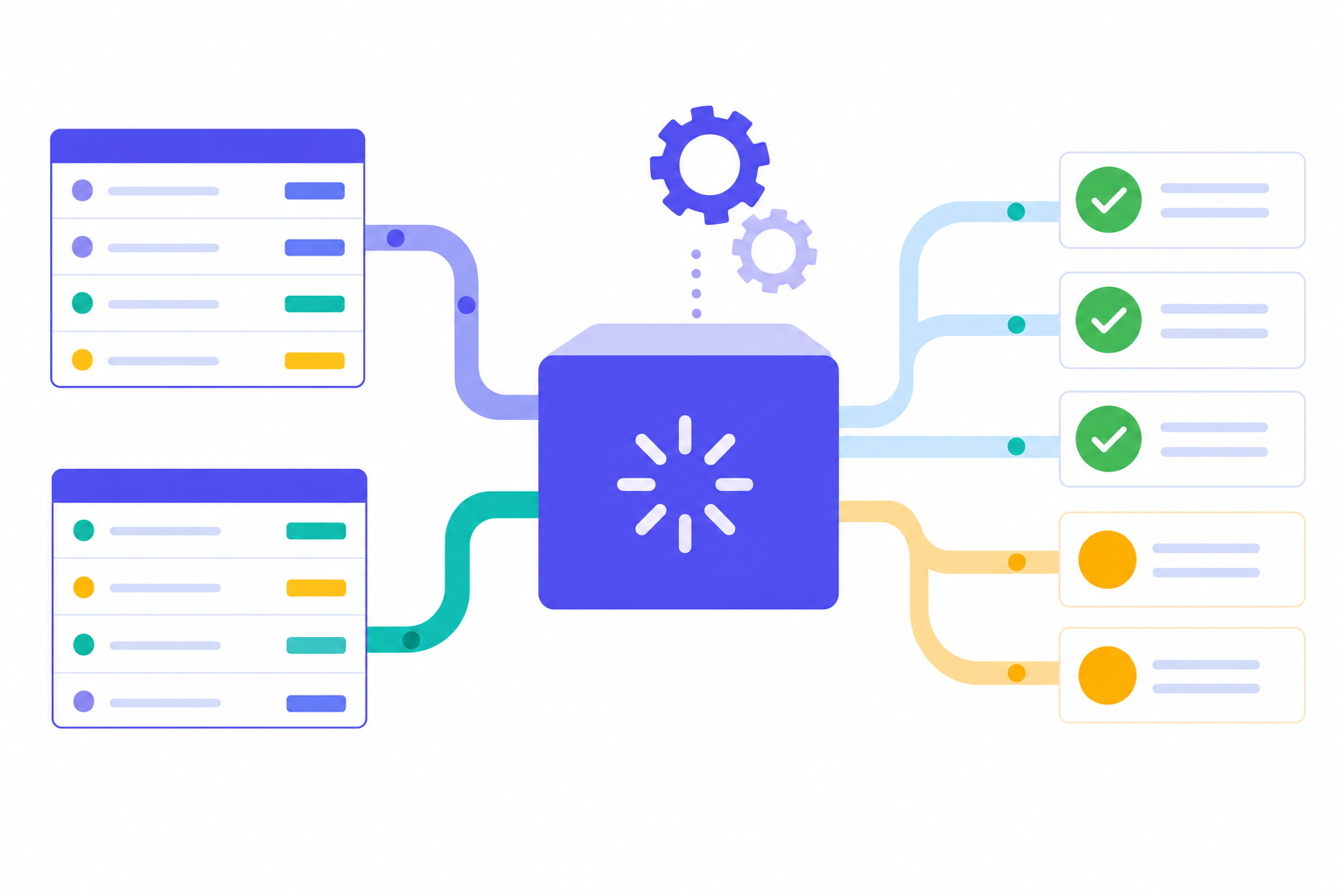
Automated reconciliation tools pull data directly from source systems, match transactions using rules-based logic, and flag exceptions for human review.
The core types of reconciliation automation worth knowing:
- Bank reconciliation automation matches general ledger entries against bank feed data in real time, catching discrepancies the moment they appear instead of waiting until period end.
- Intercompany reconciliation tools automatically match transactions between subsidiaries, reducing the manual coordination that typically delays consolidated close.
- AI-assisted variance analysis reviews flagged exceptions and suggests likely causes based on historical patterns, so accountants spend time resolving issues instead of hunting for them.
Continuous Close: The Evolution Beyond Month-End Batching
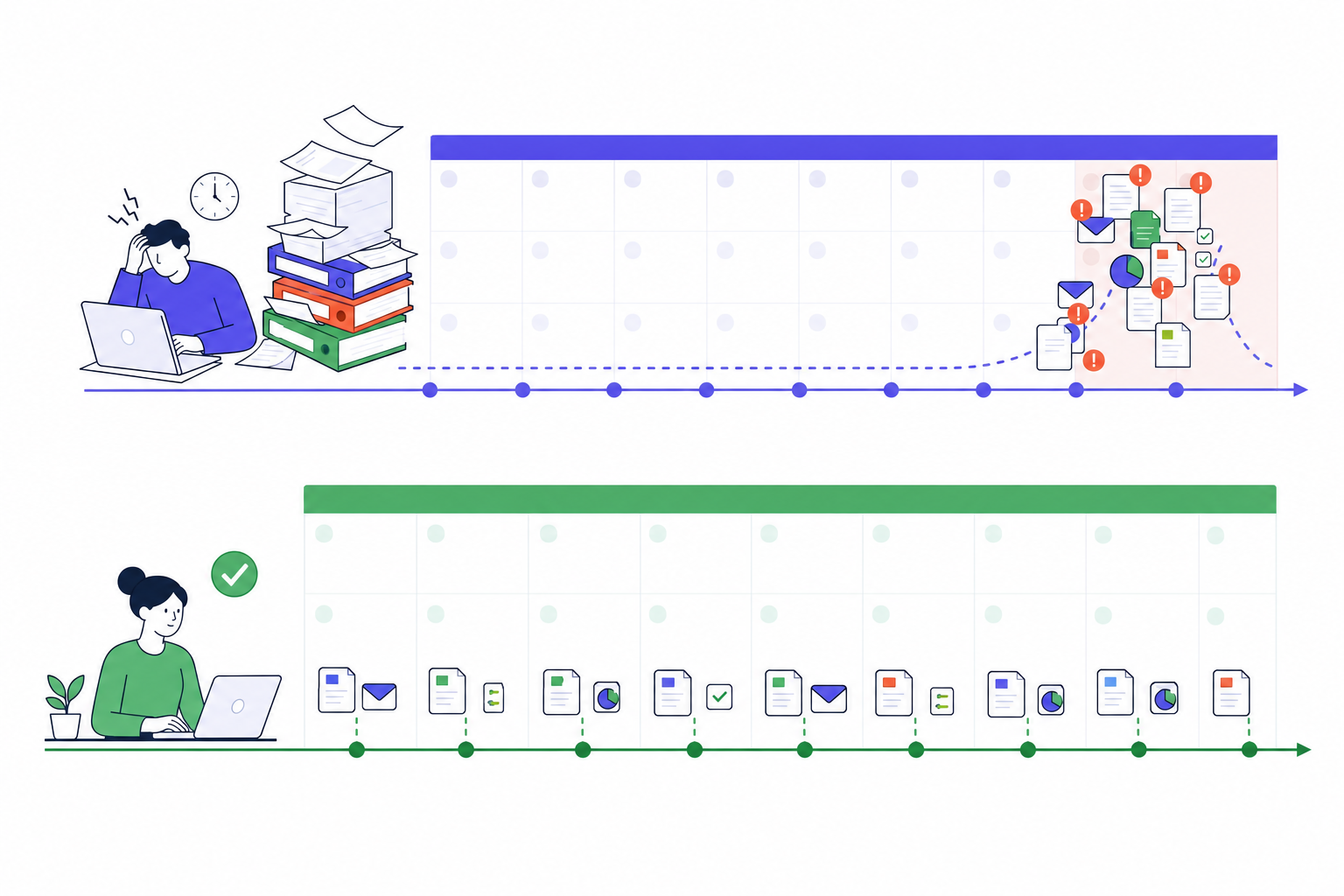
The financial close has traditionally followed a predictable rhythm: wait until the period ends, then scramble to reconcile everything at once. That batch approach creates the familiar month-end crunch that finance teams dread.
Continuous close changes that rhythm entirely. Instead of saving reconciliation work for the final days of the period, teams perform it throughout the month as transactions occur. By the time the period ends, most of the work is already done.
Why Continuous Close Gains Traction
Automation makes this possible at scale. Reconciliation tools that sync with your general ledger in real time can match transactions automatically as they post, flagging exceptions immediately rather than burying them in a month-end pile.
The practical result is a close that takes days instead of weeks, with fewer surprises and a shorter review cycle for auditors and stakeholders.
How to Choose the Right Financial Close Automation Solution
Picking the right financial close automation solution depends on your company's size, tech stack, and how much of the close you actually want to hand off to software.
Here are the factors worth weighing before you commit:
- Team size and close complexity: Smaller teams with straightforward closes benefit from lighter tools with flat pricing, while larger finance orgs with multi-entity consolidation need solutions built for that scale.
- Integration depth: Check whether the tool connects natively with your ERP or accounting software, and whether that sync is two-way or read-only.
- Automation scope: Some tools track tasks; others execute them. Know which you need.
- Pricing structure: User-based pricing can get expensive fast. Per-client or flat-rate models tend to be more predictable as you grow.
- Implementation timeline: Longer onboarding means delayed value. Ask vendors for realistic go-live timelines, not best-case ones.
Solution | Best For | Key Automation Capability |
|---|---|---|
Double | Accounting firms and corporate finance teams using QuickBooks Online, Xero, Sage Intacct, or NetSuite | AI-powered bank feeds, journal entries, and reconciliations with bidirectional sync to the ERP |
BlackLine | Companies needing automated reconciliation at scale with audit trail requirements | Completes reconciliations up to 90% faster than manual processes with exception flagging |
Trintech Cadency | Multi-entity businesses requiring financial consolidation software | Automates intercompany eliminations and multi-entity reporting workflows |
SAP Advanced Financial Closing | Enterprise organizations with complex consolidation needs across subsidiaries | Handles enterprise-level consolidation with standardized close processes across entities |
QuickBooks Online | Small businesses with straightforward monthly close cycles under 10 people | Native accounting system that integrates with automation tools for transaction processing |
Xero | Small businesses seeking cloud accounting with automation tool compatibility | Cloud-based accounting system with API access for third-party automation integrations |
Implementation Best Practices for Financial Close Automation
Getting the tech right is only half the equation. How a team rolls it out determines whether automation actually sticks.
Start with a Process Audit
Before configuring any software, map the current close process end to end. Document every manual step, identify where errors most often occur, and flag tasks that repeat across every close cycle. This creates a clear target list for what to automate first.
Focus on High-Volume, Repetitive Tasks
- Bank reconciliations and intercompany eliminations are the best starting points because they follow consistent rules and generate the most manual effort.
- Journal entry approvals with defined thresholds can be routed automatically, cutting approval cycle time considerably.
- Variance checks against prior periods or budgets can run on schedule without human prompting.
Phase Your Rollout
A phased approach, starting with one entity or one close cycle, lets the team build confidence and surface configuration gaps before scaling.
Train the People and the Software
Staff adoption is where most implementations stall. Schedule hands-on training sessions, assign an internal close owner who champions the tool, and document new workflows so knowledge does not live only in one person's head.
Measure What Changes
Set a baseline before go-live: how many days the close takes, how many errors get caught post-close, and how many hours the team logs per cycle. Revisit those numbers after 90 days to confirm the investment is producing results.
Common Challenges When Automating Financial Close
Automating financial close sounds straightforward in theory, but the path from spreadsheets to automated workflows is rarely smooth. Most finance teams run into a handful of predictable friction points that slow adoption and reduce the return on their investment.
- Data scattered across disconnected systems creates reconciliation gaps that automation alone cannot fix. If source data is inconsistent, automated outputs will be too.
- Change resistance from accounting staff is common. Team members accustomed to manual processes often distrust automated results, requiring validation steps that offset time savings.
- Poor process documentation before implementation leads to automating broken workflows, which compounds existing errors rather than reducing them.
- Integration complexity with legacy ERP systems can extend implementation timelines considerably, particularly for mid-market companies without dedicated IT support.
Scoping the project correctly from the start is where most teams stumble. Finance leaders often automate the easy parts first, such as report generation, while leaving high-risk reconciliation tasks manual. That approach creates a false sense of progress without reducing close risk in any meaningful way.
Double for Financial Close Automation
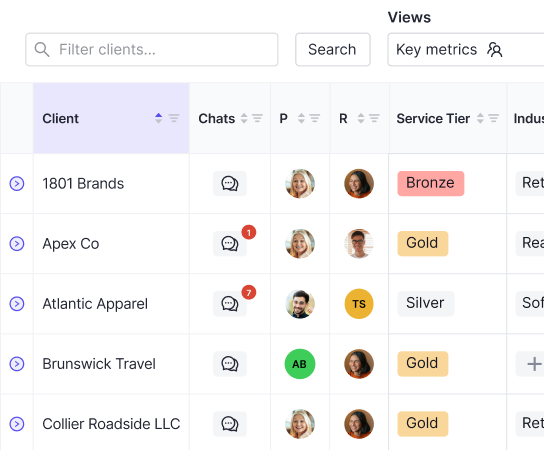
Double connects directly to QuickBooks Online and Xero for accounting firms, with Sage Intacct and NetSuite also available for corporate finance teams. All of this runs inside one workspace, where AI-powered bank feeds, journal entries, and reconciliations handle the manual categorization work that previously consumed close week.
Corporate finance teams use Double for accruals, allocations, and multi-entity variance analysis. Audit trails and subsidiary-level visibility are built into the workflow itself, not added as separate reporting layers.
The core design logic: when the task checklist is complete, the close is done. Work executes in Double and syncs bidirectionally to the ledger, so there is no secondary system where the actual accounting happens. Firms document 30-50% time savings per close. Controllers using AI flux analysis report recovering 8-12 hours per cycle, since variance explanations are drafted automatically at the transaction level instead of rebuilt from scratch each month.
Final Thoughts on Financial Close and Reconciliation Automation
Automating your financial close starts with identifying which repetitive tasks consume the most hours and follow the clearest rules. Bank reconciliations, journal entries, and intercompany eliminations are where most teams see the fastest return because the logic is consistent and the volume is high. If you're ready to move past spreadsheets, book a demo to see how Double executes reconciliation and close tasks in one workspace. The goal is a faster close with less toil, and that happens when software does the work instead of tracking it.