
Practice management software is a game changer for bookkeeping firms that are looking to organize their operations, automate tasks, and communicate smarter with clients.
Popular practice management solutions often integrate with accounting tools like QuickBooks or Xero.
Features such as automated reminders, secure portals, and customizable reporting make it easier to stay on top of tasks while saving time.
This helps manage client workflows, track KPIs, and catch accounting errors, all in one place.
With the practice management software market forecast and over 73% of accounting firms already adopting these solutions, choosing the right has never been more critical to staying competitive.
TLDR
- Practice management software centralizes client records, task workflows, and financial reporting in one place so bookkeeping firms can manage more clients without adding headcount.
- Key features include a CRM, file review automation, a branded client portal, project and task management, 1099 tracking, and custom financial report creation.
- The best solutions sync two ways with QuickBooks Online and Xero so corrections made in the software update the client's books automatically.
- Automating routine tasks can eliminate 23 to 31% of billable staff time spent on admin work, freeing your team for higher-value client work.
- Double's practice management software is built for bookkeeping firms and covers the full monthly close cycle, from file review and client questions to financial reporting and 1099 compliance.
How Practice Management Software Works
Accounting and bookkeeping practice management software is designed to centralize and automate a majority of accounting functions. With this, your team can spend less time on data entry and more time on advisory conversations, financial analysis, and growing the client roster.
For example, Double's practice management software integrates with QuickBooks and Xero so you can sync client data, transactions, and reports in one click.
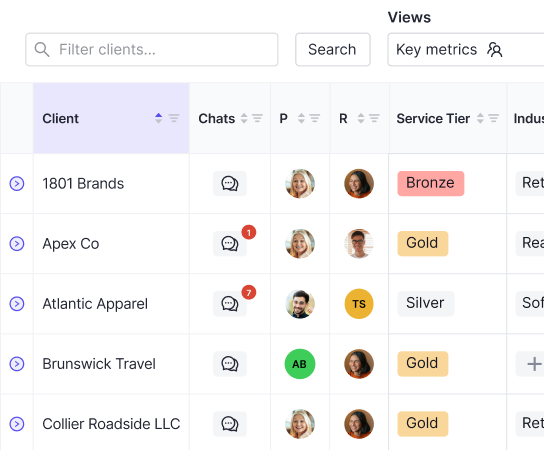
The software will feature a central dashboard where you can view all client communications, track projects, and review financials.
Automated reminders and alerts also help keep you on top of deadlines and follow-ups so nothing falls through the cracks with your clients.
Most practice management systems also offer task management features through integrated bookkeeping workflow software. This could include:
- Creating recurring tasks for monthly closes or one-off tasks for tax filings and payroll runs
- Assigning tasks to specific team members with due dates so nothing waits in a shared inbox
- Tracking task status from "in progress" to "ready for review" to "complete" across your full client list
- Categorizing tasks with client tags, service-line labels, or priority flags for faster filtering
- Running workflow templates across 10, 50, or 100+ clients at once, so a month-end close checklist auto-populates for every client on day one
Double can automatically catch and correct common input errors in your client's books. For example, by reviewing P&L reports at the vendor level, you can standardize reviews across your firm.
By automating the routine tasks carried out by accounting firms daily, practice management software can help:
- Reduce the number of errors
- Save time spent on mundane activities
- Boost the bottom line
According to the AICPA Technology Survey (2025, latest available), the average CPA firm spends 23 to 31% of billable staff time on administrative tasks that automation can eliminate or greatly reduce, representing $180,000 to $235,000 in annual opportunity cost for a 10-person firm billing $120/hour.
Getting started takes three steps. First, connect your accounting software: link QuickBooks Online or Xero so client data, transactions, and reports sync into your practice dashboard automatically. Second, build your workflow templates: create recurring task checklists for monthly closes, payroll runs, and tax filings, then assign them to your team with due dates. Third, invite your clients to the portal: share the Magic Link login so clients can respond to transaction questions, upload documents, and view financials without a password. Once those three pieces are in place, the software runs the routine and your team focuses on the work that actually moves clients forward.
Bookkeeping-Specific Features at a Glance
Feature | What It Does | Key Benefit |
|---|---|---|
CRM | Centralizes client records, tracks monthly closes, and connects to your existing tools via Zapier | One dashboard for your entire client list, no toggling between apps |
File Review | Automatically flags errors, uncategorized transactions, and inconsistent expenses in your clients' books | Month-end close up to 3x faster with every correction syncing back to QuickBooks Online or Xero |
Client Portal | Lets clients respond to questions, share documents, and view financials in one branded, secure hub | Fewer back-and-forth emails; Magic Link login so clients actually use it |
Project & Task Management | Creates, assigns, and tracks recurring or one-off tasks across your whole team | Workflow templates, in-app chat, and daily digests keep every close on schedule |
1099 Management | Identifies eligible vendors, tracks W-9 status, and exports filing data to platforms like Track1099 or Tax1099 | Year-round vendor compliance, no January scramble |
Report Creation | Generates client-ready financial reports in four clicks, with custom KPIs and formula-based variables that auto-update | Clients get clear, visual summaries; your team saves hours rebuilding data every month |
Bookkeeping-Specific Features
Now, let's cover the unique features that make Double's practice management system the best for bookkeeping firms.
CRM
Double's CRM is designed to make client management easy for bookkeeping and accounting firms. With a personal dashboard, you can see and manage all client information in one place, from tracking monthly closes to open transaction questions, so your team stays on top of everything.
Custom client properties let you organize information to fit your firm's workflow. You can filter, hide, and save views to find what you need, whenever you need it.
Double also integrates with your existing tech stack via Zapier, automatically updating your client list when a proposal is signed and triggering actions across connected tools when something changes in Double.
From task management and client communication to file reviews tools all in one app, Double's CRM keeps your firm connected in all the right ways, allowing you to focus on what matters most: your clients.
File Review
Bookkeeping and accounting firms can review their clients’ books faster and with more accuracy using Double's file review feature.
It eliminates the need for manual checks by automatically identifying errors, inconsistent expenses, and uncategorized transactions, saving you from surprises during the month-end close.
With Double, there is no tab switching or tool jumping between applications.
Firms using Double have reported cutting month-end close time by up to 50% using the consolidated and unified dashboard. Plus, every correction made in Double syncs back with QuickBooks Online and Xero.
Double's file review gives you more visibility by:
- Reviewing P&L reports at the vendor level
- Drilling down into individual transactions
- Seeing cost drivers and variances without opening Excel
Double's tools also flag transactions coded to parent accounts, tax inconsistencies, and other anomalies so nothing gets missed.
Custom-saved search reports let your team customize reviews for maximum speed and accuracy.
Every change is tracked in the Client Portal, giving your team a clear audit trail and reducing errors during file review. This delivers accurate financial insights while freeing up review time for higher value work.
Client Portal
Double's custom-branded Client Portal is designed to simplify client communication for bookkeeping and accounting firms while housing client records in one common place.
Bid farewell to endless spreadsheets and emails, this central hub lets your clients respond to transaction questions, share documents, and view their financials in one place.
Asking questions is easy. You can send transaction questions directly from the bank feed.
When your clients respond, you can edit transactions in Double and they will auto-sync back to your accounting software.
With scheduled requests and automated email/text reminders, no question goes unanswered, and it saves you time on the back and forth.
Clients also love Double's Magic Link login system which eliminates the need to remember passwords, just one click, and they’re in.
Plus, with Double's mobile app, clients can respond to questions, upload documents, and stay connected on the go.
The portal provides unlimited file storage to store receipts, other financial reports, and strengthen your overall document management.
Pro-Tip: With custom branding and white labeling, you can host the portal on your domain with your firm’s colors and logo so it feels like an extension of your business.
Double's Client Portal combines ease of use with secure, encrypted access, creating a modern solution that clients will actually use.
Project and Task Management
Double's project and task management features are designed to change the way bookkeeping and accounting teams work.
Double allows you to create, organize, and track tasks while boosting your team's collaboration and productivity.
You can get started by:
- Creating workflow templates for recurring tasks like month-end, payroll, or administrative tasks
- Assigning recurring or one-off tasks to your team so everyone is on track with minimal effort
- Using tagging and client properties features to organize tasks in a way that makes sense for your firm
Using Double's single client dashboard, you can track outstanding tasks, resolve bottlenecks, and mark completed work for managers to review instantly.
Features like internal commenting and in-app chat help get issues resolved quickly and efficiently. You can also use attachments to reduce confusion.
Double also helps manage non-closing tasks like tax filings or bi-weekly payroll by creating schedules that assign work to your team.
Within the interface, you can add more clarity by breaking down projects into sub-tasks, assigning users, and marking priority tasks.
Finally, you can use daily digest emails and starred tasks to keep everyone aligned so nothing gets missed.
1099 Management
Say goodbye to the seasonal stress of January 1099 management with Double on your side.
Double makes the whole process smoother, so you can manage vendor compliance year-round instead of scrambling at the last minute.
With Double's Prepare 1099s Report, finding 1099-eligible vendors has never been easier. The system automatically excludes credit card transactions so you only see what matters.
For vendors missing W-9s, Double's Client Portal lets you request them from your clients or the vendors themselves.
You can even add W-9 requests to your monthly workflow with the newly added vendors report to work more productively and stay ahead of the game.
Once a vendor submits their W-9, simply update it in Double, and it will instantly sync back to QuickBooks Online or Xero.
When it's time to file, export all 1099 data in your preferred file format to trusted tools like Track1099 or Tax1099 for easy filing.
By managing 1099s as part of your workflow, Double saves your team time, reduces errors, and eliminates the last-minute stress so that you can be compliant without the hassle.
Report Creation and Management
Double's reporting tools connect directly to your client's general ledger so you can build a full financial report in four clicks. Reports pull live data from QuickBooks Online or Xero and update automatically as new transactions sync, so your team spends less time rebuilding the same numbers every month.
Double supports four core report types:
- Profit and Loss: drill down to the vendor and transaction level, compare to prior periods, and flag material variances with AI-generated explanations
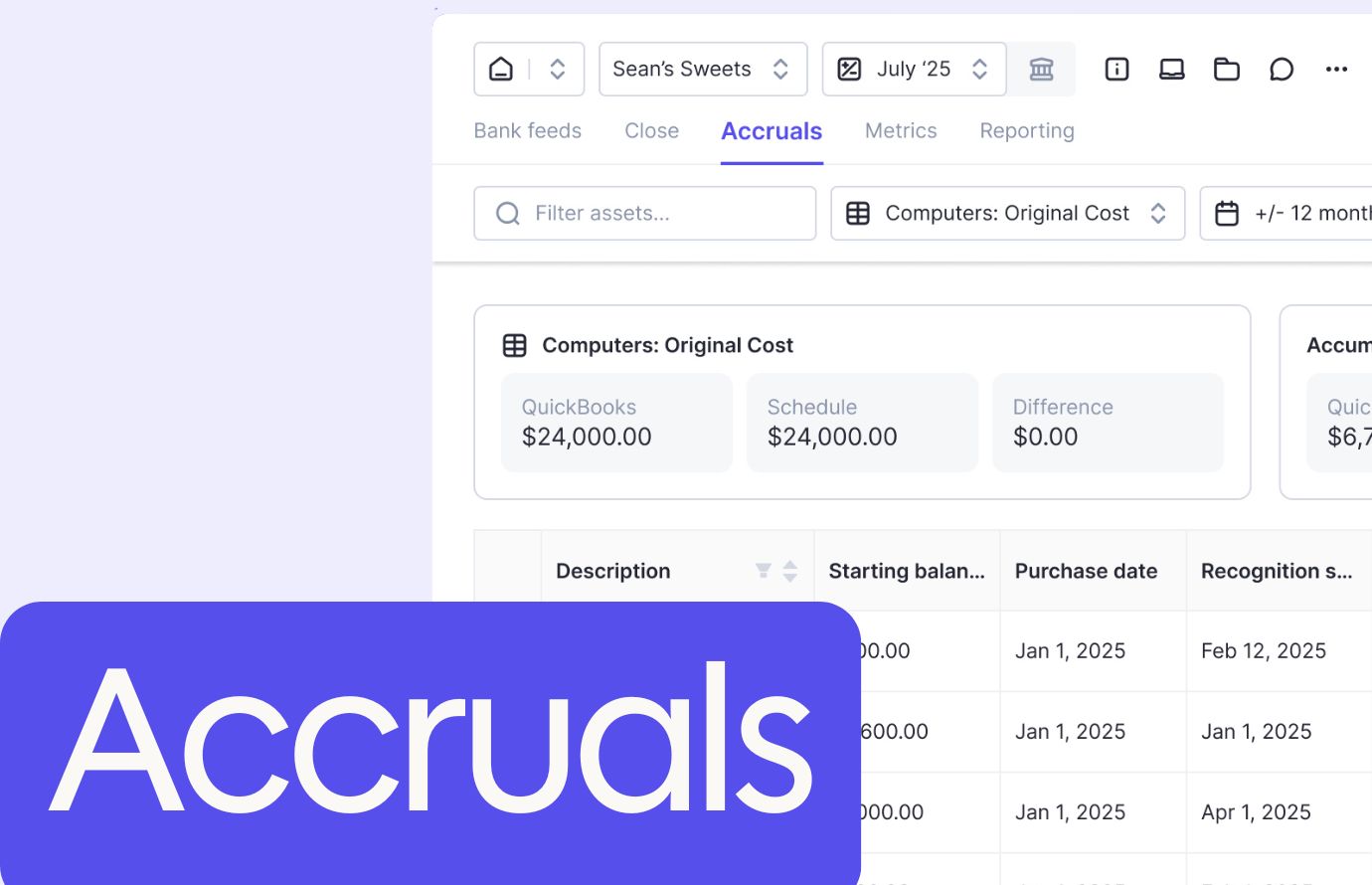
- Balance Sheet: exportable to CSV or Excel with full drill-down and verifiable against accrual schedules in the same interface
- Cash Flow: transaction-level drill-down on every line item for complete visibility into inflows and outflows
- Budget vs. Actuals: pulls budget data directly from QuickBooks Online so variances are calculated against the source budget without manual re-entry
For clients who need deeper variance analysis, Double's AI Flux Analysis (Scale tier) automatically drafts explanations at the vendor and transaction level for the P&L and Balance Sheet, with configurable materiality thresholds. Clients can also ask questions directly from published reports in the portal, so financial reviews happen in context instead of over email.
With Double's Executive Summary, you can give your clients a quick snapshot of their financials, with visuals and key metrics to make it easy to digest using a Double report.
For example, a client looking for insights on their revenue cycle management can receive customized insights.
Double's Executive Summary includes:
- Space for commentary or notes on the report
- Profit & Loss vs prior periods
- Key metrics your clients care about
- Bar charts to show year-over-year performance
Once published, management reports can be pushed to the Double Client Portal with one click.
Clients are notified and can access their financials. Reports are stored in the Portal for future reference.
Plus, you can customize even more aspects of the practice management software by tracking custom KPIs and metrics specific to your client's business.
With Double's formula-based variables, these metrics update automatically as new data syncs from QuickBooks Online or Xero.
With Double's focused report creation, customization, and management features, you can turn your financial reporting into a valuable, insightful experience.
Final Thoughts on Practice Management Software Built for Bookkeeping
Managing a growing client list across disconnected tools creates the kind of friction that shows up as missed deadlines, late reports, and a team stuck doing data entry instead of review work. Practice management software pulls the close cycle, client communication, and financial reporting into one place so your firm can handle more without burning out. The 23 to 31% of billable time currently spent on admin work is the clearest place to start. Book a demo with Double and see what that time looks like back in your team's hands.