
Per AdAI News, 46% of accountants now use AI tools daily, up from 18% three years ago. But daily use and smart use aren't the same thing. If you're trying to figure out where AI actually earns its place in your workflow and where it still needs a careful second look, this guide covers the full picture.
TLDR:
- Industry estimates suggest 73% of accounting firms had implemented some form of automation by 2026, a sharp rise from 2022.
- AI augments accountant judgment by handling repetitive categorization, journal entries, and reconciliation flagging while humans retain oversight.
- AI will not replace accountants by 2030; accounting jobs are shifting toward oversight, exception review, and client advisory roles.
- According to Thomson Reuters' 2026 AI in Professional Services Report, 46% of U.S. accounting firms have inadvertently shared confidential client data with public AI services, making tool selection a data privacy decision.
- Double executes AI accounting work with direct ledger posting across bank feeds, journal entries, and flux analysis, with firms reporting 30 to 50 percent time savings per close.
What AI in Accounting Means Today
AI in accounting no longer means one thing. It runs across a range, from simple rule-based automation that flags a transaction for review, to agentic systems that read a bank feed, categorize the charge, draft the journal entry, and post it to the ledger while an accountant reviews the output.
At the basic tier sits rule-based automation: if a transaction matches a pattern, apply a category. The middle tier adds machine learning that improves its own accuracy over time, learning how a firm has historically coded a vendor. The advanced tier, agentic AI, chains multiple steps together and takes action across a workflow, with a person still approving the outcome.
Industry estimates suggest 73% of accounting and CPA firms had implemented some form of automation as of 2026, a sharp rise from 2022. Per AdAI News, 46% of accountants now use AI tools daily, up from 18% three years ago. The practical question for accountants is no longer whether AI belongs in the workflow. It is which category of AI is doing which part of the work.
How AI Is Being Used in Accounting Right Now
AI shows up across the full accounting workflow now, covering more than one corner of it. Here is where it does real work today.
- Transaction categorization and bank feeds: AI reads incoming bank and credit card transactions, matches them to prior coding patterns, and sorts them into the correct account before a person ever opens the AI bank feed.
- Journal entry AI: AI Transactions turns payroll reports, Stripe exports, and other source documents into balanced entries, extracting the relevant fields and drafting the posting.
- Bank reconciliation: AI flags timing differences, duplicates, and missing transactions between a bank statement and the ledger, cutting down the manual line-by-line search for the source of a discrepancy.
- Accounts payable and receivable: AI tracks aging invoices, flags overdue bills, and surfaces vendor payment patterns without a person running the report by hand.
- Audit support: AI samples transactions, flags anomalies against historical norms, and prepares documentation trails auditors can review.
- Tax preparation: AI pulls data from prior filings and current year transactions to populate forms and catch missing information before a preparer reviews the return.
- Flux analysis: AI drafts explanations for account level swings between periods, at the vendor or transaction level, so a controller reviews a conclusion instead of rebuilding the story from scratch.
- Financial forecasting: AI builds forward looking projections from historical transaction data, supporting budget conversations and cash planning.
Accounting firms apply these across a portfolio of clients at once, running the same categorization logic and variance review across dozens of closes in parallel. Corporate finance teams apply the identical building blocks to a single entity, often layered with subsidiary or department level detail. The workflow steps stay the same across both groups. The scale is what differs.
The Benefits of AI in Accounting
AI's payoff in accounting breaks into five categories, and each one shows up as a number a firm or finance team can point to. No vague promises.
- Time savings: automation removes the hours once spent matching transactions, chasing missing documents, and drafting journal entries by hand.
- Fewer errors: transactions get sorted against consistent rules instead of individual judgment on a rushed afternoon, cutting the miscoded entries that surface later in review.
- Lower costs: less time on repetitive work lets a firm or team handle more clients or a bigger ledger without adding headcount at the same rate, a core driver of productivity in accounting.
- Faster insight: variance accounting and flux explanations draft in minutes instead of days, giving controllers a starting point to review instead of a blank spreadsheet to build from scratch.
- Stronger client relationships: staff freed from manual entry spend more time on client calls, tax planning, and advisory conversations that no software can replace.
Challenges and Risks of AI in Accounting
Data privacy sits at the top of the list. According to Thomson Reuters' 2026 AI in Professional Services Report, 46% of U.S. accounting firms have inadvertently input confidential client information into public AI services, handing sensitive financial data to a third party the firm does not control.
Output accuracy is the second concern. AI can generate a tax citation or regulatory interpretation that reads as confident and is wrong, a real risk when tax code sections and filing thresholds shift every year and nobody catches the error before it reaches a client.
Risk | What it looks like | How to manage it |
|---|---|---|
Skill gap | Staff trained on manual workflows don't know how to review AI output critically | Train reviewers to question AI drafted entries, and do more than approve them |
Integration complexity | AI tools that don't connect to the ledger create a manual export step | Choose tools with two way ledger sync instead of standalone AI |
Audit trail gaps | AI generated entries lack a clear record of who changed what and why | Require AI actions to log automatically, same as any manual entry |
None of this argues against using AI. It argues for treating AI output the way any junior preparer's work gets treated: reviewed, not rubber stamped.
AI's Impact on Accounting Jobs
AI replacing accountants by 2030 is unlikely, and the outlook for 2050 looks similar. What AI changes is the shape of the work. Repetitive categorization, data entry, and manual reconciliation are shifting to AI, while judgment, client advisory, and financial interpretation stay firmly human.
Accounting jobs are moving toward oversight roles. Instead of spending hours matching transactions, accountants review AI-generated output, catch exceptions, and interpret what the numbers mean for a client or company. Entry-level roles built around data prep may shrink, but demand for accountants who can manage AI tools, verify accuracy, and advise clients is climbing.
The practical impact on accounting jobs looks less like job loss and more like a shift in daily task composition and required skills.
AI Skills and Courses for Accountants
Five skills separate accountants who stay ahead of AI from those who get replaced by it, and none require a computer science degree.
- AI transaction literacy: understanding how a bank feed categorization engine or journal entry generator reaches its output, so you can catch a wrong vendor match or miscoded expense before it posts, a key skill for managing accounting workflow automation.
- Prompt writing for accounting tasks: framing a request with the right context (account history, client preferences, prior period treatment) so the draft needs less correction.
- Data literacy: reading a dataset for gaps, duplicates, and outliers before trusting any AI summary built from it.
- Exception based review: shifting from checking every line to triaging flagged items, which reflects a broader philosophy of AI to empower, not replace.
- AI governance basics: knowing when an output is safe to approve and when it needs a second look, particularly around tax citations and regulatory interpretation.
AICPA and CIMA both offer AI-focused continuing education tracks for practicing accountants. Becker offers an AI for accounting and auditing certificate. On the university side, the University of Illinois offers an accounting data analytics track through Coursera that covers AI and automation concepts as part of its core curriculum. Intuit Academy offers free, self-paced courses on bookkeeping and accounting fundamentals that include modules on automation tools, a practical starting point before committing to a formal course. General AI platforms like Coursera and LinkedIn Learning publish short courses on AI fundamentals that most accountants can complete in under a week.
How to Implement AI in an Accounting Practice
Start with one workflow where the time cost is obvious and the output is easy to verify. Bank feed categorization is the most common entry point. Connect your ledger, run the AI against a prior month's transactions, and compare its output to how you actually coded those transactions. This calibration step builds confidence before you rely on the output for a live close.
Once categorization is running reliably, move to journal entry creation from source documents. Upload a payroll export or a Stripe file, review the drafted entry against the source, and post it if it balances. The goal at this stage is to shift from building the entry to reviewing one that is already drafted.
Data privacy decisions happen before you select any tool. Know whether the AI processes your client data inside a private instance or routes it through a public model. According to Thomson Reuters' 2026 AI in Professional Services Report, 46% of U.S. accounting firms have inadvertently shared confidential client data with public AI services, so the tool selection question is also a data governance question.
Build a review step into every AI-assisted workflow from the start. Assign a reviewer to check AI output before it posts, just as you would review a junior preparer's work. As the AI's accuracy track record builds, that review step gets faster, but it should never disappear entirely. The oversight layer is what keeps errors from reaching clients.
How Double Executes AI Accounting Work
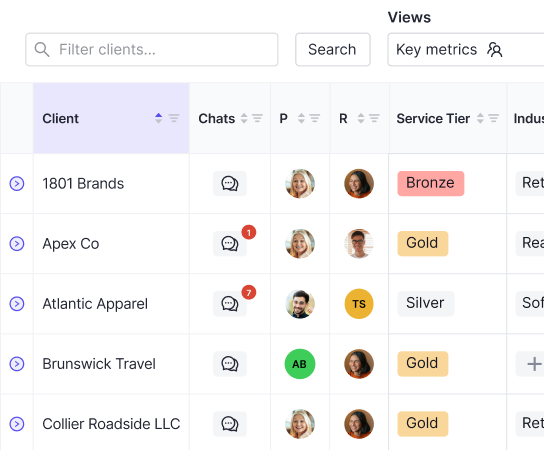
Double runs on the same building blocks covered above, but every output posts straight to the ledger instead of landing in a spreadsheet for someone to re-key. AI Bank Feeds uses composable, multi-rule logic on a single transaction, something QuickBooks Online's native rule engine cannot do on its own. For a broader comparison, see the best workflow automation software for accounting firms. AI Composer turns payroll exports, Stripe files, and other source documents into balanced journal entries, bills, invoices, and vendor credits, posted directly to the ledger with no spreadsheet step in between. AI Flux Analysis drafts variance explanations at the vendor and transaction level, so a controller reviews a conclusion instead of rebuilding one from scratch. Ask Double answers questions across an entire client portfolio and executes workflow actions from a chat window.
Firms using Double report 30 to 50 percent time savings per close. TeKoda grew from 15 to 100+ clients on the strength of that reclaimed capacity, and Perlson LLP's Virtual Controller Division grew from $15K to $1M in net revenue over 2.5 years.
Accounting firms pay a per-client monthly fee with no user fees or software fees stacked on top. Corporate finance teams pay a flat annual rate instead. Firms bringing on more than 10 clients get hands-on three-month implementation included in the price.
Final Thoughts on the Future of AI for Accountants
The practical question was never whether AI belongs in accounting. It belongs. The question is whether your firm is set up to review AI output critically, catch errors before they reach clients, and use the reclaimed time on work that actually requires you. The skills and tools covered here are a starting point, not a finish line. Book a demo with Double if you want to see how AI-driven close automation works across a real client portfolio.