
You've matched your bank statement a dozen times this year, and every time you're staring at a blank spreadsheet wondering if you missed a step.
A proper bank reconciliation template format gives you the rows, the formulas, and the checks you need so nothing slips through. Outstanding deposits get their own section, fees have a dedicated field, and your adjusted balances calculate automatically. You stop reinventing the process and start just doing it.
TLDR:
- Bank reconciliation compares your books against bank statements to catch errors, with manual methods carrying a 15-25% error rate.
- Free Excel and Google Sheets templates provide structure and auto-calculations that prevent common mistakes like duplicate entries and missed fees.
- Monthly reconciliation is minimum for most businesses, but high-volume operations benefit from daily or weekly reviews to catch issues early.
- Templates work well until you're spending hours matching hundreds of transactions across multiple accounts each month.
- Double pulls bank feeds directly from QuickBooks and Xero, auto-sorts transactions by confidence level, and pinpoints reconciliation discrepancies without manual hunting.
What Is Bank Reconciliation?
Bank reconciliation is the process of comparing your internal financial records against your bank statement to confirm they match. Every transaction you've recorded should appear on your statement, and every bank charge, deposit, or withdrawal should show up in your books.
When they don't match, something needs explaining. Maybe a check hasn't cleared yet, a fee got missed, or an error slipped through. Finding that discrepancy is the whole point.
For small businesses and accounting teams, doing this monthly keeps your books accurate and catches problems before they compound. A good template won't do the thinking for you, but it will make sure you don't skip a step.
Why Use a Bank Reconciliation Template?
Starting from a blank spreadsheet every month wastes time you don't have. A template gives you a repeatable structure that works whether you're closing one account or twenty.
The error argument alone makes the case. Manual bank reconciliation is prone to mistakes: transposed digits, missed fees, and duplicate entries that go unnoticed until they compound. A well-built template won't catch every human slip, but it walks you through the right steps in the right order, which cuts those odds considerably.
For bookkeepers managing multiple clients, standardization matters just as much as accuracy. When every reconciliation follows the same format, reviewing work and spotting anomalies gets faster for everyone on the team.
Types of Bank Reconciliation Templates
Not every reconciliation has the same job. The right template depends on how often you're closing, how complex your books are, and how much automation you want baked in.
Template Type | Best For | Common Formats |
|---|---|---|
Daily | Cash-heavy businesses, high transaction volume | Excel, Google Sheets |
Monthly | Standard bookkeeping for most businesses | Excel, PDF, Google Sheets |
Simple/manual | Single accounts, straightforward records | Excel, PDF |
Automated (formula-based) | Multiple accounts, recurring transactions | Excel with formulas |
Each type serves a distinct need.
A daily template helps you catch discrepancies before they compound and is critical for high-volume companies processing hundreds of daily transactions. mid-sized businesses should close books weekly, while a monthly format works well for standard close cycles.
Simple templates are great for sole proprietors or students learning the process. Formula-based automated versions save real time when you're managing recurring transactions across several accounts.
Free Excel Bank Reconciliation Templates
Excel remains the go-to choice for bank reconciliation because most accountants already know it and it works offline. A solid template should do more than organize rows. It should calculate the difference between your book balance and bank balance automatically.
Look for templates that include:
- SUMIF formulas to total outstanding checks and deposits in transit
- IF statements that flag when balances don't match
- Conditional formatting to call out unreconciled items instantly
Simple monthly templates cover most small businesses well. For daily reconciliations or multiple accounts, a formula-driven version that auto-calculates adjusted balances will save real time each close instead of forcing you to crunch numbers manually every single month.
Free Google Sheets Bank Reconciliation Templates
Google Sheets templates cover the same reconciliation steps as Excel versions. The real draw is live collaboration: any team member opens the file from any device without version-control headaches or emailed attachments bouncing around.
For bookkeepers working with remote clients, this changes the daily workflow. Share a template, let a client flag a charge or confirm a deposit in real time, and both sides see it instantly. No "which version is final?" confusion.
Core formulas like SUMIF and IF statements work the same way in Sheets, so there's no functionality gap on standard reconciliations. The choice usually comes down to how your team operates: Sheets for simultaneous multi-user access, Excel for complex offline builds.
How to Use a Bank Reconciliation Template (Step-by-Step)
Before matching any transactions, confirm your opening balance. It must match the closing balance from your previous reconciliation exactly. A discrepancy here cascades forward, so catch it first.

From there, the process is straightforward:
- Pull your bank statement and internal records for the same period
- Match transactions line by line, checking off items that appear in both
- List outstanding checks (issued but not yet cleared) and deposits in transit (recorded in your books but not yet posted by the bank)
- Calculate your adjusted bank balance: statement balance plus deposits in transit, minus outstanding checks
- Calculate your adjusted book balance: ledger balance plus interest earned, minus bank fees
- Compare the two adjusted totals
When they match, you're done. When they don't, the gap usually traces back to a duplicate entry, a transposed number, or a missed bank charge. Start there before assuming something more complicated went wrong.
Common Bank Reconciliation Errors and How Templates Help
Most errors fall into predictable patterns: transposed digits, duplicate entries, missed bank fees, and timing mismatches where a transaction appears in one record but not the other yet.
Templates catch these by building the checks in. Outstanding items get a dedicated row, fees have their own field, and formula-based versions flag automatically when adjusted balances don't match. No hunting required.
Monthly reconciliation is the minimum for most businesses. Higher-volume operations benefit from weekly or daily reviews, where catching a small error before 30 more days of transactions pile on top saves real time and avoids a much messier investigation later.
Automated Bank Reconciliation in Excel: Formulas and Setup
Three formulas handle most of the heavy lifting in an automated reconciliation template.
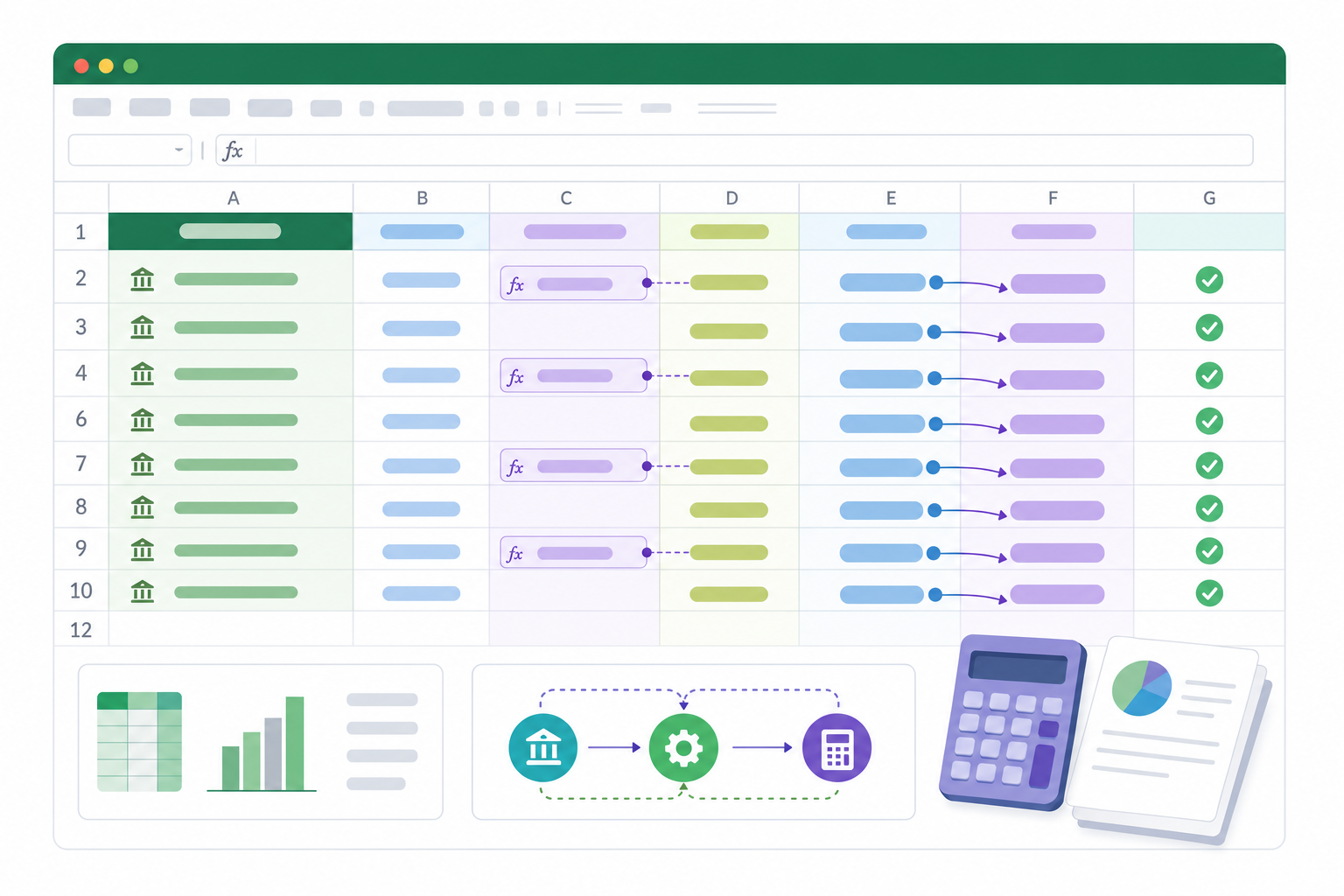
- SUMIF totals outstanding checks and deposits in transit by category, so your adjusted balances calculate without manual addition.
- IF flags when adjusted balances don't match, surfacing the exact gap instantly so you don't have to hunt for it.
- IFERROR prevents broken-formula errors when cells are empty mid-month, keeping the sheet clean throughout the period.
For recurring use, lock your formula rows and protect the sheet. Each month, paste new transactions into a designated input range and let the calculations run. Conditional formatting can flag unreconciled items in red automatically.
Data validation on key fields stops bad inputs before they break downstream formulas. Restrict date columns to valid date formats and amount fields to numbers only. Small guardrails like that keep a template running cleanly across dozens of close cycles.
When to Move Beyond Spreadsheet Templates
Spreadsheet templates work well for small teams with straightforward finances. But there are real signs that you've outgrown them.
- Reconciliations take hours each month because you're manually matching hundreds of transactions across multiple accounts.
- Errors keep slipping through, and you only catch them weeks later during a review.
- Your team has grown and multiple people need to work on financials at the same time without overwriting each other.
- You're spending more time fixing formulas than actually reviewing your books.
When those friction points stack up, it's worth looking at dedicated reconciliation software that pulls in bank feeds automatically and flags discrepancies in real time.
How Double Simplifies Bank Reconciliation Beyond Templates
Templates give you structure. Double gives you the work done.
Instead of manually matching transactions against a PDF statement, Double's AI Bank Feeds pull directly from QuickBooks and Xero, then sort transactions into confidence-based stages: automatic matches, rule-based categorizations, and items flagged for review. You work through what needs attention instead of processing everything from scratch each month.
When a reconciliation still won't balance, the "Fix My Rec" feature analyzes the discrepancy against your ledger to pinpoint the source, whether that's a duplicate entry, a timing gap, or a missing transaction. No manual hunting required.
Final Thoughts on Using Bank Reconciliation Templates
Whether you download a simple bank reconciliation template in Excel or build something automated with formulas, the goal is the same: match your books to your bank statement without wasting hours on manual work. Templates get you started, but they don't scale forever. When you're tired of the spreadsheet grind, book a demo and we'll show you how Double handles reconciliation faster.