
Over the last two months, I’ve talked to a lot of you about AI in Double. The question I hear most is “Can I use AI if I'm on Core?” The answer is yes.
Before we jump in, a quick tip: prompt Ask Double like you’re training a new hire. Name the client, the timeframe and what you want to see. If the answer’s off, give it feedback and ask again.
Here are four things you can do with AI on Core today.
Get an update on any client
Double already knows your clients, your tasks and your close, so you can ask it things you'd normally click through ten screens to find. Try the following prompts in Ask Double:
- Which clients still have open recs?
- What's overdue this week?
- What changed on [client name]’s P&L since last month?
Produce interactive and repeatable metrics
Instead of downloading everything into a spreadsheet, creating a graph, and uploading that image somewhere, keep everything inside Double. Use Ask Double to create clean and interactive charts for your clients to dig into. Try the following prompts in Ask Double:
- Show me monthly revenue for the last 12 months.
- Which expense categories grew the most this quarter? Put the top 3 into a bar chart.
Analyze why a rec won’t tie out
With Double’s Chrome extension, you can analyze why a rec won’t tie out in QuickBooks. After you’ve downloaded and installed the extension, go into one of your reconciliations in QuickBooks, hit the purple “analyze difference” button, and Double will figure out why that rec isn’t tying out. Save the workpaper to the task in Double, and keep your month-end moving along.
Analyze a client before you onboard them
Sometimes a new client turns out to be a much bigger project than you expected. Before you commit, connect the prospect’s QBO account and have Ask Double flag cleanup areas and anything that will take extra time. Try this prompt in Ask Double:
- Over the last two years, which months have unreconciled accounts? Why aren’t they tying out, and how would you fix them?
Controlling Costs
Every Core plan comes built in with $1 of credits per month per client, pooled across your firm. So if you have 10 clients, that’s $10 of usage across the firm.
While you shouldn’t expect to hit limits with normal usage, here are three tips for extending how far your credits go:
- Start a new chat for each task: Long chats cost more, because earlier messages get sent again with every request.
- Use the “Standard” model: AI models have gotten really good. The cheapest model handles most questions.
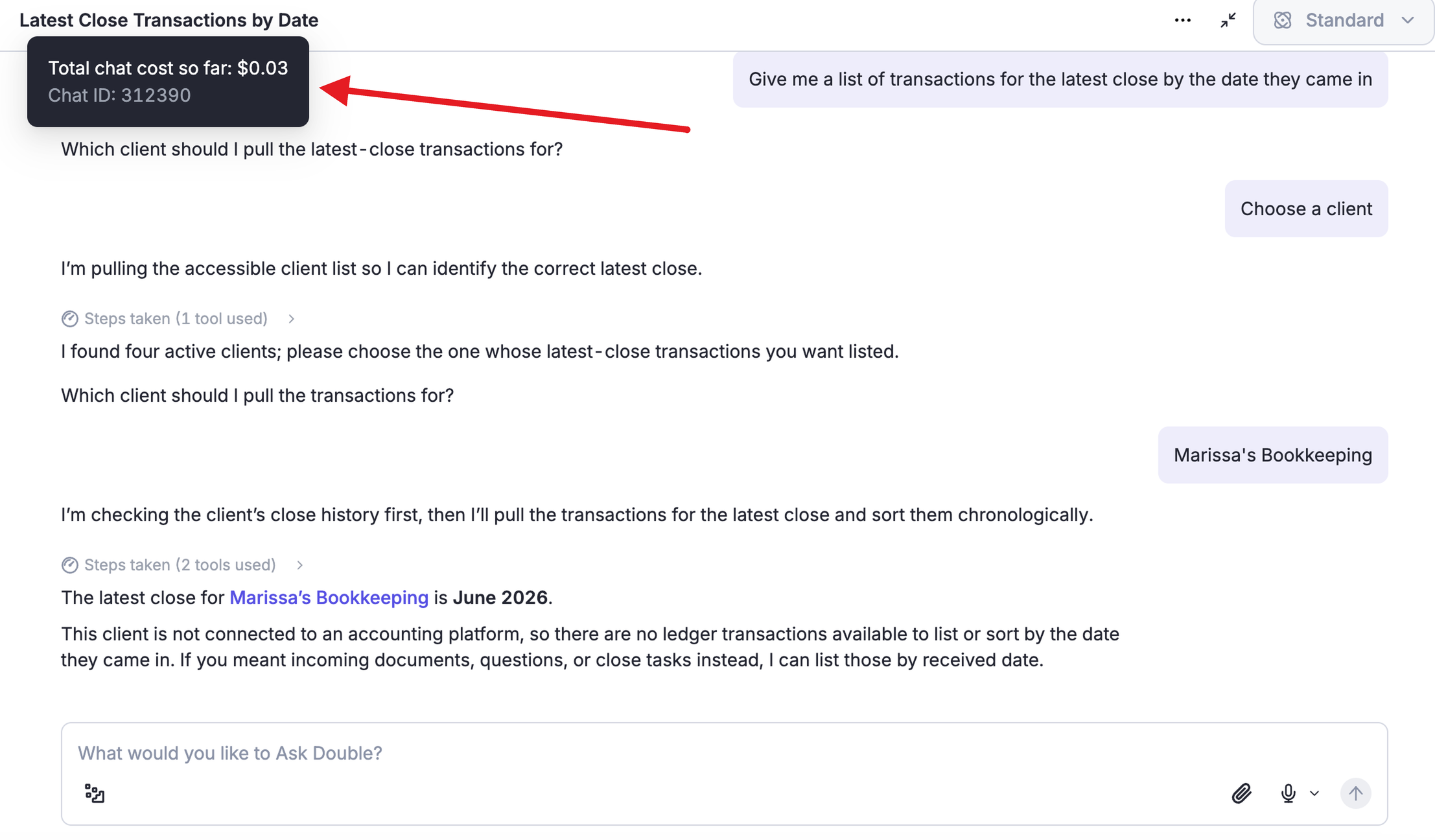
- Scope your question: If you're worried about hitting your limit, start by asking about one client or one transaction. There is a chat cost meter in the top left corner of every chat.
The first AI tools we released were all available on Core, and we continue to add to them. Even if you're naturally AI-skeptical, or don't want to roll AI out broadly across your firm, we really encourage you to try things out. You might love it, you might hate it, but either way, you’ll walk away more informed.
Want to learn more about AI in Double? Take our free AI & Automation Essentials course, read the Ask Double guide, or get inspiration from peers.